As Amazon Associates, we earn from qualifying purchases. This means we may receive a small commission at no extra cost to you if you click through and make a purchase.
Buffalo has built an enduring reputation in network-attached storage by prioritizing turnkey reliability, factory pre-tested hard drives, and security-centric closed operating systems. Rather than requiring users to source third-party hard drives and navigate complex operating system initializations, Buffalo delivers fully integrated appliances engineered for immediate deployment. By locking down firmware environments to prevent malicious third-party app installations and outfitting enclosures with automated synchronization tools, the brand serves home users, creative workstations, and corporate networks seeking dependable local storage without subscription fees.
This technical buffalo nas storage comparison evaluates five distinct offerings across the portfolio, highlighting how single-bay appliances, dual-bay mirrored enclosures, and multi-bay 2.5GbE business arrays diverge in drive redundancy, network interface speeds, and operating system generations to help you determine which buffalo nas to buy.
Buffalo NAS Storage Devices Compared
| Model | Drive Configuration | RAID Capabilities | Network Interface | OS & Ecosystem Compatibility |
|---|---|---|---|---|
| BUFFALO LinkStation 210 | 4TB (1x 3.5-inch HDD included) | None (Single Bay) | Standard Ethernet (listing does not specify speed) | Windows, macOS 15 and earlier |
| BUFFALO LinkStation 220 | 4TB (2x 3.5-inch HDDs included) | RAID 1 (default 2TB usable), RAID 0 (4TB) | Standard Ethernet (Network cable included) | Windows, macOS 15 and earlier |
| BUFFALO TeraStation Essentials 2025 | 32TB (4x 8TB 5400 rpm SATA-600 HDDs) | RAID 5 (default 24TB usable), RAID 6, RAID 0 | Native 2.5GbE (2.5 Gbps) | Windows, Cloud sync (S3, Dropbox, Azure, OneDrive) |
| BUFFALO LinkStation 720 | 8TB (2x 4TB HDDs included) | RAID 1 (default 4TB usable), RAID 0 (8TB) | Cat 6A Ethernet (up to 7x faster than LS 200) | Windows, macOS 26, DLNA Media Server |
| BUFFALO LinkStation 710 | 4TB (1x 4TB HDD included) | None (Single Bay) | Cat 6A Ethernet (up to 7x faster than LS 200) | Windows, macOS 26, DLNA Media Server |
Table from this guide — scroll sideways for the remaining columns.
BUFFALO LinkStation 210 4TB 1-Bay NAS for Basic Home Backups


BUFFALO LinkStation 210 4TB 1-Bay NAS 4 photos from the Amazon listing
Best for: Entry-level single-drive home backups
Pros
- Pre-installed 4TB hard drive
- Subscription-free personal cloud
- Closed system prevents app vulnerabilities
Cons
- No hardware RAID redundancy
- Limited to macOS 15 and earlier
The BUFFALO LinkStation 210 4TB 1-Bay NAS (model LS210D0401) serves as an entry-level personal cloud solution designed to centralize fragmented digital files across a private household network. Built around a single 3.5-inch drive bay containing a pre-installed 4TB hard disk, this unit connects straight into your home router to supply immediate shared network storage. The primary architectural benefit is the complete elimination of recurring cloud subscription fees, creating a private storage repository for family photos, music collections, and large video libraries that remains accessible across local devices and remote connections.
Data protection on this model relies on Buffalo’s specialized closed-system architecture, which restricts unverified third-party software installations to significantly reduce network-facing security vulnerabilities. File transmissions operate with SSL encryption, while network administrators can establish folder-level permission restrictions to isolate private documents from shared multimedia directories. Automated scheduled backups for desktop and laptop computers are managed via the included NAS Navigator management utility and PC backup software. Apple operating system support requires careful consideration: the LS210 is certified for macOS 15 Sequoia and earlier platforms using NAS Navigator 2, while modern environments operating on macOS 26 require the newer hardware architecture found in the LinkStation 700 line.
This single-drive appliance is ideally suited for individual users seeking a straightforward, set-and-forget backup hub for personal computers and media consolidation. Because it contains only one drive bay, it lacks disk mirroring capabilities and cannot recover data in the event of a mechanical drive failure. Work environments requiring real-time drive redundancy should step up to the dual-bay LinkStation 220 or LinkStation 720.
BUFFALO LinkStation 220 4TB 2-Bay NAS for Redundant Desktop Storage


BUFFALO LinkStation 220 4TB 2-Bay NAS 4 photos from the Amazon listing
Best for: Home offices wanting mirrored redundancy
Pros
- Pre-configured RAID 1 mirroring
- Two pre-tested drives included
- Automated PC backup software included
Cons
- Usable capacity limited to 2TB in RAID 1
- Not compatible with macOS 26
The BUFFALO LinkStation 220 4TB 2-Bay NAS (model LS220D0402) expands upon the entry-level platform by integrating hardware-level disk redundancy inside a desktop-friendly chassis. Shipping with two pre-tested hard drives installed, the appliance offers 4TB of total raw capacity. Out of the box, the unit is pre-configured in a mirrored buffalo nas raid configuration (RAID 1), which yields 2TB of protected usable capacity by continuously duplicating every block of data across both internal drives. For users who prioritize overall capacity over hardware redundancy, the storage array can be reformatted to RAID 0 to leverage the full 4TB volume for non-critical assets.
Network connectivity is established via the included network cable, allowing the LS220 to function as a high-efficiency network storage device for the entire household. It employs Buffalo’s closed operating system to shield stored assets from rogue applications, combined with SSL encryption for all active data transfers. Administrative control is handled through the bundled NAS Navigator management utility and PC backup software, enabling automated background synchronization across multiple networked client devices. Like its single-bay sibling, the LS220 is compatible with Windows workstations and macOS systems running macOS 15 Sequoia and earlier, with Buffalo providing 24/7 technical support for network configuration and deployment walkthroughs.
This model is the ideal choice for home offices, freelance professionals, and home archivists who want local hardware redundancy without the complexity of building a server from scratch. However, users who manage larger multimedia libraries or require multi-gigabit throughput will find the 2TB usable RAID 1 ceiling limiting, making the 8TB LinkStation 720 or enterprise TeraStation a more durable long-term investment.
BUFFALO TeraStation Essentials 2025 4-Bay Value for Multi-Gigabit Business Workloads


BUFFALO TeraStation Essentials 2025 4-Bay Value 4 photos from the Amazon listing
Best for: Multi-user business networks needing multi-gigabit throughput
Pros
- Native 2.5GbE network interface
- Pre-configured 24TB usable RAID 5
- 256-bit drive encryption and 2FA
Cons
- Larger 4-bay desktop footprint
- Complex features exceed basic home needs
The BUFFALO TeraStation Essentials 2025 4-Bay Value represents a substantial architectural step into enterprise-grade reliability and high-throughput network operations. Built for demanding office environments, this desktop appliance ships fully populated with four pre-tested 8TB 5400 rpm 3.5-inch SATA-600 hard disk drives, providing a massive 32TB of raw digital storage capacity. The system arrives pre-configured in RAID 5, delivering 24TB of usable capacity protected by single-drive parity fault tolerance. Administrators can easily reconfigure the storage pool to RAID 6 for dual-drive parity protection in mission-critical deployments, or RAID 0 to access the complete 32TB volume when write throughput is prioritized.
To support high-bandwidth collaborative environments, the appliance integrates native buffalo 2.5gbe nas storage through an onboard 2.5GbE Ethernet port. Operating at 2.5 gigabits per second over standard network cabling, it eliminates data bottlenecks during concurrent multi-user file access and large backup routines. The business-class security framework features hardware-level 256-bit drive encryption, a closed firmware architecture, two-factor authentication (2FA), and abnormal login and file activity detection designed to mitigate ransomware threats. Furthermore, seamless hybrid cloud integration allows bi-directional synchronization with Amazon S3, Dropbox, Microsoft Azure, and OneDrive to ensure offsite disaster recovery compliance. The unit is made in Japan, fully TAA compliant, and backed by a 3-year warranty covering both the chassis and hard drives with 24/7 US-based technical support and dedicated data recovery services.
The TeraStation Essentials 2025 is engineered specifically for commercial operations, creative studios, and multi-employee offices requiring expansive capacity, multi-gigabit throughput, and sophisticated data protection. It clearly outclasses the LinkStation series in speed, redundancy options, and enterprise security, though its industrial capacity footprint exceeds the requirements of light household media streaming.
BUFFALO LinkStation 720 8TB 2-Bay Home for Modern Multi-Device Streaming


BUFFALO LinkStation 720 8TB 2-Bay Home 4 photos from the Amazon listing
Best for: Modern media streaming and macOS 26 households
Pros
- Up to 7x faster than LS 200
- Certified macOS 26 compatibility
- Integrated DLNA media streaming server
Cons
- Yields 4TB usable in factory RAID 1
- Lacks native business cloud sync
The BUFFALO LinkStation 720 8TB 2-Bay Home (model LS720D0802) brings Buffalo’s modern high-speed consumer platform to users requiring expansive capacity and enhanced multimedia processing. Housing two 4TB hard disk drives (2x4TB) inside an 8.1-inch deep enclosure, the LS720 delivers 8TB of raw storage. The unit ships pre-configured in RAID 1, providing 4TB of usable storage with automatic disk mirroring to protect against physical drive failure, while allowing reformatting to RAID 0 to unlock the full 8TB pool for high-capacity workflows. Buffalo packages the unit with a Cat 6A Ethernet cable, AC adapter, and setup documentation for immediate physical deployment.
Performance is a primary highlight of the 700 series, which delivers up to seven times faster data transfer speeds compared to the legacy LinkStation 200 platform. Network compatibility is expanded to support both Windows PCs and the latest Apple operating systems, including full macOS 26 compatibility alongside bundled NAS Navigator management tools. Integrated DLNA media server capabilities allow the LS720 to stream stored movies, high-resolution audio, and photography directly to smart televisions, network receivers, and streaming devices across the local area network. System security remains fortified via Buffalo’s closed system to eliminate third-party application attack vectors, complemented by SSL-encrypted transfers and granular folder permission controls.
This dual-bay appliance is the premier pick for modern homes and creative studios seeking high-speed media streaming, cross-platform file transfers, and automated hardware redundancy. It gives way only to the TeraStation series when commercial cloud sync protocols, multi-drive parity RAID, or 2.5GbE business connectivity are required.
BUFFALO LinkStation 710 4TB 1-Bay NAS for High-Speed Personal Storage


BUFFALO LinkStation 710 4TB 1-Bay NAS Network Attached Storage 4 photos from the Amazon listing
Best for: Individual creators needing fast macOS 26 storage
Pros
- Compact 1.77-inch wide chassis
- Up to 7x faster transfer performance
- Cat 6A Ethernet cable included
Cons
- Single bay without RAID protection
- No secondary drive expansion
The BUFFALO LinkStation 710 4TB 1-Bay NAS (model LS710D0401) packs the updated processing architecture of the 700 series into a slim, space-saving desktop footprint measuring just 1.77 inches wide. Equipped with a single pre-installed 4TB hard disk (1x4TB), this single-bay network-attached storage device connects directly to your home network using the supplied Cat 6A Ethernet cable. Like its dual-bay counterpart, it delivers up to seven times faster transfer speeds than the earlier LS200 generation, drastically reducing transfer times when backing up large local directory structures.
Designed as a private cloud with zero ongoing subscription costs, the LS710 provides seamless remote access, file sharing, and centralized storage for multiple household computers. The appliance features full compatibility with both Windows and modern macOS 26 environments, utilizing NAS Navigator management software to orchestrate automated scheduled client backups. Multimedia enthusiasts can leverage the built-in DLNA media server functionality to distribute high-definition content to entertainment systems throughout the home. Data isolation is maintained through Buffalo’s closed operating system, folder-level access restrictions, and SSL transfer encryption, ensuring personal archives remain shielded from unauthorized network access.
This unit is specifically tailored for individual creators and power users who require fast network throughput and modern macOS compatibility in a compact form factor, but do not require physical drive redundancy. Users handling irreplaceable business data or demanding automated hardware failover should step up to the dual-bay LinkStation 720 or four-bay TeraStation Essentials.
How to Choose the Right Buffalo NAS Storage Devices
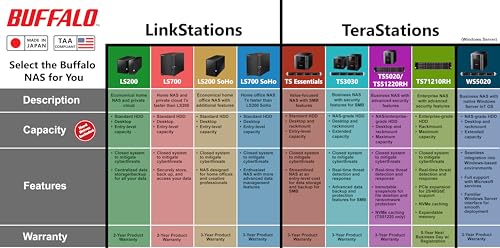
Selecting the proper storage appliance requires evaluating drive configurations, network interface performance, hardware redundancy, and ecosystem compatibility. A major decision point is understanding buffalo linkstation vs terastation architectures. The LinkStation family is engineered as a turnkey personal cloud and media distribution platform for residences and home offices, prioritizing whisper-quiet operation and simple client backups. In contrast, the TeraStation series is designed for commercial business tiers, offering high-capacity arrays, native 2.5GbE throughput, 256-bit drive encryption, two-factor authentication, and native hybrid cloud synchronization with enterprise services like Microsoft Azure and Amazon S3.
Network bandwidth and transfer speed should guide your hardware selection. Entry-level units like the BUFFALO LinkStation 210 and BUFFALO LinkStation 220 operate over standard Ethernet connections, making them dependable choices for basic document synchronization and background desktop backups. However, users frequently shifting massive video libraries or operating in multi-user environments benefit substantially from the advanced throughput of the BUFFALO LinkStation 710 and BUFFALO LinkStation 720, which utilize Cat 6A cabling to deliver up to seven times faster performance than the LS200 series. For true commercial performance, the BUFFALO TeraStation Essentials 2025 provides a native 2.5GbE interface operating at 2.5 gigabits per second, matching the performance required by modern business switches without requiring cabling upgrades.
Physical drive redundancy and RAID protection represent another critical threshold. Single-bay enclosures like the LinkStation 210 and 710 maximize capacity and desktop economy, but a physical drive failure results in data loss if external secondary backups do not exist. Dual-bay configurations like the LinkStation 220 and 720 provide out-of-the-box RAID 1 mirroring, ensuring an identical copy of all data is preserved should one drive experience mechanical failure. For enterprise-level data density, the 4-bay TeraStation Essentials 2025 implements RAID 5 parity across four 8TB drives, providing 24TB of protected space while tolerating a single drive failure without downtime, with optional configuration for RAID 6 dual-drive failure protection.
Operating system compatibility is equally vital. Users operating legacy infrastructure or systems up to macOS 15 Sequoia can comfortably deploy the LinkStation 200 series. However, households and creative workstations running modern macOS 26 platforms must select the LinkStation 700 series to maintain native driver compatibility and management functionality through NAS Navigator. When assessing broader infrastructure alternatives, comparing turnkey setups to modular solutions like a ugreen nas 4 bay or enterprise qnap nas storage reveals the distinct advantage of Buffalo: fully integrated, pre-tested drives with closed operating systems requiring zero manual disk initialization. Similarly, users weighing local network storage against unshared external drives such as a western digital 5tb drive gain centralized multi-client automated backups and private remote cloud access by choosing a dedicated network appliance.
FAQ
What is the difference between Buffalo LinkStation and TeraStation models?
Buffalo LinkStation models are consumer and home-office network attached storage devices optimized for personal cloud backups, DLNA multimedia streaming, and intuitive multi-device file sharing without recurring fees. TeraStation models are professional-grade enterprise platforms equipped with high-performance 2.5GbE networking, 256-bit drive encryption, two-factor authentication, TAA compliance, and advanced hybrid cloud replication with platforms such as Amazon S3, Dropbox, Microsoft Azure, and OneDrive.
How do RAID configurations work across Buffalo 2-bay and 4-bay NAS devices?
Buffalo dual-bay models (LinkStation 220 and LinkStation 720) ship pre-configured in RAID 1, mirroring data across both disks to provide real-time hardware redundancy at the expense of half the total raw capacity. They can be switched to RAID 0 to utilize full capacity without fault tolerance. The 4-bay TeraStation Essentials ships in RAID 5, distributing parity data across four pre-installed drives to maintain 24TB of usable space with single-drive fault tolerance, while supporting reconfiguration to RAID 6 for dual-drive parity or RAID 0 for maximum speed and raw capacity.
Can I use Buffalo LinkStation storage devices with Apple macOS?
Yes, but compatibility depends on the specific hardware series. The LinkStation 200 series (LS210 and LS220) officially supports macOS 15 Sequoia and earlier operating systems using the bundled NAS Navigator 2 management utility. For newer Apple environments running macOS 26, Buffalo specifies the LinkStation 700 series (LS710 and LS720), which features updated hardware architecture and native operating system integration.
What are the security benefits of Buffalo’s closed operating system?
Unlike open NAS operating systems that permit users to download third-party community applications and packages, Buffalo utilizes a closed operating system architecture. This intentionally eliminates third-party software installation vectors, dramatically reducing system vulnerabilities and protecting stored files from malware and unauthorized external exploits. Security is further bolstered by SSL-encrypted data transfers, user-specific folder access permissions, and 256-bit drive encryption on business-class TeraStation hardware.
Do Buffalo NAS devices require hard drive installation before setup?
No. All five Buffalo NAS storage models reviewed ship fully populated with pre-tested hard drives installed at the factory. Furthermore, multi-bay models arrive with their RAID arrays pre-configured (RAID 1 on dual-bay units, RAID 5 on the 4-bay TeraStation), allowing users to connect the power and Ethernet cables and immediately begin backing up data without manual drive assembly or lengthy array initialization procedures.
Selecting the appropriate storage appliance depends on balancing network throughput with long-term data redundancy needs. Reviewing volume configuration options, drive bay scalability, and transfer bottlenecks in our NAS Drive Guide helps clarify the best path forward for your workflow. Aligning these technical variables with your backup routines ensures resilient file preservation across both home and office environments.


