As Amazon Associates, we earn from qualifying purchases. This means we may receive a small commission at no extra cost to you if you click through and make a purchase.
Western Digital has long served as a benchmark manufacturer in the external storage industry, producing durable magnetic recording media and solid-state hardware for consumer, professional, and enterprise computing environments. The brand’s external storage lineup is particularly recognized for prioritizing plug-and-play simplicity, wide hardware controller compatibility, and robust mechanical construction that reliably safeguards valuable files. Whether users need portable bus-powered drives for field photography or high-capacity desktop enclosures for workstation archiving, Western Digital designs storage solutions that interface cleanly across modern operating systems and legacy USB ports. In this technical breakdown, we examine Western Digital 5TB storage architecture against adjacent capacity tiers to help you determine which external storage profile meets your operational demands.
While the 5TB portable model delivers maximum data density in a pocketable 2.5-inch bus-powered footprint, its 4TB counterpart offers a balanced lightweight alternative, and the 8TB desktop configuration provides expansive stationary capacity designed for heavy business archives.
Western Digital External Hard Drives Compared
| Model | Form Factor | Digital Storage Capacity | Interface Bandwidth | Compatible Devices |
|---|---|---|---|---|
| Western Digital WD 5TB Elements Portable | 2.5-inch | 5 TB | USB 3.2 Gen 1 (5Gbps) / USB 2.0/3.0 | Desktop, Laptop, Tablet |
| WD 4TB Elements Portable External Hard | 2.5-inch | 4 TB | USB 3.2 Gen 1 (5Gbps) / USB 2.0/3.0 | Laptop, Desktop |
| Western Digital 8TB Elements Desktop External | 3.5 inches | 8 TB | USB 2.0/3.0 | Desktop, Laptop |
Table from this guide — scroll sideways for the remaining columns.
Western Digital WD 5TB Elements Portable for High-Capacity Mobility



Western Digital WD 5TB Elements Portable 4 photos from the Amazon listing
Best for: Travelers needing maximum bus-powered portable storage capacity
Pros
- Expansive 5TB mobile capacity
- SuperSpeed USB 3.2 Gen 1
- Broad PC and Mac compatibility
Cons
- Listing notes 50 MB/s read speed
The Western Digital WD 5TB Elements Portable external hard drive represents the highest capacity configuration available in Western Digital’s portable 2.5-inch lineup. Engineered specifically for mobile professionals, field technicians, and home users who manage massive file volumes away from a desk, this drive combines five terabytes of unformatted storage space with total bus-powered operation. Because it draws all operating power directly through the host connection, it eliminates the requirement for bulky AC adapters or dedicated electrical outlets. When configuring secondary storage alongside high-speed internal solid-state media like a wd ssd 2tb drive, having a dedicated 5TB external mechanical volume provides an economical way to store cold project directories, raw media captures, and complete system restore files.
Regarding technical hardware specifications, this wd 5tb usb 3.2 gen 1 device features an integrated USB 2.0/3.0 interface supporting SuperSpeed signaling rates up to 5Gbps. Listing specifications record an operational read speed benchmark of 50 megabytes per second, a cache memory installed size of 5, a rotational speed rating of 1, and a sustained data transfer rate listing of 1 megabyte per second. In a broader western digital 5tb comparison, this model stands out for its universal host compatibility, functioning seamlessly across desktop computers, laptop systems, and compatible USB-equipped tablets. Its plug-and-play expandability ensures immediate drive mounting on Windows and Mac hardware without mandatory driver installations or background companion utilities.
In a technical evaluation of wd elements 5tb vs 4tb hardware, the primary advantage of this 5TB unit is its sheer capacity density within an identical 2.5-inch footprint. Users gain an additional 1,000 gigabytes of allocation headroom for large multi-part disk archives and raw video files without carrying extra hardware bulk. While sustained multi-user read and write workloads across local network infrastructure may be better served by a dedicated wd nas drive, this portable 5TB drive remains the premier choice for individual power users requiring expansive personal storage in a pocketable chassis.
WD 4TB Elements Portable External Hard for Lightweight Field Backups
WD 4TB Elements Portable External Hard Drive for Windows, 4 photos from the Amazon listing
Best for: Users needing balanced portable secondary backup storage
Pros
- Compact 2.5-inch enclosure
- SuperSpeed USB 3.2 Gen 1
- 1050 MB/s listed read speed
Cons
- Lower capacity than 5TB tier
The WD 4TB Elements Portable External Hard serves as the four-terabyte iteration in the portable series, offering an optimal equilibrium between expansive data capacity and lightweight mobility. Built around a standard 2.5-inch form factor enclosure, this unit is engineered for easy transportation inside laptop sleeves, camera bags, or briefcases. While high-performance internal solid-state drives such as a wd 1tb nvme drive excel at high-throughput operating system duties and active application caching, an external 4TB drive provides the vast physical headroom required to archive personal documents, photo catalogs, and music collections without depleting expensive primary host storage.
Connectivity is governed by a SuperSpeed USB 3.2 Gen 1 bridge controller that operates at up to 5Gbps while maintaining backwards compatibility with legacy USB 2.0 and USB 3.0 ports. The manufacturer listing notes an operational read speed metric of 1050 megabytes per second, an installed cache memory size of 4, a media speed index of 1, a rotational speed rating of 1, and a nominal data transfer rate parameter of 1 megabyte per second. Like its 5TB sibling, the 4TB configuration offers plug-and-play expandability for laptops and desktops, allowing users to plug into a host system and immediately initiate file transfers or automated system backups without complex setup procedures.
The 4TB Elements model suits everyday consumers, remote workers, and students who need dependable secondary storage for regular computer maintenance and backup routines. Although it concedes one terabyte of capacity to the 5TB flagship, the 4TB tier offers more than enough volume for multi-year operating system recovery images and large digital asset libraries. It gives way to the 5TB version primarily for users whose continuous data accumulation requires maximum capacity per device, but it remains a highly dependable, lightweight backup companion for general mobile computing.
Western Digital 8TB Elements Desktop External for High-Capacity Archiving


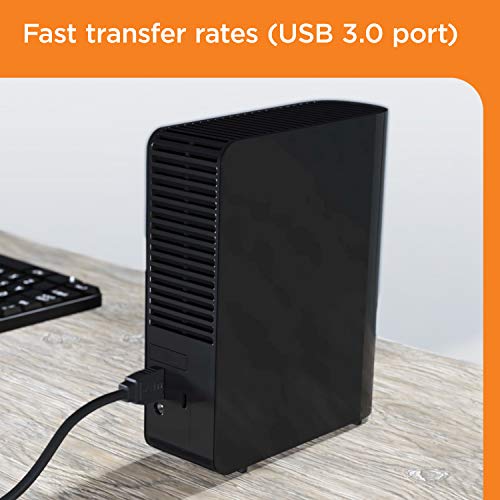
Western Digital 8TB Elements Desktop External 4 photos from the Amazon listing
Best for: Workstations requiring massive stationary archiving capacity
Pros
- Massive 8TB desktop volume
- Fast 5 GB/s listed read speed
- Pre-formatted NTFS for Windows
Cons
- Requires stationary desktop placement
Transitioning from mobile storage to stationary workstation gear, the Western Digital 8TB Elements Desktop External hard drive is designed to serve as a high-capacity storage hub for home offices, creative editing bays, and small business workstations. Unlike bus-powered mobile drives, this model utilizes an expansive 3.5-inch desktop form factor engineered to sit beside a desktop tower or creative console. When evaluating options across a wider wd external hard drive lineup, the 8TB Elements Desktop prioritizes maximum storage consolidation, giving users eight terabytes of dedicated space for business datasets, expansive video libraries, and redundant multi-machine system snapshots.
From an architectural standpoint, the drive interfaces via USB 2.0/3.0 connectivity and delivers impressive performance metrics in the technical listing, including a read speed rating of 5 gigabytes per second, a media speed specification of 5 GB/s, an installed cache memory size of 8, and a data transfer rate up to 16 gigabits per second. The drive comes formatted out of the box with the NTFS file system, ensuring instant plug-and-play operation for PCs running Windows 10, Windows 8.1, or Windows 7, while also supporting reformatting for macOS environments. Its internal mechanical assembly is enclosed within a durable desktop casing built to Western Digital quality standards for stationary reliability.
The 8TB Elements Desktop is specifically matched to business operators, content creators, and archiving specialists who require large-scale local storage and do not require portable, battery-friendly bus power. Where portable 2.5-inch drives cap out at lower capacities, the 3.5-inch desktop platform provides the physical volume needed to maintain years of continuous automated system backups and enterprise file histories. It gives way to the portable models whenever travel mobility is required, serving instead as the centralized desk-bound data anchor for all connected computing devices.
How to Choose the Right Western Digital External Hard Drives
Selecting the ideal storage device requires balancing mechanical dimensions, interface protocols, host device compatibility, and intended workload patterns. When analyzing a western digital portable vs desktop hard drive, the central decision revolves around the western digital 2.5 vs 3.5 hard drive divide. The 2.5-inch portable drives, such as the 5TB and 4TB Elements models, are bus-powered devices that draw their operating current directly over the USB bus, making them lightweight solutions for travel and mobile computing. Conversely, the 3.5-inch desktop form factor used by the 8TB Elements is engineered for fixed desk placement, providing massive volume for stationary workstations at the expense of portability.
Reviewing western digital external hard drive specs also helps you decide which western digital hard drive to buy based on storage capacity needs. The 5TB Elements Portable offers the highest data density possible in a pocket-sized external drive, making it the ideal choice for field videographers and IT professionals who carry full system backups on the road. The 4TB Elements Portable provides a practical alternative for everyday laptop backups and media storage where five terabytes might exceed baseline requirements. Meanwhile, the 8TB Elements Desktop doubles the capacity of the portable models, providing the deep storage pool necessary for business archiving and multi-system local redundancy.
Interface considerations and controller capabilities should also inform your hardware selection. The 4TB and 5TB portable drives feature SuperSpeed USB 3.2 Gen 1 bridge controllers providing 5Gbps interface signaling alongside backward compatibility with legacy USB 2.0 host ports. The 8TB desktop model lists read speeds up to 5 GB/s and transfer rates up to 16 Gbps, reflecting its desktop-class USB bridge architecture. Desktop systems with permanent workstation setups benefit heavily from the 8TB model’s fixed configuration, while users alternating between laptops, desktops, and tablets will find the plug-and-play nature of the portable drives far more adaptable to multi-device workflows.
Finally, consider file system formatting and operational environment requirements before deployment. The 8TB Elements Desktop arrives pre-formatted in NTFS for immediate native support on Windows 10, Windows 8.1, and Windows 7, requiring reformatting through disk management software for write operations on macOS. The 4TB and 5TB portable drives are engineered for immediate plug-and-play readiness across both Windows and Mac environments. Aligning your drive form factor, capacity overhead, and host operating system ensures that your Western Digital storage hardware integrates seamlessly into your daily compute routine.
FAQ
Can the Western Digital WD 5TB Elements Portable work with both PC and Mac?
Yes, the Western Digital WD 5TB Elements Portable is designed to work across PC and Mac hardware via standard USB connectivity. While the drive mounts immediately on compatible systems, using it on macOS may require reformatting the file system to APFS or exFAT if the drive comes pre-formatted in NTFS for Windows, enabling full read and write functionality across both platforms.
How does the Western Digital 8TB Elements Desktop External differ from the portable models?
The Western Digital 8TB Elements Desktop External hard drive utilizes a larger 3.5-inch desktop form factor designed for stationary placement next to a computer. In contrast, the 4TB and 5TB Elements models use compact 2.5-inch enclosures that draw bus power directly from the host USB port, making them completely portable without needing a dedicated desktop setup.
What is the interface bandwidth difference between USB 3.0 and USB 3.2 Gen 1 on WD Elements drives?
From an engineering specification standpoint, USB 3.0 and USB 3.2 Gen 1 refer to the same 5Gbps signaling rate, designated as SuperSpeed USB. The Western Digital product listings use both terms to indicate complete compatibility with both older USB 3.0 host controllers and newer USB 3.2 Gen 1 computer ports.
Do the 2.5-inch WD Elements portable drives require an external power adapter?
No, neither the Western Digital WD 5TB Elements Portable nor the WD 4TB Elements Portable External Hard requires an external power supply or wall brick. Both units operate entirely on 5V bus power supplied directly through the host computer’s USB port.
Which Western Digital hard drive is best for business and long-term workstation backups?
The Western Digital 8TB Elements Desktop External hard drive is the best match for business and workstation backups because of its generous 8TB capacity, dedicated 3.5-inch desktop engineering, and pre-formatted NTFS structure for Windows systems. If your workflow requires mobile data transport between client sites, the 5TB or 4TB portable drives provide the necessary mobile flexibility.


