As Amazon Associates, we earn from qualifying purchases. This means we may receive a small commission at no extra cost to you if you click through and make a purchase.
LG has established an enduring benchmark in competitive desktop displays through its UltraGear series, advancing fast In-Plane Switching liquid crystal panels that eliminate the legacy compromise between motion clarity and viewing angle stability. In the 2560×1440 resolution category, the 27-inch diagonal remains the consensus sweet spot for desktop computing, generating a pixel density of approximately 108 pixels per inch. This density preserves crisp spatial rendering for text and complex geometries while circumventing the heavy graphical overhead imposed by 4K arrays. Readers analyzing high-performance display options across the broader lg ultra gear lineup frequently gravitate toward these 27-inch panels to secure uniform color saturation, low input latency, and versatile variable refresh rate implementations that synchronize seamlessly across modern graphics hardware.
While each monitor evaluated in this breakdown shares the fundamental framework of a 27-inch 1440p IPS panel with a 1ms Gray-to-Gray response target, they diverge across native refresh rate ceilings spanning 144Hz to 300Hz, color gamut volumes extending from baseline sRGB to 95% DCI-P3, and interface capabilities ranging from legacy video connections to full-bandwidth HDMI 2.1 and multifunction USB-C ports.
LG 27-inch Gaming Monitors Compared
| Model | Refresh Rate | Color Coverage | Contrast Ratio | Peak Brightness |
|---|---|---|---|---|
| LG 27GR83Q-B | 240Hz | 95% DCI-P3 (Typ.) | 1000:1 | 400 cd/m² |
| LG 27G64NA-B | 300Hz | 93% sRGB | 1000:1 | 400 cd/m² |
| LG 27G640A-B | 300Hz | 95% DCI-P3 | 1300:1 | 400 cd/m² |
| LG 27GS75Q-B | 180Hz (O/C 200Hz) | 99% sRGB | 1000:1 | 300 cd/m² |
| LG 27GL83A-B | 144Hz | 99% sRGB | 700:1 | Not listed |
| LG 27GS75QX-B | 180Hz (O/C 200Hz) | 99% sRGB | 1000:1 | 300 cd/m² |
Table from this guide — scroll sideways for the remaining columns.
LG 27GR83Q-B 27-inch Ultragear QHD for High-Bandwidth 240Hz Esports


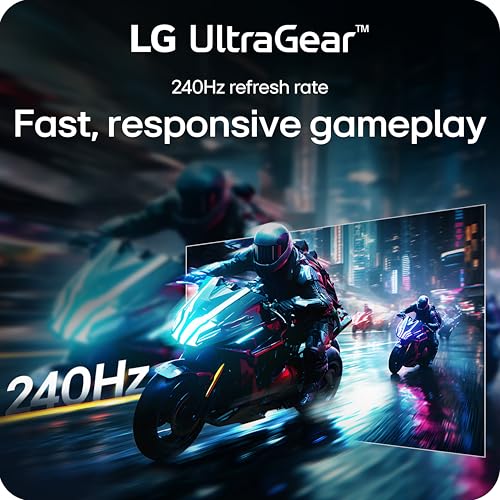

LG 27GR83Q-B 27-inch Ultragear QHD 4 photos from the Amazon listing
Best for: Esports players wanting 240Hz and wide color
Pros
- Native 240Hz refresh rate
- HDMI 2.1 and DisplayPort 1.4
- 95% DCI-P3 color gamut
- DTS Headphone:X audio jack
Cons
- Lacks USB Type-C connectivity
- Contrast capped at standard 1000:1
The LG 27GR83Q-B 27-inch Ultragear QHD represents a performance threshold built specifically to avoid video transmission bottlenecks on current-generation graphics architectures. Operating at a native 240Hz refresh rate on a 2560×1440 IPS panel, it cycles a new visual frame every 4.16 milliseconds. Unlike older display generations restricted by legacy port standards, this chassis integrates HDMI 2.1 alongside DisplayPort 1.4, enabling uncompressed 1440p gaming at full 240Hz across both interface standards. Its 1ms Gray-to-Gray response time preserves pixel transition sharpness during rapid directional changes, suppressing trailing artifacts behind high-velocity character models.
Optical specifications on the lg 27gr83q-b center on a 1000:1 static contrast ratio and a peak brightness rating of 400 cd/m², fulfilling the requirements of VESA DisplayHDR 400. Rather than restricting output to standard web-gamut coverage, this display reproduces up to 95% of the DCI-P3 color spectrum, producing richly saturated hues across contemporary game engines. Tear-free execution is backed by official validation for NVIDIA G-SYNC Compatibility and AMD FreeSync Premium. Audio processing is addressed through an onboard 4-pole headphone jack equipped with DTS Headphone:X spatial virtualization, while internal software modes include specialized FPS, RTS, and custom Gamer presets to optimize visual clarity.
This display is ideal for competitive players equipped with upper-tier GPUs who want the fluidity of 240 frames per second without sacrificing the wider DCI-P3 color envelope. Its ergonomic mechanical stand provides tilt, height, and pivot movements for tailored posture alignment. Users requiring higher refresh ceilings of 300Hz or integrated USB-C video input will need to look further up the catalog, but for balanced 240Hz speed and modern HDMI 2.1 console or PC integration, this model serves as a reference-tier choice.
LG 27G64NA-B 27-inch Ultragear G6 QHD for Maximum Frame Pacing Velocity


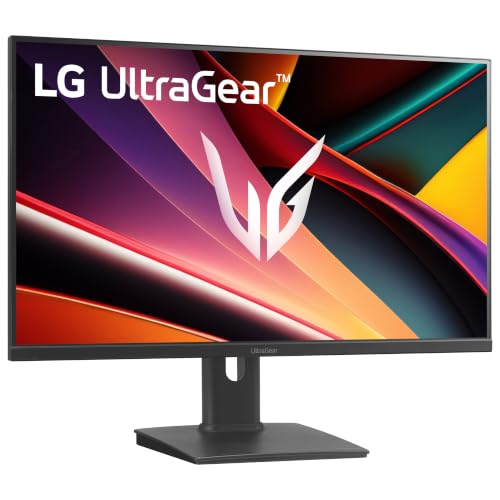
LG 27G64NA-B 27-inch Ultragear G6 QHD 4 photos from the Amazon listing
Best for: Competitive FPS gamers prioritizing maximum refresh rate
Pros
- Blazing 300Hz refresh rate
- Fast 1ms GtG response time
- DisplayHDR 400 with 400 cd brightness
- Hardware FPS counter and crosshair
Cons
- Color gamut limited to 93% sRGB
- Stand lacks swivel adjustment
Engineered for gamers seeking extreme temporal resolution, the LG 27G64NA-B 27-inch Ultragear G6 QHD accelerates refresh output to a blistering 300Hz. Refreshing the screen every 3.33 milliseconds, this monitor reduces motion smearing and display-induced input lag to microscopic margins. The 27-inch 2560×1440 QHD canvas retains high pixel density with its 0.23 mm pixel pitch, while the rapid 1ms GtG liquid crystal response time prevents ghosting and pixel overshoot during high-speed rotational sweeps in competitive first-person shooters.
The visual framework of the lg 27g64na-b incorporates an LED-backlit IPS matrix delivering 400 cd/m² luminance and a 1000:1 contrast ratio beneath a glare-reducing matte screen finish. Its color balance focuses on competitive visibility, delivering up to 93% sRGB coverage while supporting HDR10 decoding and VESA DisplayHDR 400 highlights. Built-in tactical software enhancements include the proprietary Black Stabilizer tool to illuminate target details concealed within deep shadow gradients, an integrated Crosshair overlay for center-screen targeting precision, and a hardware-level FPS Counter providing real-time rendering statistics independent of external software utilities.
This monitor caters squarely to competitive esports competitors who prioritize frame rate overhead and raw timing precision above expansive cinema color spaces. Dual-standard variable refresh rate functionality is maintained through certified NVIDIA G-SYNC Compatibility and AMD FreeSync Premium over DisplayPort and HDMI 2.1 ports. Readers looking for wider color spaces or USB laptop dock connectivity should explore other alternatives in the lineup, as this model focuses its technical resources entirely on 300Hz velocity.
LG 27G640A-B 27-inch Ultragear QHD for Mixed Productivity and High-Velocity Gaming


LG 27G640A-B 27-inch Ultragear QHD 4 photos from the Amazon listing
Best for: Power users balancing hybrid productivity and esports
Pros
- 300Hz refresh rate with 1300:1 contrast
- USB Type-C port with 15W charging
- 95% DCI-P3 wide color gamut
- Full tilt height swivel and pivot stand
Cons
- USB-C power delivery limited to 15W
- Demands high-end graphics hardware
The LG 27G640A-B 27-inch Ultragear QHD combines ultra-high-speed panel engineering with an upgraded workstation interface layout. Running at an elite 300Hz refresh rate with a 1ms GtG response threshold, it matches the kinetic clarity of pure esports displays while refining overall image depth. It differentiates itself from standard IPS screens by delivering an elevated 1300:1 native contrast ratio, generating darker black floor values and cleaner visual separation between foreground characters and dark environmental geometry.
Color rendering on the lg 27g640a-b covers up to 95% of the DCI-P3 color gamut, complemented by 400 cd/m² peak brightness, VESA DisplayHDR 400 certification, and HDR10 signal decoding. Connectivity is an engineering highlight: the unit features dual HDMI 2.1 ports, DisplayPort 1.4, and a multifunction USB Type-C port that supports DisplayPort Alternate Mode alongside 15W power delivery. Enthusiasts who contrast various monitor categories on roundups evaluating acer 1440p ips displays will observe how the combination of 300Hz speed, high contrast, and USB-C connectivity bridges the gap between competitive gaming and modern workspace efficiency.
This chassis represents the optimal solution for users who split system usage between creative workloads requiring wide color gamuts and competitive titles demanding maximum frame synchronization. The stand mechanism offers complete ergonomic customization, featuring tilt, height, pivot, and swivel adjustments. Gamers who do not require USB-C connectivity or 300Hz speeds can step down to 180Hz alternatives to match mid-tier graphics capabilities without altering screen size or resolution.
LG 27GS75Q-B 27-inch Ultragear QHD for Mainstream 1440p Performance

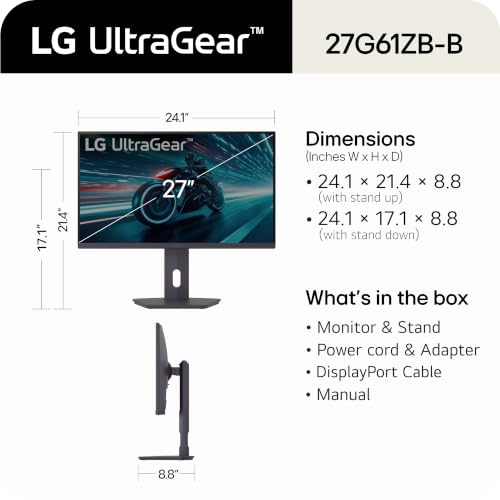


LG 27GS75Q-B 27-inch Ultragear QHD 4 photos from the Amazon listing
Best for: Mid-range PC gamers targeting 200Hz speeds
Pros
- Overclockable up to 200Hz
- 99% sRGB color coverage
- Dynamic Action Sync and MBR support
- Ergonomic tilt height and pivot stand
Cons
- Peak brightness rated at 300 cd
- HDR limited to basic HDR10
Positioned as an accessible performance solution for modern mid-tier gaming rigs, the LG 27GS75Q-B 27-inch Ultragear QHD runs at a native 180Hz refresh rate that can be overclocked directly through the on-screen display menu to 200Hz. This 200Hz ceiling provides a clear motion clarity improvement over older 144Hz panels by drawing a new frame every 5 milliseconds. Supported by 1ms GtG response timing and 1ms Motion Blur Reduction (MBR) technology, it controls motion trailing across fast-moving gaming elements.
The core panel architecture of the lg 27gs75q-b features a 1000:1 static contrast ratio, 300 cd/m² luminance rating, and wide 178-degree viewing angles characteristic of IPS engineering. The color profile delivers up to 99% sRGB gamut coverage, making it well-suited for standard digital content creation and gaming under HDR10 signal decoding. The firmware suite includes Dynamic Action Sync to bypass video processing buffers for minimal input delay, a Black Stabilizer function for clear dark-scene visibility, and an Enhanced Gaming GUI for toggling specific genre picture modes.
With its three-sided virtually borderless bezel and a versatile stand offering height, tilt, and pivot adjustments, this model integrates seamlessly into modern gaming desks. Physical inputs consist of dual HDMI connections and a single DisplayPort input. As a dependable lg 27 inch 1440p gaming monitor, it fits players driving mid-range GPUs that naturally sustain frame rates between 140 and 200 FPS, avoiding the unused bandwidth costs associated with 300Hz hardware.
LG 27GL83A-B 27-Inch Ultragear QHD 2560 for Proven 144Hz Baseline Gaming


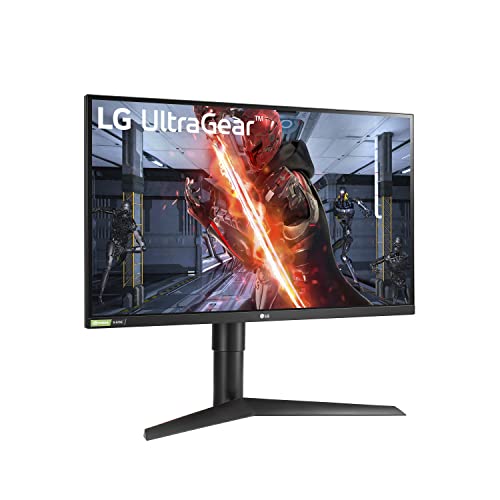

LG 27GL83A-B 27-Inch Ultragear QHD 2560 x 1440 IPS 4 photos from the Amazon listing
Best for: Budget-conscious gamers wanting proven 144Hz reliability
Pros
- Reliable 144Hz native refresh rate
- 99% sRGB color accuracy
- Certified NVIDIA G-SYNC Compatibility
- Durable 3H hard coating finish
Cons
- Lower 700:1 static contrast ratio
- Omits modern HDMI 2.1 bandwidth
The LG 27GL83A-B 27-Inch Ultragear QHD 2560 is the foundational reference platform that established the market footprint for the primary keyword category of an lg – ultragear 27” ips qhd 1-ms g-sync compatibillity monitor – black. Running at a stable 144Hz native refresh rate with a 1ms GtG pixel transition specification, it set early performance expectations by proving that wide-angle IPS glass could deliver motion response comparable to legacy TN panels without distorting colors or shifting contrast off-axis.
Hardware characteristics on the lg 27gl83a-b center on an LED-backlit LCD panel with a 700:1 static contrast ratio, 0.23 mm pixel pitch, and a durable 3H hard-coating matte screen treatment to diffuse harsh room lighting. Color expression reaches up to 99% sRGB, supported by HDR10 processing for compliant gaming titles. AMD FreeSync Premium and officially validated NVIDIA G-SYNC Compatibility guarantee smooth frame delivery without horizontal screen tearing. On-screen controls feature Black Stabilizer for low-end gamma adjustments, while physical video inputs include one DisplayPort connection and two HDMI ports.
This monitor is an established pick for gamers looking for proven 144Hz motion performance at 2560×1440 resolution without extraneous hardware additions. While its 700:1 contrast ratio and 144Hz ceiling are surpassed by newer 180Hz and 300Hz UltraGear options, its stable firmware and responsive panel remain widely respected. Shoppers assembling balanced multi-display setups often evaluate these specifications alongside office-centric dell ultra hd monitors to find the appropriate balance between high-density text productivity and fluid motion rendering.
LG 27GS75QX-B 27-inch Ultragear QHD for Balanced 200Hz Motion Precision


LG 27GS75QX-B 27-inch Ultragear QHD (2560x1440) Gaming Monitor, 180Hz 4 photos from the Amazon listing
Best for: Competitive gamers wanting balanced 200Hz fluidity
Pros
- Fluid 200Hz overclocked refresh rate
- Full ergonomic tilt height and pivot
- Built-in Black Stabilizer and Crosshair
- Consistent 178-degree IPS viewing angles
Cons
- Lacks wide DCI-P3 color coverage
- Peak brightness limited to 300 cd
Sharing core electronic and panel characteristics with the GS series, the LG 27GS75QX-B 27-inch Ultragear QHD provides a high-efficiency 2560×1440 IPS platform tuned for competitive play. With a native refresh rate of 180Hz and an overclockable limit of 200Hz, the display minimizes input lag and motion blur through its 1ms GtG response capability. Both AMD FreeSync and NVIDIA G-SYNC Compatibility prevent frame tearing and stuttering across fluctuating rendering conditions.
The visual properties of the lg 27gs75qx-b encompass a 300 cd/m² luminance specification, a 1000:1 contrast ratio, and wide 178-degree horizontal and vertical viewing limits. Gamut expression reaches up to 99% sRGB coverage, delivering accurate standard-gamut colors under HDR10 decoding. Gameplay features include an on-screen Crosshair overlay for precise hip-fire aiming and LG’s Black Stabilizer system to elevate dark-scene detail. Its physical structure incorporates an ergonomic stand supporting height adjustment, tilt, and vertical pivot for streamlined customization.
This unit provides a dependable mid-tier option for competitive enthusiasts who want higher motion fluidity than older 144Hz screens provide, without incurring the GPU overhead needed to drive 240Hz or 300Hz panels. When conducting an lg ultragear 27 ips qhd comparison to determine which lg ultragear monitor to buy, the 27GS75QX-B stands out as a balanced option that matches modern mid-range GPU output cleanly.
How to Choose the Right LG 27-inch Gaming Monitor
Selecting the best lg ultragear 27 inch monitor requires matching panel capabilities directly to your graphics processing hardware, primary gaming genres, and connectivity requirements. Refresh rate ceilings represent the primary performance divider across these displays. If your system runs esports titles such as tactical shooters at extreme frame rates, stepping up to the 300Hz threshold found on the LG 27G64NA-B or LG 27G640A-B delivers the lowest input latency and sharpest motion pacing. If your GPU operates comfortably between 120 and 180 frames per second in modern AAA titles, the 180Hz native panels on the LG 27GS75Q-B and LG 27GS75QX-B provide optimal hardware utilization without overpaying for unused refresh capacity.
Color space reproduction and contrast performance also influence display selection. Panels calibrated for 99% sRGB, such as the LG 27GL83A-B and the GS75 series, offer pinpoint accuracy for standard web media and standard-gamut games. However, users seeking deep visual immersion will benefit from the 95% DCI-P3 coverage and DisplayHDR 400 certification on the LG 27GR83Q-B and LG 27G640A-B. Furthermore, the LG 27G640A-B features an elevated 1300:1 native contrast ratio, providing visibly deeper black levels compared to standard 1000:1 or 700:1 IPS screens.
Connectivity limits must also factor into your decision. Gamers utilizing current-generation consoles or high-bandwidth PC graphics cards should prioritize models with HDMI 2.1, such as the LG 27GR83Q-B, LG 27G64NA-B, and LG 27G640A-B, to unlock full 1440p resolution at elevated refresh rates over HDMI. Additionally, users integrating modern gaming laptops will benefit from the USB Type-C DisplayPort Alternate Mode port on the LG 27G640A-B. Those evaluating alternative desktop geometries, including ultrawide layouts detailed in our review of dell ultrasharp ultrawide screens, will find that a standardized 16:9 27-inch QHD UltraGear provides broad compatibility across competitive titles without field-of-view cropping.
FAQ
What is the primary difference between 144Hz, 240Hz, and 300Hz in LG UltraGear 27-inch monitors?
The difference lies in frame rendering intervals and temporal motion clarity. A 144Hz panel refreshes every 6.94 milliseconds, a 240Hz panel refreshes every 4.16 milliseconds, and a 300Hz panel draws a new frame every 3.33 milliseconds. Higher refresh rates reduce perceptual motion blur and decrease input lag, provided your PC hardware can render frame rates that match these refresh ceilings.
Does HDMI 2.1 make a difference on a 1440p LG UltraGear gaming monitor?
Yes. Legacy HDMI 2.0 connections are bandwidth-limited and often cap 1440p output at 120Hz or 144Hz with 8-bit color. In contrast, HDMI 2.1 provides sufficient uncompressed bandwidth to drive 2560×1440 resolution at 240Hz or 300Hz with full 10-bit color, making it essential for modern consoles and PC setups using HDMI cables.
How does 95% DCI-P3 color coverage compare to 99% sRGB on these panels?
The DCI-P3 color space is approximately 25% larger than the traditional sRGB gamut. A display featuring 95% DCI-P3 coverage, like the LG 27GR83Q-B or LG 27G640A-B, reproduces more saturated reds and greens, whereas a 99% sRGB display targets standard digital content reproduction without wide-gamut color over-saturation.
Are all LG 27-inch UltraGear QHD monitors compatible with both NVIDIA and AMD graphics cards?
Yes. Every monitor reviewed in this lineup features variable refresh rate synchronization supporting both AMD FreeSync technology and official NVIDIA G-SYNC Compatibility, preventing horizontal screen tearing and display stuttering across both GPU platforms.
What is the advantage of the 1300:1 contrast ratio found on select LG UltraGear models?
Standard IPS panels typically produce a static contrast ratio of 1000:1, while older designs can measure around 700:1. The 1300:1 static contrast ratio on the LG 27G640A-B delivers noticeably deeper black floor levels, reducing the characteristic grayish haze of IPS technology in dim gaming environments and enhancing shadow detail.


