As Amazon Associates, we earn from qualifying purchases. This means we may receive a small commission at no extra cost to you if you click through and make a purchase.
Acer has established a commanding position in the desktop display market through its targeted engineering of 2560 x 1440 In-Plane Switching (IPS) panels that combine visual fidelity with responsive refresh capabilities. Across its gaming and productivity lineups, the brand emphasizes wide viewing angles, anti-glare matte surface treatments, and frameless chassis designs that cater to multi-screen configurations. By leveraging adaptive synchronization standards alongside proprietary technologies such as ComfyView and flicker-less backlights, Acer ensures its quad high-definition displays maintain image stability across varying graphical workloads.
While all four monitors in this roundup share a 27-inch 1440p IPS foundation with 16:9 aspect ratios, they diverge markedly across their refresh rate ceilings, response time technologies, stand ergonomics, and connectivity standards to address distinct performance priorities.
Acer 1440p IPS Monitors Compared
| Model | Refresh Rate & Sync | Response Time | Stand Adjustability | Brightness & Color |
|---|---|---|---|---|
| Acer Nitro KG271U N3bmiipx | 180Hz, AMD FreeSync | Up to 0.5ms GTG | Not listed | 250 nits, DCI-P3 95% |
| Acer Nitro XV272U W2bmiiprx | 240Hz DP / 144Hz HDMI, FreeSync Premium | 1ms GTG (up to 0.5ms GTG) | Height (4.7 in), Tilt (-5° to 15°), Swivel (360°), Pivot (+/- 90°) | Not listed, Not listed |
| Acer KB270U E2biipx | 100Hz, Adaptive-Sync (FreeSync Compatible) | 1ms VRB | Not listed | 250 nits, Color Gamut 99 |
| Acer SB272U Ebiip | 100Hz, AMD FreeSync | 1ms VRB | Tilt (-5° to 15°) | 250 nits, Not listed |
Table from this guide — scroll sideways for the remaining columns.
Acer Nitro 27in QHD 2560×1440 IPS for Balanced High-Speed Gaming


Acer Nitro 27in QHD 2560x1440 IPS 4 photos from the Amazon listing
Best for: Balanced fast-action gaming and color-critical workflows
Pros
- Smooth 180Hz refresh rate
- 5ms GTG response time
- 95% DCI-P3 color gamut
- HDR10 decoding support
Cons
- Stand articulation not listed
- Modest 250-nit peak brightness
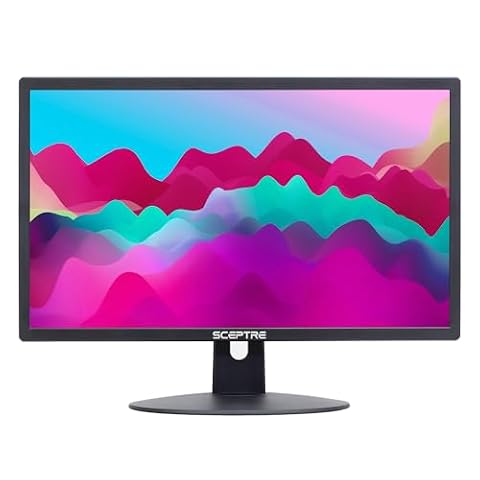
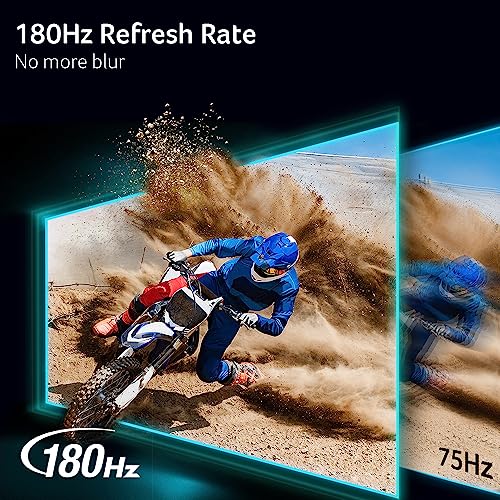
The Acer Nitro 27in QHD 2560×1440 IPS, carrying model code KG271U N3bmiipx, is built for competitive players who require higher frame render rates without abandoning color precision. Anchored by a 27-inch panel operating at 2560 x 1440 resolution, this display balances pixel density with high computational efficiency for modern graphic cards. Central to its hardware package is a native 180Hz refresh rate paired with AMD FreeSync technology, which harmonizes frame output between the GPU and the panel to eliminate screen tearing and minimize frame stuttering in fast-paced titles.
Motion clarity on this acer 27 inch 1440p 180hz gaming display is reinforced by a response time rating that reaches down to 0.5ms gray-to-gray (GTG), reducing smearing and pixel ghosting during sharp camera movements. Beyond velocity, the panel provides notable creative capability, offering 95% DCI-P3 color gamut coverage alongside HDR10 signal decoding. The listing details a standard contrast ratio of 1000:1, 250 candela per square meter (nits) of brightness, wide 178-degree viewing angles, and a matte screen finish designed to diffuse ambient glare. Ergonomically, the chassis measures 8.28 inches deep by 24.2 inches wide by 18.14 inches tall, weighs 5.5 kilograms, and incorporates a ZeroFrame profile supported by flicker-less and low-dimming eye care tech.
This model suits gaming enthusiasts and hybrid creative professionals who edit video or photography by day and engage in high-fps multiplayer titles by night. For readers exploring dedicated performance displays in our acer nitro 27 roundup, the acer nitro kg271u presents a well-rounded sweet spot between motion velocity and wide color reproduction. It yields to the higher-tier XV272U primarily when users require tournament-level 240Hz refresh capabilities or a fully articulating mechanical stand.
MONITOR Acer Nitro 27in QHD 2560×1440 for Competitive Esports Precision



MONITOR Acer Nitro 27in QHD 2560x1440 4 photos from the Amazon listing
Best for: Competitive esports players demanding maximum refresh rates
Pros
- Blazing 240Hz DisplayPort speed
- Full ErgoStand height and pivot
- FreeSync Premium certification
- Integrated stereo speakers
Cons
- HDMI limited to 144Hz
- Larger desktop footprint
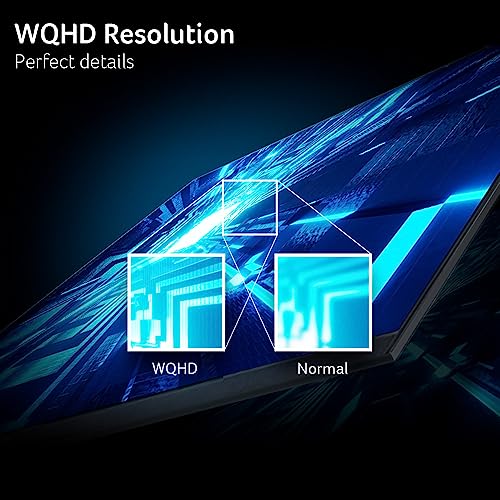
Engineered explicitly for demanding esports environments, the MONITOR Acer Nitro 27in QHD 2560×1440, designated as the XV272U W2bmiiprx, prioritizes peak frame throughput and high-speed pixel transitions. Built on a 27-inch WQHD widescreen IPS panel, it delivers a tight 0.233mm pixel pitch across a 16:9 aspect ratio with a glare-resistant matte screen surface. The defining characteristic of this display is its variable maximum refresh capacity: it hits a blistering 240Hz when connected through DisplayPort 1.4, while capping at 144Hz when connected across its dual HDMI 2.0 ports.
Variable refresh performance is managed through certified AMD FreeSync Premium technology, maintaining fluid frame presentation under demanding system loads. Its panel response is factory specified at 1ms GTG, with overdrive capabilities driving transitions down to 0.5ms GTG to ensure motion tracking remains razor-sharp in fast shooters. Physical integration is a major strength of this model, as it includes Acer’s full ErgoStand mechanism. Users can adjust display height through a 4.7-inch range, tilt from -5 degrees to 15 degrees, swivel through a full 360-degree circle, and pivot 90 degrees in either direction for vertical workflows. It also offers VESA 100 x 100mm mounting holes and integrated stereo speakers rated at 2 watts per channel.
This monitor represents the ultimate solution for twitch-reaction esports competitors seeking an acer 240hz 1440p ips configuration that leaves no performance on the table. Gamers stepping up from baseline displays detailed in our asus monitor 144hz analysis will immediately register the heightened tracking fluidity provided by 240Hz operation. The acer nitro xv272u yields ground to the other models in this lineup only for shoppers who do not possess the GPU horsepower needed to push 240 frames at 1440p, or those who prefer a more streamlined, budget-conscious desk footprint.
Acer 27in QHD 2560×1440 IPS 100Hz for Home Office Productivity


Acer 27in QHD 2560x1440 IPS 100Hz 4 photos from the Amazon listing
Best for: Multi-device office setups needing ultra-thin profiles
Pros
- Smooth 100Hz refresh rate
- Dual HDMI 2.0 and DisplayPort
- Ultra-thin chassis profile
- Ergonomic tilt adjustability
Cons
- Smaller 75x75mm VESA pattern
- Narrower 170-degree viewing angle

Best for: General office productivity and smooth everyday workflows
Pros
- Fluid 100Hz refresh rate
- ZeroFrame multi-monitor profile
- 1ms VRB motion mode
- 99 color gamut rating
Cons
- Lacks true GTG rating
- Basic stand functionality
Targeted at everyday business, content curation, and casual home computing, the Acer 27in QHD 2560×1440 IPS 100Hz (model KB270U E2biipx, part UM.HK0AA.201) elevates standard desktop workflows through refined resolution and subtle motion improvements. Operating with a 2560 x 1440 WQHD canvas across a 27-inch diagonal, it provides significantly more usable screen real estate than conventional 1080p office panels. Its native 100Hz refresh rate delivers a tangible visual upgrade over legacy 60Hz and 75Hz business monitors, shortening frame render intervals to produce noticeably smoother window dragging, spreadsheet navigation, and web scrolling.
The panel utilizes IPS liquid crystal technology, ensuring broad 178-degree horizontal and vertical viewing angles so color saturation and image clarity remain intact from off-axis positions. The listing specifies a 1ms Visual Response Boost (VRB) motion enhancement, 250 nits of peak brightness, a 0.233mm pixel pitch, and an sRGB-class color gamut metric listed at 99. Adaptive-Sync support provides FreeSync compatibility to eliminate screen tearing during video playback or casual gaming sessions. Eye safety is reinforced through integrated low-dimming and flicker-less backlighting paired with a matte screen surface.
Weighing 6.4 pounds with desk dimensions of 8.26 inches deep by 24 inches wide by 17.7 inches high, the acer kb270u features a ZeroFrame profile engineered for clean dual-monitor desk arrangements. It is best suited for administrative workers, financial analysts, and programmers who need crisp typography and expansive workspace without the excessive cost or aggressive aesthetics of full gaming displays. It cedes top-tier gaming duties to the Nitro models due to its 100Hz ceiling, but it serves as an exceptional everyday workhorse.
Acer 27in QHD 2560×1440 IPS 100Hz for Slim Multi-Screen Workstations


Acer 27in QHD 2560x1440 IPS 100Hz Office Monitor KB270U 4 photos from the Amazon listing
The Acer 27in QHD 2560×1440 IPS 100Hz, designated under model code SB272U Ebiip (with internal series references to SH272U and part UM.HS2AA.E04), blends an ultra-thin physical chassis with balanced display specifications. Built for shared workspaces, home offices, and multi-display hubs, this 27-inch WQHD IPS panel maintains a 16:9 aspect ratio and a 1000:1 contrast ratio. Like its KB-series sibling, it operates at an acer 100hz qhd ips frequency, delivering a frame delivery cadence that makes daily productivity tasks feel responsive and fluid compared to legacy hardware.
Visual performance specifications include 250 nits of operational brightness (with a lower baseline value of 6.85 noted in the technical fields), a 0.233mm pixel pitch, and a specified viewing angle of 170 degrees. Motion handling is governed by a 1ms VRB response mode backed by standard AMD FreeSync integration. Connectivity is well-rounded, presenting one DisplayPort 1.2 port, two HDMI 2.0 ports, and a dedicated audio-out port, with an HDMI cable included in the box. Stand functionality provides ergonomic tilt adjustments ranging from -5 degrees to 15 degrees, while the rear casing incorporates VESA mounting compliance using a compact 75 x 75mm hole pattern.
This display is tailored for users building compact multi-monitor arrays who prioritize a slim profile and flexible dual-HDMI connectivity for toggling between a work laptop and a personal desktop. While specialized high-end setups like those found in our alienware oled monitor 27 coverage target extreme visual fidelity, the practical acer sb272u focuses on functional office utility. When deciding between the two 100Hz models, the SB272U is the model to pick if you require dual HDMI inputs and a specified tilt range, while the KB270U remains the option for traditional sRGB office environments.
How to Choose the Right Acer 1440p IPS Monitor
Conducting an accurate acer 1440p ips comparison requires aligning panel refresh thresholds, response measurement metrics, port bandwidth, and chassis adjustability against your daily computing requirements. Because all four displays share a 27-inch 2560 x 1440 resolution, pixel density remains constant at roughly 108 pixels per inch, ensuring crisp text rendering and detailed imagery across the board. The fundamental differences lie in how each monitor handles frame rates and workspace integration.
- Refresh Rate Demands: Your graphics card and primary software dictate which acer 1440p ips monitor to buy. If your priority is competitive gaming in fast first-person shooters, the 240Hz capability of the MONITOR Acer Nitro XV272U provides maximum motion fluidness. The Acer Nitro KG271U delivers an excellent middle ground with 180Hz, easily driven by mid-tier GPUs. Conversely, if your display is primarily dedicated to productivity, spreadsheets, and casual multimedia, the 100Hz refresh rate of the KB270U and SB272U provides noticeable smoothness over standard 60Hz panels without requiring high-end gaming hardware.
- Response Time Metrics (GTG vs. VRB): Understanding the difference between Gray-to-Gray (GTG) and Visual Response Boost (VRB) is crucial. The Nitro models (KG271U and XV272U) specify true pixel transition speeds down to 0.5ms GTG, which directly measures how fast liquid crystals shift between shades of gray. The office-centric KB270U and SB272U utilize 1ms VRB, which employs backlight strobing techniques to achieve motion sharpness. Competitive gamers should favor true low GTG numbers to avoid visual artifacts.
- Ergonomics and Mechanical Adjustments: Workspace posture and mounting needs vary significantly across this lineup. The XV272U stands alone with its comprehensive ErgoStand, featuring 4.7 inches of height adjustment, 360-degree swivel, full 90-degree pivot for portrait viewing, and tilt mechanics, alongside standard 100 x 100mm VESA mounting. The SB272U provides basic tilt between -5 and 15 degrees with a smaller 75 x 75mm VESA pattern, while the KG271U and KB270U utilize standard desktop footprints where the listings do not specify extensive mechanical articulation.
- Connectivity and Signal Bandwidth: Review your output sources before selecting a panel. The XV272U requires its DisplayPort 1.4 connection to achieve its full 240Hz potential, dropping to 144Hz over HDMI 2.0. The SB272U is ideal for dual-host office desks thanks to its single DisplayPort 1.2 and two HDMI 2.0 ports. Both the XV272U and SB272U include audio-out jacks, but only the XV272U integrates built-in 2-watt stereo speakers.
FAQ
Does the Acer Nitro XV272U achieve 240Hz over an HDMI connection?
No. The MONITOR Acer Nitro XV272U reaches its maximum 240Hz refresh rate exclusively through its DisplayPort 1.4 connection. When connected via its two HDMI 2.0 ports, the refresh rate is hardware-capped at 144Hz due to interface bandwidth limitations.
What is the difference between GTG and VRB response times on an acer 1440p ips monitor?
Gray-to-Gray (GTG) response time measures the physical speed at which an IPS liquid crystal pixel changes from one color shade to another. The Nitro models achieve between 1ms and 0.5ms GTG. Visual Response Boost (VRB), featured on the KB270U and SB272U, is a strobing backlight method that rapidly pulses the illumination between frame renders to decrease perceived motion blur, achieving a 1ms effective clarity rating.
Can the Acer SB272U be mounted to a standard monitor arm?
Yes, the Acer SB272U features rear VESA mounting compliance, but it utilizes a 75 x 75mm hole spacing pattern rather than the more common 100 x 100mm pattern found on the XV272U. Ensure your monitor arm or wall bracket supports 75mm mounting plates.
Which model is best suited for color-critical photo or video editing?
The Acer Nitro KG271U is the most suitable model for color-sensitive tasks, as its technical specifications explicitly verify 95% DCI-P3 color space coverage and HDR10 signal decoding. The KB270U also notes a 99 color gamut rating suitable for standard sRGB editing workflows.
Do all of these Acer 1440p monitors have built-in speakers?
No. Among the four monitors examined, only the MONITOR Acer Nitro XV272U explicitly includes integrated stereo speakers, configured as two speakers rated at 2 watts each. The SB272U and XV272U include 3.5mm audio-out ports to pass audio signals to external speakers or headphones, while the listing for the KG271U and KB270U does not specify integrated audio speakers.