As Amazon Associates, we earn from qualifying purchases. This means we may receive a small commission at no extra cost to you if you click through and make a purchase.
Alienware occupies a distinct tier in the performance desktop display market, recognized for pairing futuristic industrial enclosures with specialized display panels that emphasize low latency, saturated color gamuts, and high refresh ceilings. The manufacturer distinguishes its catalog by deploying two divergent panel technologies within the popular 27-inch desktop form factor: organic self-emissive Quantum Dot OLED (QD-OLED) panels engineered for infinite contrast and instantaneous pixel response, alongside rapid liquid crystal Fast IPS modules built for sustained brightness and marathon productivity without risk of static retention. Hardware enthusiasts analyzing an alienware oled monitor 27 option must weigh critical visual trade-offs, particularly how pixel density interacts with graphics rendering pipelines, bandwidth throughput limits across modern display inputs, and sustained luminance under diverse room lighting.
While all five displays target high-frame-rate PC gaming, the lineup splits between ultra-dense 4K QD-OLED visuals, esports-tier 360Hz and 280Hz velocity, intermediate 240Hz organic matrices, and reliable 180Hz Fast IPS architectures. Selecting which alienware 27 inch monitor to buy depends strictly on whether your gaming workloads prioritize the sheer pixel density of UHD, the motion tracking clarity of 360Hz refresh rates, or the daylight resilience of traditional IPS panels.
Alienware 27-Inch Gaming Monitors Compared
| Model | Resolution | Refresh Rate | Panel Technology | Response Time |
|---|---|---|---|---|
| Alienware AW2725Q | 3840 x 2160 (4K UHD) | 240Hz | QD-OLED | 0.03ms GTG |
| Alienware AW2725DF | 2560 x 1440 (WQHD) | 360Hz | QD-OLED | 0.03ms GTG |
| Alienware AW2725DM | 2560 x 1440 (WQHD) | 180Hz | Fast IPS | 1ms GTG |
| Dell Alienware AW2726DM | 2560 x 1440 (QHD) | 240Hz | QD-OLED | Not listed |
| Alienware AW2726DL | 2560 x 1440 (WQHD) | 280Hz | IPS | 1ms |
Table from this guide — scroll sideways for the remaining columns.
Alienware AW2725Q 27″ 4K QD-OLED Gaming for High-Density Precision


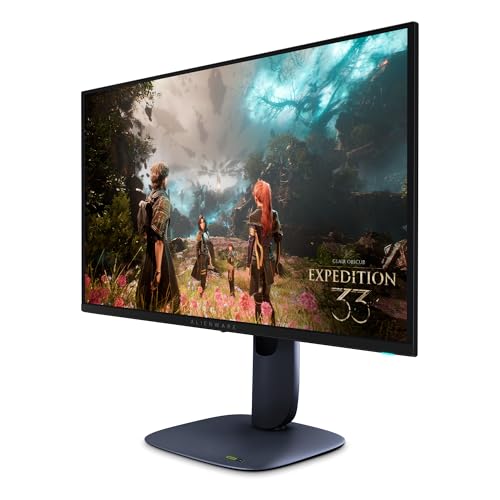
Alienware AW2725Q 27" 4K QD-OLED Gaming 4 photos from the Amazon listing
Best for: Gamers demanding high density 4K visuals
Pros
- Crisp 166 PPI 4K resolution
- Fluid 240Hz refresh rate
- Rapid 0.03ms GTG response
- Dolby Vision and DisplayHDR 400
Cons
- Moderate 250 nit baseline brightness
The Alienware AW2725Q 27″ 4K QD-OLED Gaming monitor brings ultra-high-definition resolution to a compact 26.7-inch visual footprint. Packaging a native resolution of 3840 x 2160 into this form factor yields a pixel density of 166 PPI, eliminating visible subpixel fringing and delivering razor-sharp text alongside pristine in-game geometry. The display employs an organic self-emitting QD-OLED panel backed by Quantum Dot color conversion, yielding a 99% DCI-P3 color gamut, a 1,500,000:1 contrast ratio, and a baseline brightness of 250 nits. Certified for VESA DisplayHDR True Black 400 and Dolby Vision, it produces deep black floors without the blooming or backlight halos inherent to liquid crystal matrices.
Motion handling on this alienware aw2725q 4k qd-oled display is optimized for both visual fidelity and responsiveness, pairing a 240Hz refresh rate with an instantaneous 0.03ms gray-to-gray (GTG) response time. Frame pacing is kept uniform through extensive synchronization support, including NVIDIA G-SYNC Compatible certification, AMD FreeSync Premium Pro, and VESA AdaptiveSync. For physical integration, the 4.3 kg chassis includes an adjustable ergonomic stand supporting height, tilt, swivel, and pivot adjustments, alongside DisplayPort 1.4, dual HDMI interfaces, a USB Type-B upstream connection, three USB Type-A ports, and a downstream USB-C connector delivering up to 15W Power Delivery.
This monitor is engineered specifically for graphics purists, simulation pilots, and content creators who require uncompromising 4K clarity combined with the true black levels of organic displays. Because sustaining 240 frames per second at 3840 x 2160 demands considerable GPU rendering horsepower, competitive esports players who prioritize raw frame counts over resolution will likely prefer the specialized speed of the AW2725DF.
Alienware AW2725DF OLED Gaming Monitor for Elite Esports Fluidity


Alienware AW2725DF OLED Gaming Monitor 4 photos from the Amazon listing
Best for: Competitive esports players needing maximum motion fluidity
Pros
- Blazing 360Hz refresh rate
- Ultra fast 0.03ms response
- Wide 99.3% DCI-P3 coverage
- Peak 1000 nits HDR brightness
Cons
- Lower resolution than 4K UHD
The Alienware AW2725DF OLED Gaming Monitor represents the pinnacle of high-refresh organic displays, engineered with a 26.7-inch Quantum Dot WQHD panel running at a 2560 x 1440 resolution. By pairing this 1440p resolution with an industry-leading 360Hz refresh rate, this alienware 27 360hz qd-oled flagship delivers extreme motion clarity where fast-moving targets remain legible across sweeping camera pans. The display features a pixel pitch of 111, a matte panel finish to manage reflections, and a viewing angle of 178 degrees, ensuring consistent visual clarity from wide viewing positions.
Color rendition and dynamic range remain exceptional thanks to the underlying self-emitting pixel structure. The alienware aw2725df 360hz panel achieves an infinite contrast ratio rated at 1.5 million:1 across both SDR and HDR signals, complemented by VESA DisplayHDR True Black 400 certification and a peak brightness rating of 1000 nits. Color coverage spans 99.3% of the DCI-P3 color space with a factory calibration tolerance of Delta E<2 for accurate visual reproduction out of the box. Variable refresh duties are handled seamlessly by AMD FreeSync Premium Pro and VESA AdaptiveSync, while physical connectivity includes DisplayPort, HDMI, and a USB 3.2 Gen 1 hub built into an enclosure measuring 9.59 inches deep, 23.98 inches wide, and 15.99 inches high on a compact hexagonal base.
This display is tailored for competitive tournament gamers and twitch-reflex shooter players whose primary objective is minimizing latency and input lag. In an direct alienware aw2725df vs aw2725q comparison, the AW2725DF yields higher frame rates and greater temporal resolution at the cost of the tighter 166 PPI desktop pixel density provided by its 4K sibling.
Alienware 27 Gaming Monitor AW2725DM for Dependable Fast IPS Performance


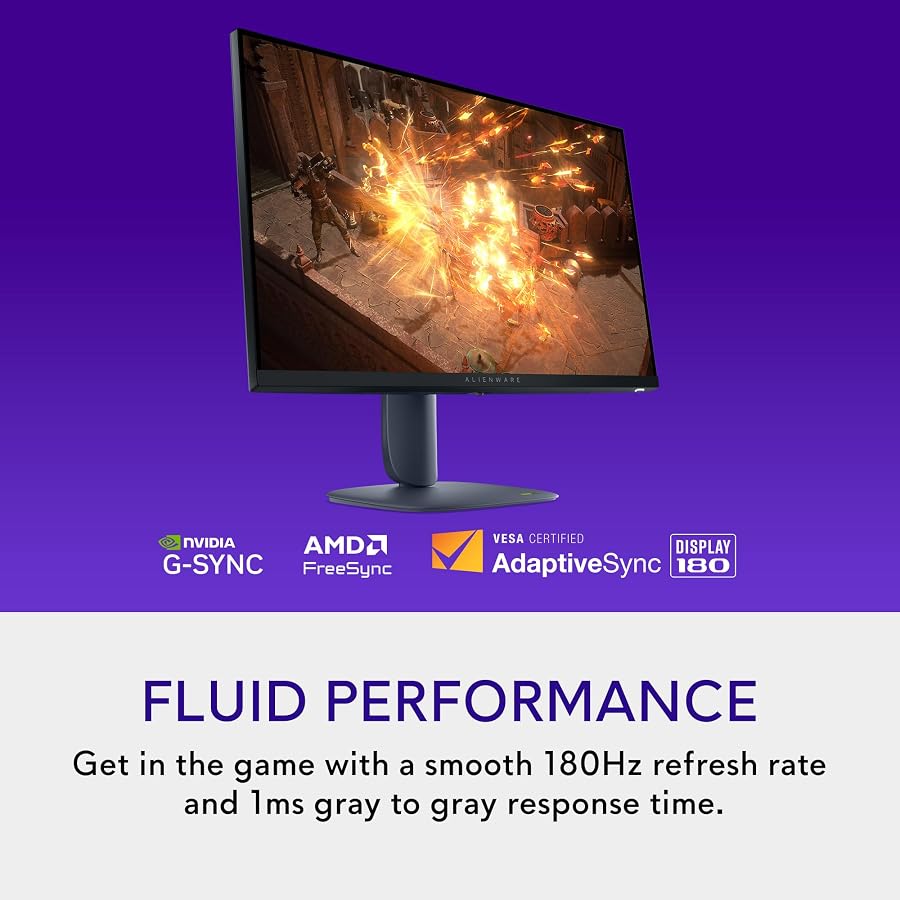

Alienware 27 Gaming Monitor AW2725DM 4 photos from the Amazon listing
Best for: High frame rate players preferring bright IPS
Pros
- High speed 280Hz refresh rate
- Swift 1ms response time
- Bright 400 nit panel output
- Wide 178 degree viewing angles
Cons
- Slightly narrower 93 color gamut
Best for: All day gamers wanting burn in immunity
Pros
- Smooth 180Hz Fast IPS panel
- Hardware low blue light feature
- Dedicated console mode support
- Solid 400 nits brightness
Cons
- Standard 1000 to 1 contrast ratio
The Alienware 27 Gaming Monitor AW2725DM shifts away from organic self-emissive tech to deliver an agile 27-inch Fast IPS panel running at a crisp 2560 x 1440 WQHD resolution. Designed for long-duration durability, this model carries a 109 pixel pitch, a matte screen surface, and a 16:9 aspect ratio. The panel achieves a standard contrast ratio of 1,000:1 alongside a solid 400-nit luminance rating, making it significantly more resilient in bright, sunlit offices than baseline OLED panels that operate around 250 nits in SDR mode.
Examining the core alienware aw2725dm specs reveals a well-balanced 180Hz refresh rate coupled with a 1ms gray-to-gray response time. Synchronized motion is secured via NVIDIA G-SYNC support, preventing screen tearing and stuttering during demanding graphical sequences. The panel covers 95% of the DCI-P3 color gamut, features VESA DisplayHDR 400 certification, and integrates Dell proprietary picture quality enhancement technology. To support extended gaming marathons, the chassis incorporates hardware-based low blue light filtering that reduces eye fatigue without shifting color accuracy, along with a dedicated console mode that accepts native high-resolution signals from home consoles.
This monitor is the ideal choice for everyday PC gamers, students, and home-office professionals who leave static spreadsheets, browsers, and desktop taskbars open for eight hours a day. It sacrifices the zero-bloom black levels of OLED hardware to guarantee zero image retention risks and higher sustained full-screen brightness.
Dell 26.5 Alienware Monitor AW2726DM for Balanced QD-OLED Motion
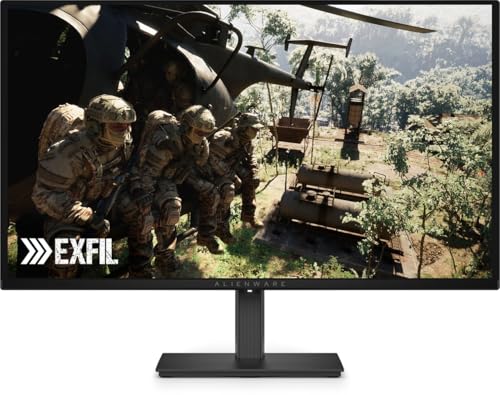


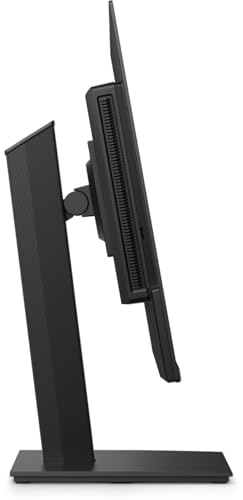
Dell 26.5 Alienware Monitor AW2726DM 4 photos from the Amazon listing
Best for: Esports fans wanting 240Hz OLED gaming
Pros
- Fluid 240Hz refresh rate
- Self emitting Quantum Dot OLED
- Accessible 1440p resolution
Cons
- Listing omits response time specs
The Dell 26.5 Alienware Monitor AW2726DM provides an intermediate pathway into organic panel technology, utilizing a 26.5-inch Quantum Dot OLED screen running at a native 2560 x 1440 QHD resolution. The display utilizes a standard 16:9 widescreen aspect ratio and a specialized matte screen surface treatment designed to diffuse direct ambient room reflections without muddying deep shadow detail. Operating at a native 240Hz refresh rate, it produces liquid-smooth frame rates suitable for tracking targets in competitive team shooters and racing titles.
Because the panel utilizes self-illuminating quantum dots, each individual pixel switches off entirely to render true black values without the light leakage or corner IPS glow typical of liquid crystal backlights. While the listing does not specify exact contrast metrics, nit brightness ratings, or gray-to-gray pixel transit times, the fundamental architecture of this alienware aw2726dm qd-oled screen ensures instantaneous subpixel transition speeds far below standard mechanical liquid crystals. The 2560 x 1440 resolution provides an accessible rendering target for mid-to-high-tier graphics cards, balancing crisp gaming geometry with manageable thermal and hardware loads.
This monitor suits enthusiasts who want the vibrant color saturation and inky black contrast of a Quantum Dot OLED panel without requiring the cutting-edge processing hardware or bandwidth interfaces demanded by 360Hz displays. It gives way to the AW2725DF if your system can reliably saturate a 360Hz pipeline, or to the AW2725Q if your workflow demands high-density 4K text rendering.
Alienware 27 Gaming Monitor AW2726DL for Rapid-Fire Esports Reliability


Alienware 27 Gaming Monitor AW2726DL, WQHD IPS Panel, 280Hz, 4 photos from the Amazon listing
The Alienware 27 Gaming Monitor AW2726DL is purpose-built for fast-twitch competitive play, combining a 27-inch WQHD IPS panel with an accelerated 280Hz native refresh rate. With a native 2560 x 1440 resolution, 109 pixel pitch, and a matte anti-glare finish, this display maintains consistent visual readability during daylight gaming sessions. The physical unit weighs 11.1 pounds and occupies an operational footprint measuring 8.45 inches deep, 24.15 inches wide, and 20.12 inches high, supported by an adjustable desktop stand.
Color and luminance specifications are dialed in for high-visibility gaming environments. The alienware aw2726dl 280hz panel produces 400 nits of brightness, outperforming typical SDR OLED ceilings to maintain legible contrast across brightly lit arenas. Its color gamut spans 93% coverage, while wide 178-degree horizontal and vertical viewing angles prevent color inversion and gamma shift when sitting off-center. With a rapid 1ms response time, the Fast IPS matrix mitigates trailing behind rapid projectile animations, keeping tracking clear during chaotic firefights.
This unit serves competitive gamers who want higher refresh rates than standard 144Hz or 180Hz displays provide, but prefer the structural durability, burn-in immunity, and bright-room visibility of IPS technology. While it cannot replicate the infinite contrast of the AW2725DF, it serves as a strong candidate for the best alienware 27 inch gaming monitor for gamers who mix high-frame esports with extensive daily productivity.
How to Choose the Right Alienware 27-Inch Gaming Monitor
Navigating an alienware oled monitor 27 comparison requires evaluating how each panel technology interacts with your specific room environment, computer hardware, and daily usage patterns. Alienware utilizes both cutting-edge QD-OLED panels and proven Fast IPS liquid crystal assemblies within the 27-inch envelope, each presenting distinct engineering advantages and physical limitations.
The primary decision point revolves around panel chemistry. The AW2725Q, AW2725DF, and AW2726DM utilize Quantum Dot OLED displays. Because OLED pixels are self-illuminating, they deliver infinite contrast ratios, deep black levels with zero haloing, and nearly instantaneous 0.03ms pixel response times. This makes them unrivaled for dark-room immersion, cinematic single-player campaigns, and fast-paced competitive games. Conversely, the AW2725DM and AW2726DL feature Fast IPS panels offering 400 nits of brightness. If your battle station is in a brightly lit room with unshaded windows, or if you spend eight hours daily working on static desktop applications and code editors, an IPS panel eliminates any concern regarding organic burn-in while maintaining vibrant color reproduction.
The second technical consideration is resolving the alienware 1440p vs 4k 27 inch monitor dilemma. At a 26.7-inch screen size, the 3840 x 2160 resolution of the AW2725Q yields 166 PPI, resulting in razor-sharp text and intricate details without visible subpixel fringing. However, rendering modern games at 4K at up to 240Hz requires an elite graphics card. In contrast, 2560 x 1440 resolution (found on the AW2725DF, AW2725DM, AW2726DM, and AW2726DL) provides a pixel pitch of 109 to 111, striking the ideal compromise between sharp visual fidelity and lower GPU rendering overhead, allowing you to maximize frame rates.
Refresh rates and interface connectivity must also align with your graphics card capabilities. While the AW2725DM operates at a very capable 180Hz and the AW2726DL pushes Fast IPS up to 280Hz, competitive players seeking ultimate motion tracking will look toward the 360Hz ceiling of the AW2725DF. For multi-device desktop management, the AW2725Q leads the group by including a USB-C downstream port with 15W Power Delivery, DisplayPort 1.4, dual HDMI ports, and a multi-port USB-A hub for peripheral passthrough. Those interested in alternative desk ergonomics may also explore how these flat panels compare against an alienware curved monitor configuration.
Ultimately, your desk space and gaming library dictate the winner. If visual clarity and high-density HDR content are paramount, the AW2725Q takes the lead. If competitive frames-per-second tracking is your sole focus, the AW2725DF remains unmatched. For mixed work-and-play duties where longevity is critical, the AW2725DM and AW2726DL offer robust, worry-free execution. You can review broader configuration options across our comprehensive alien ware monitor analysis.
FAQ
What is the primary difference in the alienware aw2725df vs aw2725q matchup?
The primary difference lies in resolution and refresh rate optimization. The AW2725Q utilizes a 4K UHD (3840 x 2160) QD-OLED panel running at 240Hz with an ultra-sharp 166 PPI pixel density and Dolby Vision support. In contrast, the AW2725DF uses a 1440p (2560 x 1440) QD-OLED panel tuned for extreme competitive gaming with a 360Hz refresh rate and a 111 pixel pitch. Gamers choosing between them must decide between the finer image clarity of 4K or the smoother motion tracking of 360Hz.
How does panel response time compare between Alienware QD-OLED and Fast IPS panels?
Alienware QD-OLED monitors (such as the AW2725Q and AW2725DF) feature a nearly instantaneous 0.03ms gray-to-gray (GTG) response time due to organic self-emitting subpixels that switch off and on rapidly. Alienware Fast IPS models (such as the AW2725DM and AW2726DL) achieve a 1ms response time. While 1ms is fast for liquid crystal displays, QD-OLED panels virtually eliminate ghosting and motion blur behind high-speed objects.
What pixel density differences exist between 1440p and 4K on a 27-inch Alienware display?
On a 27-inch class display, a 2560 x 1440 resolution results in a pixel pitch of approximately 109 to 111, giving a density of roughly 109 PPI. A 4K resolution (3840 x 2160) on a 26.7-inch panel increases pixel density to 166 PPI. This higher density makes individual pixels indistinguishable to the human eye at standard desk viewing distances, dramatically smoothing out text, curved UI elements, and detailed textures.
Does the Alienware AW2725DM support variable refresh rate on gaming consoles?
Yes, the Alienware AW2725DM features a dedicated console mode that optimizes communication with gaming consoles over high-definition video connections. It also includes NVIDIA G-SYNC synchronization and VESA DisplayHDR 400 support to maintain fluid frame delivery and stable image presentation across dynamic gaming scenarios.
Which Alienware 27-inch monitor is best suited for mixed productivity and competitive gaming?
For users who spend equal time editing documents, reading code, and gaming, the Fast IPS Alienware AW2726DL or AW2725DM is the most practical choice. Their 400-nit luminance easily combats bright room glare, and their inorganic IPS panel structure completely eliminates image retention risks associated with static desktop taskbars, while still providing rapid 180Hz to 280Hz refresh rates for gaming sessions.