As Amazon Associates, we earn from qualifying purchases. This means we may receive a small commission at no extra cost to you if you click through and make a purchase.
When selecting desktop monitors Dell represents an industry benchmark for reliable panel engineering, consistent color reproduction, and durable chassis designs tailored for productive desk setups. The brand’s consumer and everyday business displays balance functional aesthetics with panel stability, integrating thoughtful eye-comfort certifications alongside adaptive-sync technologies that prevent display tearing across varying workloads.
In this technical comparison, the six models diverge across screen sizes between 24 and 27 inches, refresh rates spanning 144Hz to 240Hz, static contrast ratios ranging from 1,000:1 to 1,500:1, and ergonomic stands offering basic tilt versus full four-way positioning.
Dell Desktop Monitors Compared
| Model | Screen Size & Resolution | Refresh Rate & Response | Contrast & Brightness | Ergonomics & Audio |
|---|---|---|---|---|
| Dell 24 Monitor (SE2426H) | 23.8-inch FHD (1920×1080) | 144Hz, 1ms MPRT | 1,000:1, 300 nits | Tilt only; No speakers |
| Dell 27 Monitor (SE2726H) | 27-inch FHD (1920×1080) | 144Hz, 1ms MPRT | 1,000:1, 300 nits | Tilt only; No speakers |
| Dell 24 Plus Monitor (S2425HSM) | 23.8-inch FHD (1920×1080) | 144Hz, 1ms MPRT | 1,500:1, 300 nits | Height, Tilt, Pivot, Swivel; Integrated dual 3W speakers |
| Dell 27 Plus Monitor (S2725HSM) | 27-inch FHD (1920×1080) | 144Hz, 1ms MPRT | 1,500:1, 300 nits | Height, Tilt, Pivot, Swivel; Integrated dual 3W speakers |
| Dell 24 240Hz Gaming Monitor (SE2426HG) | 23.8-inch FHD (1920×1080) | 240Hz, 0.5ms | 1,000:1, 300 nits | Tilt only; No speakers |
| Dell 27 Plus QHD Monitor (S2725DSM) | 27-inch QHD (2560×1440) | 144Hz, 1ms MPRT | 1,500:1, 350 nits | Height, Tilt, Pivot, Swivel; Integrated dual 3W speakers |
Table from this guide — scroll sideways for the remaining columns.
Dell 24 Monitor for Compact Workstations


Dell 24 Monitor 4 photos from the Amazon listing
Best for: Everyday computing on compact office desks
Pros
- Fluid 144Hz refresh rate
- Dual HDMI input ports
- Consistent wide IPS viewing angles
Cons
- Tilt-only stand adjustability
- No built-in speakers
The Dell 24 Monitor brings a balanced visual profile to smaller desk spaces, utilizing a 23.8-inch In-Plane Switching panel with a native resolution of 1920×1080. Operating at a pixel pitch of 93, this panel maintains crisp document typography while preserving sharp edge fidelity for general software interfaces. A 144Hz refresh rate paired with a 1ms Moving Picture Response Time ensures that cursor movement, window dragging, and multimedia playback remain fluid without the motion smearing typical of conventional 60Hz panels.
Under the hood of the dell 24 monitor se2426h is a 1,000:1 static contrast ratio, 300 nits of brightness, and a 72 percent color gamut rating. The physical chassis integrates ultra-thin bezels for a tidy footprint, while the rear panel hosts dual HDMI ports. AMD FreeSync support prevents screen tearing during video rendering and casual gaming sessions.
This entry-level display suits general office workers, students, and budget-conscious desktop setups that require fluid motion in a compact form factor. However, because its factory stand offers only tilt adjustments and lacks integrated audio, users needing ergonomic height positioning or richer contrast will prefer stepping up to the Plus series.
Dell 27 Monitor for Expanded Viewing Areas


Dell 27 Monitor 4 photos from the Amazon listing
Best for: Large screen viewing at standard desktop distances
Pros
- Expansive 27-inch viewing surface
- Smooth 144Hz motion clarity
- Dual HDMI connectivity
- Ultra-thin bezel design
Cons
- Lower 81 pixel pitch density
- Lacks ergonomic height adjustment
Designed for users who prefer a larger desktop canvas without changing their existing display hardware infrastructure, the Dell 27 Monitor expands the 1080p format across a full 27-inch diagonal. This sizing produces an 81 pixel pitch, resulting in slightly larger interface elements and text that reduce ocular fatigue for operators sitting further back from their desk surface. Wide 178-degree viewing angles horizontally and vertically ensure that panel brightness and hue remain uniform even from off-axis seating positions.
The dell 27 monitor se2726h shares several fundamental hardware specifications with its 24-inch sibling, including a 144Hz refresh ceiling, 1ms MPRT, 300 nits maximum luminance, and a 1,000:1 contrast ratio. Color coverage matches at a 72 percent gamut standard, making it reliable for everyday data entry, streaming media, and office software suites.
This monitor is tailored for users who prioritize large, readable interface scaling on a dedicated display arm or standard workstation. It yields to the higher-density QHD models when detailed creative work, high-density code compilation, or multi-window multitasking demands tighter pixel packing.
Dell 24 Plus Monitor for Ergonomic Comfort and Audio


Dell 24 Plus Monitor 4 photos from the Amazon listing
Best for: Ergonomic workstations requiring built-in audio
Pros
- Deep 1500:1 static contrast
- Full 4-way adjustable stand
- Integrated dual 3W speakers
- Wide 99 color gamut
Cons
- Limited to 1080p resolution
The Dell 24 Plus Monitor upgrades the standard 23.8-inch computing experience by combining improved panel specifications with a highly versatile physical chassis finished in Ash White. Central to the dell 24 plus s2425hsm is an enhanced 1,500:1 static contrast ratio, providing noticeably deeper black levels and richer image depth compared to traditional 1,000:1 office monitors. The panel delivers a 144Hz refresh rate, 1ms MPRT, 300 nits of brightness, and an elevated 99 percent color gamut for vibrant, lifelike visuals.
Ergonomics take center stage with a robust stand providing comprehensive height, tilt, pivot, and swivel adjustments, enabling horizontal and vertical alignment tailored to user posture. Desk clutter is minimized through built-in dual 3W stereo speakers engineered to cover a broad frequency range for conference calls and video streaming. Workspace efficiency is further elevated through compatibility with Dell Display and Peripheral Manager software.
This model is an exceptional match for telecommuters and office professionals requiring posture-friendly ergonomics and clean audio integration right out of the box. For professionals configuring a multi-display workstation, exploring a dell dual monitor setup reveals how pivot adjustment simplifies vertical side-panel orientations, though gamers wanting extreme frame rates should look to high-refresh options.
Dell 27 Plus Monitor for Media Immersion


Dell 27 Plus Monitor 4 photos from the Amazon listing
Best for: Detailed productivity and high-resolution multitasking
Pros
- Sharp 2560×1440 QHD resolution
- High 109 pixel pitch density
- Elevated 350 nits brightness
- Full 4-way ergonomic adjustability
Cons
- Higher graphics processing requirement
Best for: Multimedia streaming and flexible posture comfort
Pros
- Elevated 1500:1 contrast ratio
- Full height tilt pivot swivel stand
- Dual integrated 3W speakers
- Rich 99 color gamut rating
Cons
- Coarser pixel pitch at 27 inches
Blending expansive screen territory with high-fidelity color reproduction, the Dell 27 Plus Monitor delivers a comprehensive multimedia and home-office hub. Built around a 27-inch (68.58 cm) Full HD panel with an 82 pixel pitch, the dell 27 plus s2725hsm provides ample physical space for split-window document processing and streaming entertainment. Its matte anti-glare screen finish controls ambient reflections across bright room environments.
Like its 24-inch Plus counterpart, this display features an upgraded 1,500:1 static contrast ratio, 99 percent color gamut coverage, and a smooth 144Hz refresh rate backed by 1ms MPRT and AMD FreeSync. Audio output is powered by integrated dual 3W speakers, eliminating the immediate need for external desktop speakers. The stand mechanism supports height adjustment, tilting, pivoting into portrait orientation, and swivel positioning, all styled in modern Ash White to complement contemporary desktop spaces.
Users who stream video content, manage day-to-day administrative tasks, and value a fully adjustable stand will appreciate this unit. It steps down only in raw pixel density, giving way to the 1440p QHD variant for individuals whose workloads demand razor-sharp text and intricate graphic detail.
Dell 24 240Hz Gaming Monitor for Competitive Motion


Dell 24 240Hz Gaming Monitor - SE2426HG - 23.8-inch 4 photos from the Amazon listing
Best for: Competitive gamers demanding maximum frame rates
Pros
- Blazing 240Hz refresh rate
- Fast 0.5ms response time
- FreeSync Premium and HDMI VRR
- DisplayPort 1.4 plus dual HDMI
Cons
- Tilt-only stand mechanism
- No integrated audio speakers
Engineered explicitly for rapid-fire reaction times, the Dell 24 240Hz Gaming Monitor shifts the priority from general productivity to extreme temporal clarity. Utilizing a 23.8-inch Fast IPS LCD panel, this monitor operates at a swift 240Hz refresh rate and an ultra-low 0.5ms response time. The dell se2426hg 240hz slashes motion blur and ghosting to the bare minimum, providing esports enthusiasts with immediate visual tracking during fast camera pans.
Color fidelity remains strong despite the gaming focus, boasting a 99 percent sRGB color gamut and consistent 178-degree viewing angles from its Fast IPS architecture. A 1,000:1 contrast ratio and 300 nits brightness are augmented by AMD FreeSync Premium and HDMI Variable Refresh Rate (VRR) support, eliminating screen tearing across both PC graphics cards and modern gaming consoles.
This monitor is the definitive pick for competitive gamers and fast-paced simulation enthusiasts who value low input lag above all else. Because it features a tilt-only stand and omits integrated audio speakers, users looking for an all-in-one ergonomic productivity panel should select one of the S-series Plus alternatives.
Dell 27 Plus QHD Monitor for High-Resolution Productivity


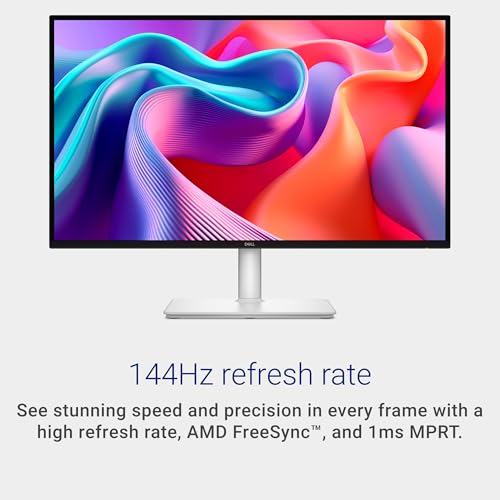

Dell 27 Plus QHD Monitor - S2725DSM - 27-inch 4 photos from the Amazon listing
The Dell 27 Plus QHD Monitor represents the pinnacle of resolution and color accuracy in this comparison, deploying a 27-inch QHD (2560×1440) IPS panel. With an elevated pixel pitch of 109, the dell s2725dsm qhd produces noticeably crisper text fonts, intricate UI rendering, and expansive desktop screen real estate compared to standard 1080p monitors. Peak brightness is rated at an impressive 350 nits, paired with a rich 1,500:1 contrast ratio that brings depth to shadow detail.
Motion performance is kept fluid through a 144Hz refresh rate, 1ms MPRT, and AMD FreeSync synchronization. The display provides broad connectivity options, incorporating both HDMI and DisplayPort 1.4 inputs. The Ash White stand features full ergonomic adjustments—including height travel, tilt, swivel, and full portrait pivot.
For demanding spreadsheet managers, software developers, and visual media editors, this QHD monitor offers an ideal balance of visual fidelity and ergonomic adaptability. While stepping up to a dell 32 plus 4k monitor provides even greater screen surface, this 27-inch 1440p model hits an exceptional sweet spot for standard desktop footprints.
How to Choose the Right Dell Desktop Monitors
Selecting among desktop monitors Dell manufactures requires evaluating how specific panel specifications align with your daily tasks, viewing distance, and physical desk ergonomics. When performing a detailed dell desktop monitor comparison, resolution and screen size form the foundation of your visual experience. On 23.8-inch panels, a 1080p resolution provides a comfortable 93 pixel pitch, delivering clear text without requiring display scaling. On a 27-inch panel, however, 1080p drops the pixel pitch to 81 or 82, which increases element size but softens fine typefaces. For users engaged in detailed document work, spreadsheets, or editing, the 109 pixel pitch offered by the 27-inch QHD display delivers superior clarity and work surface area.
Motion capability is another major decision point. Standard productivity monitors historically capped out at 60Hz or 75Hz, but Dell has upgraded these baseline models to 144Hz with 1ms MPRT. This delivers a visible improvement in cursor smoothness, window management, and video rendering. For casual gaming and regular office tasks, 144Hz is more than adequate. Competitive players, however, should opt for the 240Hz refresh rate and 0.5ms response time of the gaming model, which drops frame delivery times down to 4.17 milliseconds, significantly lowering input latency.
Contrast performance and color range also split this lineup into distinct tiers. Standard SE models feature a traditional 1,000:1 static contrast ratio and a 72 percent color gamut, which is perfectly suited for general browsing, data entry, and everyday administrative duties. The Plus models elevate contrast performance to 1,500:1 while widening color coverage to a 99 percent rating. This static contrast advantage delivers darker black levels and deeper differentiation in dim visual scenes, enhancing both streaming media and graphical work.
Finally, consider stand mechanics and peripheral integration when deciding which dell monitor to buy. The SE series uses compact, tilt-only stands that suit fixed desk arrangements or users planning to use custom monitor arms. In contrast, the S-series Plus displays include full four-way stands that adjust for height, tilt, swivel, and 90-degree pivot, facilitating instant ergonomic adjustments. Furthermore, the Plus variants integrate dual 3W speakers and work natively with the Dell Display and Peripheral Manager utility, streamlining desktop organization. For professionals seeking alternative ultra-wide configurations, exploring a dell ultrasharp ultrawide panel highlights expansive aspect ratios, though standard 16:9 displays remain the most practical solution for standard desktop environments.
Assessing these parameters ensures you invest in the best dell desktop monitors for your individual workflow, balancing resolution demands against motion clarity and ergonomic needs.
FAQ
What is the visual difference between the 1000:1 and 1500:1 contrast ratios in these displays?
Static contrast ratio measures the luminance difference between the brightest white and the deepest black a panel can produce simultaneously. A 1,000:1 contrast ratio, present on the SE series, provides standard clarity suitable for brightly lit office environments. The 1,500:1 ratio on the S-series Plus monitors produces deeper black levels, less backlight glow in dimly lit environments, and superior depth separation in shadows and dark multimedia scenes.
How does pixel pitch impact text clarity on 24-inch versus 27-inch 1080p screens?
Pixel pitch indicates the physical distance between individual pixels on the panel. The 23.8-inch 1080p models have a pixel pitch of 93, keeping fonts sharp at standard desktop viewing distances. Spreading the same 1920×1080 pixels across a 27-inch panel reduces the pitch to 81 or 82. This makes text appear larger, which aids readability from a distance, but reduces edge sharpness when viewed up close. The 27-inch QHD model solves this by increasing resolution to 2560×1440, achieving an optimal 109 pixel pitch.
Which Dell desktop displays in this comparison include integrated speakers?
Integrated audio is featured exclusively on the S-series Plus displays, including the Dell 24 Plus Monitor, Dell 27 Plus Monitor, and Dell 27 Plus QHD Monitor. Each of these units incorporates dual 3W speakers engineered to deliver a broad frequency response for virtual meetings and streaming audio. The SE-series models do not include built-in speakers, requiring external sound devices or headphone connections.
What input connectivity options are provided across these Dell desktop monitors?
The SE-series FHD displays (SE2426H and SE2726H) are equipped with dual HDMI ports for basic multi-source switching. The SE2426HG gaming monitor expands connectivity by providing two HDMI ports and a DisplayPort 1.4 connection to support high-refresh 240Hz transmission and FreeSync Premium. Among the S-series Plus models, the 1080p displays utilize HDMI connectivity, while the 27-inch QHD display features both HDMI and DisplayPort 1.4 inputs to handle the increased bandwidth of 1440p at 144Hz.
What ergonomic adjustments do the included stands support?
The SE2426H, SE2726H, and SE2426HG come with standard tilt-only stands that allow forward and backward angle adjustments. The S2425HSM, S2725HSM, and S2725DSM Plus models feature fully articulated ergonomic stands finished in Ash White, supporting height adjustment, tilt, horizontal swivel, and 90-degree pivot into vertical portrait orientation for streamlined document and coding workflows.