As Amazon Associates, we earn from qualifying purchases. This means we may receive a small commission at no extra cost to you if you click through and make a purchase.
UGREEN has established a significant footprint in desktop connectivity hardware, specifically through peripheral sharing switches engineered to streamline multi-host environments. In multi-system configurations where two hosts must access the same input devices, storage drives, and imaging peripherals, hardware-level USB switchers eliminate physical cable swapping and software virtualization latency. UGREEN builds these units around discrete controller chipsets that arbitrate physical layer USB signaling, maintaining protocol compliance across USB 2.0, USB 3.0 5Gbps SuperSpeed, and USB 3.2 Gen 2 10Gbps data streams.
While every model in this lineup serves the foundational purpose of toggling connected hardware between two host computers, they diverge substantially across signaling bandwidth, downstream port topologies, dedicated power delivery configurations, and auxiliary protocol integration such as Gigabit Ethernet transceivers and HDMI 2.1 video pipelines.
UGREEN USB Switches Compared
| Model | Max Data Transfer Rate | Downstream Port Topology | Host Controller Inputs | Power Architecture |
|---|---|---|---|---|
| UGREEN USB 3.0 Switch 2 Computers | 5Gbps (USB 3.0) | 3x USB-A, 1x USB-C | 2x USB 3.0 Type-A | Optional 5V/2A via USB-C |
| UGREEN 2-in 7-Out USB 3.0 Switch | 5Gbps (USB 3.0) | 4x USB-A, 3x USB-C | 2x USB 3.0 Type-A | External AC Adapter Included |
| UGREEN USB 3.0 Switch for 2 | 5Gbps (USB 3.0) | 3x USB-A, 1x USB-C + RJ45 | 2x USB 3.0 Type-A | Optional 5V via USB-C |
| UGREEN 2-in 7-Out USB 3.2 Switch | 10Gbps (USB 3.2 Gen 2) | 4x USB-A, 3x USB-C | 2x USB 3.2 Type-C / Type-A | External AC Adapter Included |
| UGREEN USBC Switch 2 Computers Share | 10Gbps (USB 3.2 Gen 2) | 3x USB-A, 1x USB-C | 2x USB 3.2 Type-C | Bus-Powered (2.4A Max Rail) |
| UGREEN HDMI KVM Switch 1 Monitor | 5Gbps (USB 3.0) + 8K Video | 3x USB-A, 1x USB-C + HDMI Out | 2x HDMI 2.1 + 2x USB-C | Optional 5V via USB-C |
Table from this guide — scroll sideways for the remaining columns.
UGREEN USB 3.0 Switch 2 Computers for Standard Desktop Workstations



UGREEN USB 3.0 Switch 2 Computers 4 photos from the Amazon listing

Best for: Dual PCs needing shared wired Ethernet
Pros
- Simultaneous dual-PC Gigabit Ethernet access
- Four shared USB 3.0 ports
- Wired desktop switcher controller
Cons
- External power adapter not included
- Lacks integrated video switching
Best for: Standard dual-PC shared peripheral desks
Pros
- 5Gbps SuperSpeed transfer rate
- Hybrid Type-C and Type-A downstream ports
- External desktop controller included
Cons
- Power supply not included
- No display output support
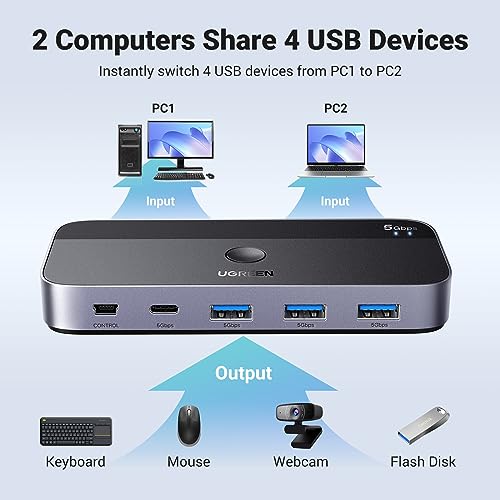
The UGREEN USB 3.0 Switch 2 Computers provides a balanced entry point for operators seeking a clean physical bridge between two independent computing environments. Built around a 2-in 4-out architecture, this ugreen usb 3.0 sharing switch facilitates the simultaneous connection of four downstream peripherals across two host machines. The physical downstream layout combines three USB-A ports with a single USB-C data port, allowing users to attach conventional human interface devices alongside modern flash drives and external capture hardware without requiring secondary gender converters.
Operating under the USB 3.0 specification, the internal bridge controller delivers aggregate throughput limits of up to 5Gbps while maintaining backward electrical compatibility with legacy USB 2.0 endpoints. Switching execution can be handled directly via the integrated top-panel push button or routed through an included wired remote controller, which enables operators to mount the primary switch chassis out of sight beneath desk surfaces. Power delivery relies on an optional 5V, 2A USB-C input rail to sustain mechanical hard drives and higher-draw webcams that exceed host bus current limits.
This baseline unit is ideal for general productivity environments requiring shared keyboards, mice, printers, and low-power flash drives across a personal desktop and an enterprise laptop. However, power users running broader peripheral arrays or multi-drive storage arrays will find its four-port capacity restrictive compared to expanded multi-port options.
UGREEN 2-in 7-Out USB 3.0 Switch for Expanded Peripheral Consoles


UGREEN 2-in 7-Out USB 3.2 Switch 4 photos from the Amazon listing
Best for: High-bandwidth data transfer across multiple drives
Pros
- 10Gbps USB 3.2 Gen 2 speed
- Seven downstream USB ports
- Dedicated power adapter and cable included
Cons
- Audio devices not supported on data ports
- Requires external AC wall power

Best for: Workstations with high peripheral density
Pros
- Seven downstream USB ports
- Dedicated power adapter included
- Includes USB-C to USB-A adapter
Cons
- Capped at 5Gbps USB 3.0 speeds
- Larger chassis footprint
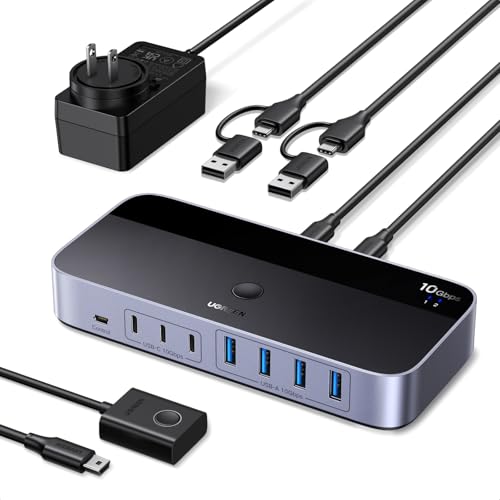
Expanding downstream terminal capacity, the UGREEN 2-in 7-Out USB 3.0 Switch addresses setups that exceed the standard four-port desktop baseline. This model routes peripheral control between two host computers across a total of seven shared output ports, configured as four USB-A connections and three USB-C ports. For multi-system operators managing specialized input controllers, studio microphones, authentication dongles, and imaging equipment simultaneously, this device functions essentially like a ugreen powered usb hub combined with an automated input switcher.
The core signaling layer maintains a 5Gbps transfer speed across the 5000 megabits per second USB 3.0 standard. To prevent communication drops caused by voltage sag when all seven ports are occupied, UGREEN packages this unit with a dedicated external power adapter and charging cable. The chassis combines an ABS and aluminum structure with LED indicators showing active host routes. It also comes packaged with a USB-C to USB-A adapter to bridge modern ultrabooks to the host interface ports without requiring aftermarket cables.
This expanded ugreen 2-in 7-out usb 3.0 switch is tailored for technical professionals, creators, and multi-device operators who run dense peripheral clusters that require stable dedicated wall power. Users managing large solid-state drive arrays that need maximum sequential transfer rates, however, will want to look toward higher-tier 10Gbps models.
UGREEN USB 3.0 Switch for 2 for Integrated Network Sharing


UGREEN 2-in 7-Out USB 3.0 Switch, USB Switcher for 4 photos from the Amazon listing
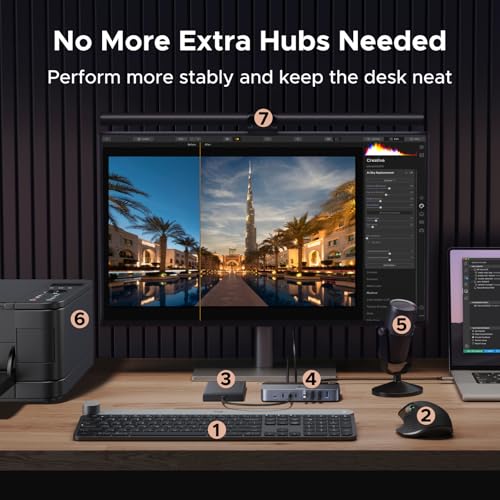
The UGREEN USB 3.0 Switch for 2 introduces a specialized hardware layer that separates it from pure USB multiplexers: an integrated Gigabit Ethernet adapter. Operating as a 2-in 4-out peripheral switcher, it provisions three USB-A ports and one USB-C port at standard 5Gbps data rates. In tandem with USB peripheral routing, the internal network controller establishes concurrent wired LAN access for both connected host computers over a single incoming Ethernet connection, bypassing the need to deploy independent physical network lines or desktop switches.
Dual-host network continuity is sustained via the embedded controller, preventing network drops on the non-active machine even when toggling USB keyboard and mouse focus between systems. Like the baseline unit, physical switching is managed via an onboard manual button or an external desktop control puck. An auxiliary USB-C power port provides a dedicated 5V rail to stabilize current-sensitive equipment like portable magnetic storage drives and multi-element studio headsets.
For network-sensitive workflows where both workstations require uninterrupted, low-latency gigabit networking alongside shared input hardware, this ugreen usb switch with ethernet eliminates external network accessories. Workstations that require ultra-fast 10Gbps drive throughput rather than network bridging, however, will be better served by UGREEN’s USB 3.2 options.
UGREEN 2-in 7-Out USB 3.2 Switch for High-Speed Multi-Device Transfers


UGREEN USB 3.0 Switch for 2 PCs Simultaneous Internet 4 photos from the Amazon listing
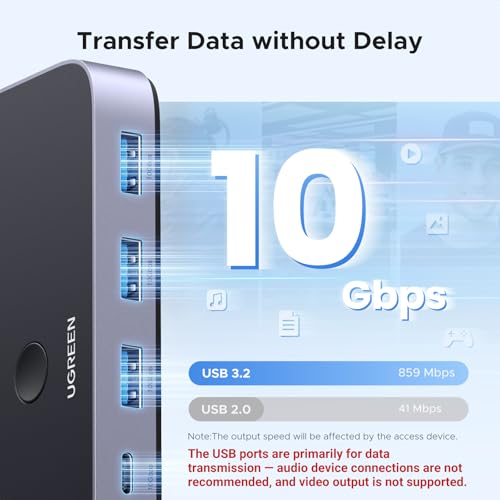
Designed for data-intensive workflows, the UGREEN 2-in 7-Out USB 3.2 Switch pairs a high-density physical port layout with upgraded USB 3.2 Gen 2 protocol support. The unit features seven downstream connections structured as four USB-A and three USB-C ports, servicing dual-host computer setups. Instead of the standard 5Gbps ceiling, this controller achieves full 10Gbps signaling, allowing operators to transfer 1GB test payloads in approximately 1.5 seconds when connected to compliant storage controllers.
High-bandwidth external SSDs and NVMe enclosures benefit immediately from the doubled protocol ceiling, minimizing host controller throttling during sustained reads and writes. To sustain the electrical demands of multiple active USB 3.2 high-speed devices, UGREEN includes a dedicated external power adapter and power cable. The system also includes a desktop switching puck and a USB-C to USB-A interface adapter for broader compatibility across legacy and current host machines.
As a robust ugreen 10gbps usb 3.2 switch, this model is built specifically for video editors, data engineers, and audio technicians handling large local files across multiple systems. It provides maximum bandwidth and expansion, making it a natural upgrade from standard 5Gbps switches, though minimalist setups may not need its larger physical footprint or included wall power adapter.
UGREEN USBC Switch 2 Computers Share for Direct Type-C Host Workflows



UGREEN USBC Switch 2 Computers Share 4 USB 3.2 4 photos from the Amazon listing
Best for: Dual USB-C laptop workflows
Pros
- 10Gbps USB 3.2 data throughput
- Dual USB-C host input cables included
- Aluminum chassis construction
Cons
- Bus-powered without included AC supply
- Does not support monitor passthrough
The UGREEN USBC Switch 2 Computers Share is engineered for modern laptop and ultrabook ecosystems that prioritize reversible Type-C ports. Featuring two native USB-C upstream host ports, this switcher allows two systems to share four downstream connections, arranged as three USB-A ports and one USB-C port. The controller conforms to the USB 3.2 Gen 2 standard, delivering unimpeded 10Gbps bandwidth across compliant peripheral devices without requiring external hub bridges.
The chassis is machined from aluminum to assist in passive heat dissipation under prolonged high-bandwidth workloads. Unlike the seven-port models that require an external AC wall adapter, this ugreen usb c switch 2 computers leverages host bus power to supply up to 2.4A of total current across downstream ports. This headroom is sufficient to power standard keyboards, optical mice, external desktop printers, and low-draw external hard drives simultaneously without an additional power brick, keeping mobile and temporary work desks clutter-free. Users can pair this configuration with a compact ugreen usb c hub when additional legacy connectivity is needed at either workstation.
This switch is ideal for users with modern USB-C laptops who require high-speed 10Gbps data pathways for external drives and essential input gear. However, because it relies on host bus power and omits dedicated video handling, desks requiring integrated monitor switching will need a true KVM configuration instead.
UGREEN HDMI KVM Switch 1 Monitor for Unified Audio-Visual Switching


UGREEN HDMI KVM Switch 1 Monitor 2 Computers, 8K@60Hz, 4 photos from the Amazon listing
Best for: Single monitor dual-system workstation setups
Pros
- HDMI 2.1 up to 8K at 60Hz
- Four USB 3.0 sharing ports
- Includes HDMI and USB host cables
Cons
- Power supply not included
- Does not support DisplayPort connections
The UGREEN HDMI KVM Switch 1 Monitor combines peripheral routing with high-resolution video switching to manage two host systems using a single monitor, keyboard, and mouse. The device features two HDMI 2.1 video inputs and two USB-C host control ports, outputting to one HDMI display and four downstream USB 3.0 ports (three USB-A ports and one USB-C port). Operating across a 5Gbps USB bus, it routes local hard drives, USB flash drives, and input hardware directly alongside display signals.
The video processing layer is compliant with HDMI 2.1, supporting video signals up to 8K at 60Hz, alongside high-refresh configurations including 4K at 60Hz, 1440p at 120Hz, and 1080p at 240Hz. It maintains protocol compatibility with HDCP 2.3 and HDCP 1.4, allowing direct connections for modern gaming consoles, streaming boxes, and PCs. Control is executed via a push button or the included desktop remote module. The listing notes that while host cables are included, an external USB-C power supply is not provided in the box and must be sourced separately if using power-hungry USB peripherals.
For workstations that require full visual switching alongside input redirection, this ugreen hdmi kvm switch 2 computers bridges the gap between pure data switches and multi-machine visual workstations. Those interested in detailed display specifications can consult our dedicated ugreen hdmi kvm switch analysis for deeper display timing specifications.
How to Choose the Right UGREEN USB Switch
Selecting the ideal switch from UGREEN’s lineup requires evaluating bus bandwidth, downstream port requirements, power topology, and visual output needs. Conducting a thorough ugreen usb switch comparison highlights that these hardware differences directly impact daily workstation ergonomics and operational stability.
- Data Transfer Speeds: If your workflow is limited to human interface devices, desktop printers, and occasional flash drive access, a 5Gbps USB 3.0 model provides sufficient bandwidth. Users transferring sustained data payloads to high-speed NVMe drives or external solid-state storage will benefit from the 10Gbps bandwidth of a USB 3.2 Gen 2 model like the 7-out USB 3.2 or USBC switch.
- Downstream Port Capacity: Standard 4-port models (typically three USB-A and one USB-C) accommodate a mouse, keyboard, and two basic storage or audio devices. If your configuration includes studio microphones, webcams, serial interfaces, and multiple peripherals, the 7-port variants eliminate downstream connection limits.
- Power Supply Requirements: High-draw equipment like mechanical hard drives and powered studio accessories require stable rail voltage. While 4-port switches offer optional 5V inputs or run on host bus power, the 7-port switches include dedicated AC power supplies to prevent peripheral disconnects under load.
- Network and Display Routing: Pure USB switches do not route display signals. If your workstation requires a single monitor shared between two PCs, choose the HDMI KVM switch. If maintaining an uninterrupted wired local network across both machines is critical, select the switch with integrated Gigabit Ethernet.
Understanding which ugreen usb switch to buy comes down to matching your peripheral load with the correct bus speeds and physical ports, ensuring stable operation without paying for unused bandwidth or video features.
FAQ
Can a UGREEN USB 3.0 sharing switch route video signals to an external monitor?
Standard UGREEN USB sharing switches do not transmit display data. The USB-C ports on standard models like the USB 3.0 Switch 2 Computers or the 7-out switches are restricted strictly to data transmission and peripheral signaling. To share an external monitor alongside USB peripherals, you must use a dedicated video-capable switch such as the UGREEN HDMI KVM Switch 1 Monitor, which incorporates native HDMI 2.1 display routing alongside its USB controller.
How does the dual-PC gigabit network adapter function on the UGREEN USB switch with ethernet?
The UGREEN USB 3.0 Switch for 2 includes an integrated network controller that provisions internet access simultaneously to both connected computers. Unlike the USB peripheral bus, which alternates hardware ownership between Host A and Host B, the network controller maintains active network connections for both computers simultaneously, avoiding disconnections or interface resets during switching.
What is the difference between the 5Gbps and 10Gbps UGREEN USB switch models?
The difference lies in the underlying USB protocol generation and total bus bandwidth. The 5Gbps models operate on the USB 3.0 (USB 3.2 Gen 1) standard, which caps bandwidth at 5000Mbps. The 10Gbps models use the USB 3.2 Gen 2 protocol, doubling throughput to 10000Mbps. This extra speed cut file transfer times in half for fast external solid-state drives, though standard peripherals like keyboards and mice perform identically on both standards.
Do UGREEN USB switches require external power to operate connected peripherals?
Basic human interface devices like mice, keyboards, and flash drives operate reliably using host bus power alone. However, higher-draw devices like mechanical external hard drives, studio microphones, and webcams can cause voltage drops that lead to device disconnections. The 7-port UGREEN models bundle a dedicated power adapter to stabilize rail voltage, while the 4-port models feature an auxiliary 5V USB-C port to connect auxiliary power when necessary.
How do the desktop controller and push button switching modes compare?
Every UGREEN switch listed features an onboard manual push button that toggles between host computers directly on the unit. For cleaner cable management, these models also include an external wired remote puck. This allows you to tuck the main switch chassis and its attached cables out of sight while keeping a compact switching button readily accessible on your desk surface.


