As Amazon Associates, we earn from qualifying purchases. This means we may receive a small commission at no extra cost to you if you click through and make a purchase.
MSI has established a technical reputation in high-performance computing by designing aggressive thermal architectures that extract maximum wattage from mobile silicon. Thermal engineering such as dedicated heat-pipe configurations, shared-pipe heat dissipation, and multi-fan exhausts allows the manufacturer to push silicon clock frequencies to their sustained theoretical limits. With the arrival of next-generation hardware architectures, including msi blackwell gaming laptops, MSI integrates dedicated graphics processors featuring DLSS 4, enhanced ray tracing units, and massive tensor throughput. Readers exploring the market landscape can consult our comprehensive msi gaming laptop guide to evaluate historical chassis designs alongside these modern releases.
Across this lineup, the six configurations diverge across processor ecosystems spanning Intel Core Ultra 9, Intel 14th Gen HX, and AMD Ryzen 9, with display footprints ranging from 15.6-inch esports panels to 18-inch desktop-replacement displays paired with graphics tiers from the RTX 5060 up to the RTX 5090.
MSI Gaming Laptops Compared
| Model | Processor | Graphics Coprocessor | Display Specs | Memory & Storage |
|---|---|---|---|---|
| msi Vector 16 HX AI Gaming | Intel Core Ultra 9 275HX | NVIDIA GeForce RTX 5080 (16 GB) | 16″ QHD+ (2560 x 1600) IPS 240Hz | 32GB RAM, 1TB SSD |
| msi Vector A18 HX 18” 240Hz | AMD Ryzen 9-9955HX | NVIDIA GeForce RTX 5080 (16 GB) | 18″ QHD+ 240Hz 100% DCI-P3 | 32GB DDR5, 1TB NVMe SSD |
| msi Cyborg 17 17.3″ FHD 144Hz | Intel Core 7-240H | NVIDIA GeForce RTX 5060 (8 GB) | 17.3″ FHD 144Hz | 16GB DDR5, 1TB NVMe SSD |
| msi Katana 15 HX 15.6” 165Hz | Intel Core i9-14900HX | NVIDIA GeForce RTX 5070 (8 GB) | 15.6″ QHD+ 165Hz 100% DCI-P3 | 32GB DDR5, 1TB NVMe SSD |
| MSI Vector 16 HX AI Gaming | Intel Core Ultra 9 275HX | NVIDIA GeForce RTX 5080 (16 GB GDDR7) | 16″ QHD+ (2560 x 1600) IPS 240Hz | 64GB RAM, 2TB SSD |
| msi Raider 18″ QHD+ 240Hz Gaming | Intel Core Ultra 9 285HX | NVIDIA GeForce RTX 5090 (24 GB GDDR7) | 18″ QHD+ 240Hz | 64GB DDR5, 3TB Total (2TB SSD + 1TB Dock) |
Table from this guide — scroll sideways for the remaining columns.
msi Vector 16 HX AI Gaming for Tournament-Grade Performance


msi Vector 16 HX AI Gaming 4 photos from the Amazon listing
Best for: Developers requiring massive memory and storage
Pros
- 64GB DDR5 memory
- 2TB solid-state drive
- Dual Thunderbolt 5 ports
Cons
- Heavier 5.95-pound build
Best for: Esports competitors wanting portable RTX 5080 graphics
Pros
- Intel Ultra 9 275HX
- Dual Thunderbolt 5 ports
- 240Hz QHD+ IPS panel
Cons
- 1TB storage capacity
The msi Vector 16 HX AI Gaming is an enthusiast-tier platform engineered for users who demand extreme processing bandwidth within a conventional 16-inch clamshell profile. At its core, the laptop integrates the Intel 24-core Ultra 9 275HX processor, featuring an architectural layout of 8 Performance cores and 16 Efficient cores capable of boosting up to 5.4GHz alongside 36MB of SmartCache. This silicon handles complex rendering and parallel background workloads without stuttering. Visual output is driven by an NVIDIA GeForce RTX 5080 graphics coprocessor with 16GB of dedicated video memory, providing up to 1334 AI TOPS for accelerated neural computation and ray-traced rendering. The system couples this compute core with 32GB of system RAM and a 1TB solid-state drive.
Display metrics are tailored to high-framerate competitive play through a 16-inch QHD+ (2560 x 1600) IPS display delivering a fluid 240Hz refresh rate. I/O throughput is exceptional, boasting two cutting-edge Thunderbolt 5 ports alongside two USB-A 3.2 ports, an HDMI 2.1 video output, an RJ45 Ethernet jack, and an SD Express card reader. Networking is managed by a Wi-Fi 7 wireless module, while multimedia tasks leverage an FHD IR camera with HDR 3D noise reduction, a 24-zone RGB backlit keyboard, and Nahimic 3 audio processing. Power is backed by a 90Wh internal battery inside a Cosmos Gray chassis weighing 5.95 pounds.
This specific msi vector 16 hx rtx 5080 configuration suits competitive gamers and engineering students who prioritize high display refresh rates, modern external bus connectivity, and substantial graphics memory. However, users who manage massive local datasets or run virtualized environments will find that this 32GB model yields to its higher-capacity 64GB sibling within the Vector family.
msi Vector A18 HX 18” 240Hz for Expansive AMD Workloads
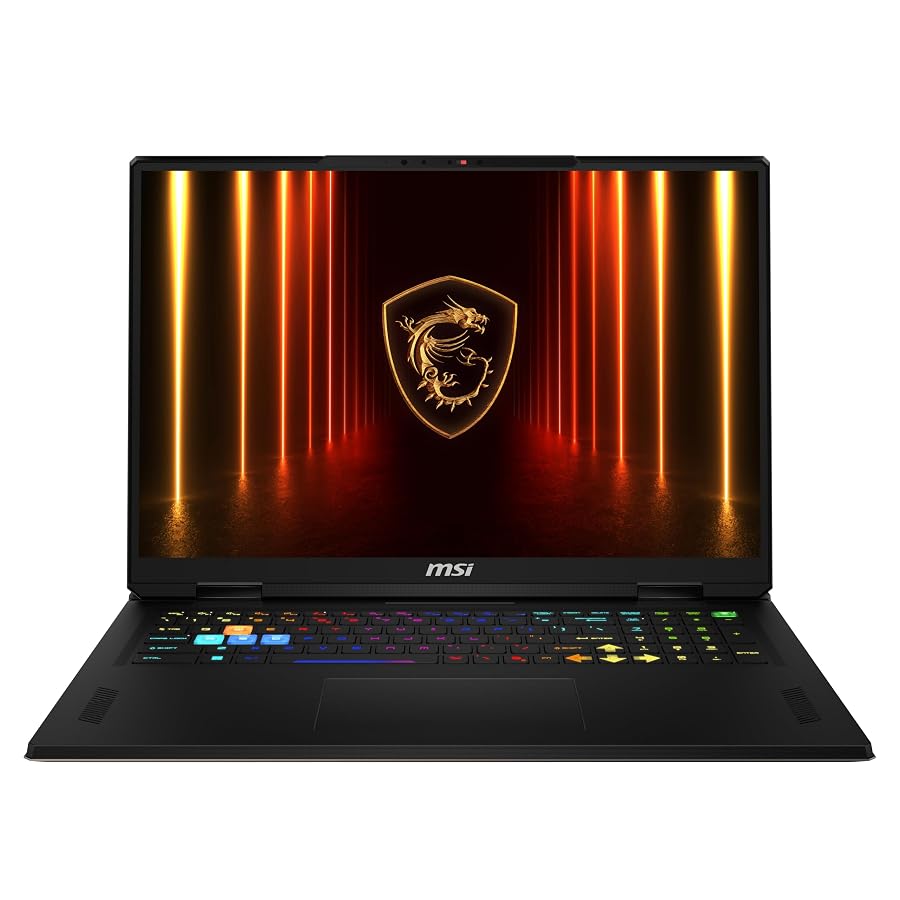
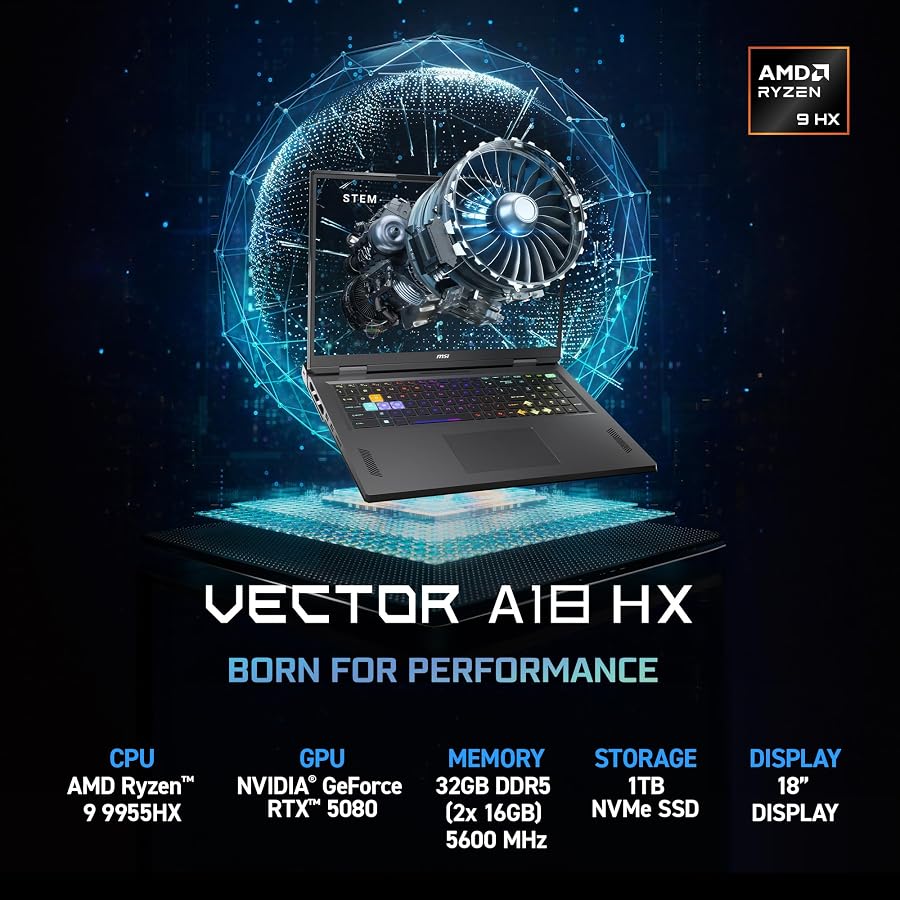


msi Vector A18 HX 18” 240Hz 4 photos from the Amazon listing
Best for: Users needing large-screen AMD Ryzen 9 compute
Pros
- AMD Ryzen 9-9955HX
- 18-inch 240Hz display
- 100% DCI-P3 color gamut
Cons
- 9-pound chassis weight
The msi Vector A18 HX 18” 240Hz transitions the Vector architecture to an expansive form factor powered by the AMD Ryzen 9-9955HX mobile processor. Designed for intense multi-threaded computation, this CPU operates in tandem with the dedicated NVIDIA GeForce RTX 5080 Laptop GPU equipped with 16GB of VRAM. This pairing delivers top-tier performance for simulation tasks, scientific modeling, and advanced graphics pipelines. The laptop is configured with 32GB of DDR5 memory and a 1TB NVMe solid-state drive, running Microsoft Windows 11 Home straight out of the box.
The defining hardware characteristic of this model is its massive 18-inch QHD+ panel, which pairs a fast 240Hz refresh rate with 100% coverage of the DCI-P3 color gamut. This broad color range ensures exceptional color fidelity for visual asset production and cinematic fidelity in games. The chassis incorporates high-speed Wi-Fi 7 networking for rapid asset downloads, Type-C connectivity, an integrated fingerprint reader for biometric authentication, and an illuminated keyboard. The machine carries an item weight of 7.9 pounds within its Cosmo Gray enclosure, reflecting its stance as a semi-stationary desktop replacement.
This msi vector a18 hx ryzen 9 machine suits developers, 3D artists, and simulation specialists who need an expansive visual working area paired with high-performance AMD processing. It gives way to the smaller 16-inch Vector when daily mobility is necessary, or to the flagship Raider if higher graphics tiers and deeper system memory are required.
msi Cyborg 17 17.3″ FHD 144Hz for Lightweight Big-Screen Mobility


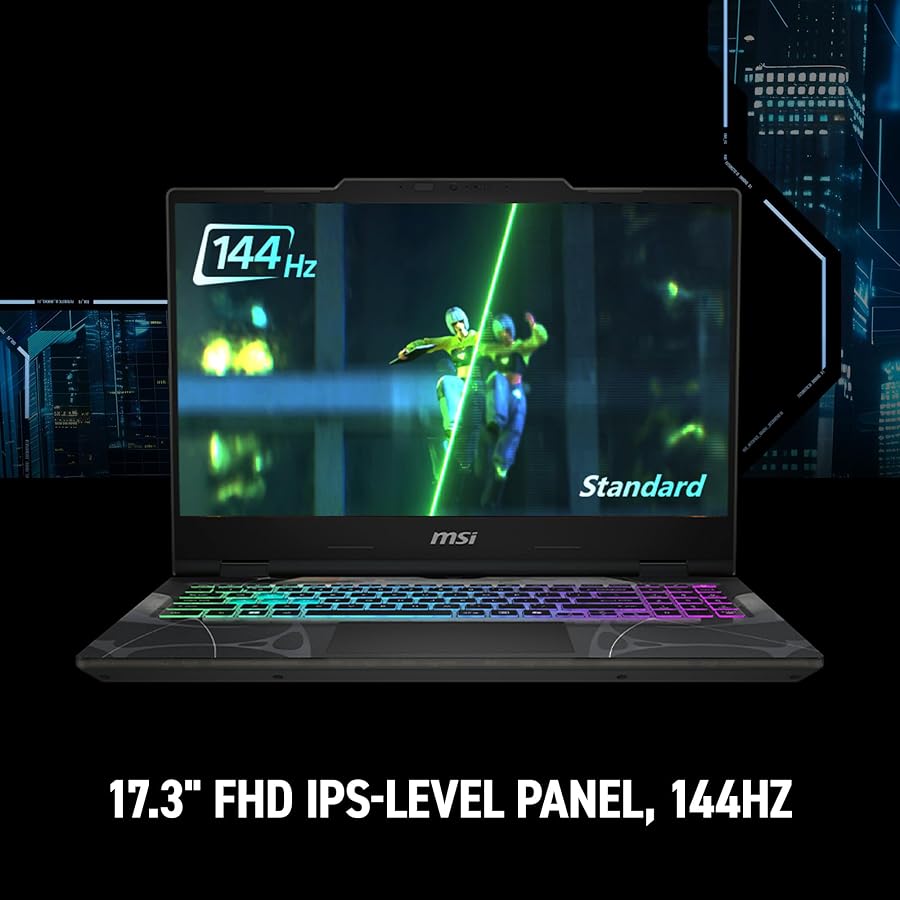
msi Cyborg 17 17.3" FHD 144Hz 4 photos from the Amazon listing
Best for: Students wanting portable big-screen 144Hz play
Pros
- Slim 0.83-inch profile
- Light 5.3-pound design
- 3-inch 144Hz screen
Cons
- 8GB VRAM capacity
- Wi-Fi 6E connectivity
The msi Cyborg 17 17.3″ FHD 144Hz provides a streamlined entry path into next-generation mobile graphics by blending an expansive display footprint with a lightweight, translucent chassis design. Measuring just 0.83 inches thin and weighing 5.3 pounds, it is significantly more portable than traditional desktop-replacement units. Compute processing is driven by an Intel Core 7-240H processor built on hybrid architecture, ensuring efficient task division between gaming applications and productivity software. Graphic rendering is assigned to the dedicated NVIDIA GeForce RTX 5060 graphics processor equipped with 8GB of VRAM, featuring DLSS 4 support and real-time hardware ray tracing.
The laptop utilizes a 17.3-inch Full HD (1920 x 1080) display operating at a 144Hz refresh rate, delivering smooth motion rendering for fast-paced shooters and strategy titles. Thermal management relies on MSI’s Cooler Boost shared-pipe cooling layout, which links heat pipes between the CPU and GPU to maintain stable thermal profiles under prolonged operational stress. The configuration includes 16GB of DDR5 RAM, a 1TB NVMe SSD, and Microsoft Windows 11 Home, with Microsoft Office included as automatic backup software. Physical and wireless connectivity consists of USB-C, USB-A, HDMI, an RJ45 Ethernet port, and a low-latency Wi-Fi 6E module.
This msi cyborg 17 rtx 5060 configuration is ideally suited for students and casual gamers seeking a large visual display without sacrificing portability or carrying excessive chassis weight. It naturally gives way to the Katana 15 HX for users who require higher display resolutions and greater shader density.
msi Katana 15 HX 15.6” 165Hz for Midrange Ray-Tracing Balance


msi Katana 15 HX 15.6” 165Hz 4 photos from the Amazon listing
Best for: Enthusiasts seeking balanced 1440p high-refresh gaming
Pros
- Intel Core i9-14900HX
- 165Hz QHD display
- Cooler Boost 5 thermal design
Cons
- 8GB graphics memory
The msi Katana 15 HX 15.6” 165Hz focuses on balanced core specifications by matching an Intel Core i9-14900HX processor with an NVIDIA GeForce RTX 5070 graphics coprocessor. The 24-core hybrid architecture of the i9-14900HX provides abundant computational resources for intensive multi-threaded workloads, compiling code, and high-framerate AAA rendering. Built on the NVIDIA Blackwell architecture, the RTX 5070 GPU features 8GB of dedicated video RAM, DLSS 4 artificial intelligence frame generation, and dedicated ray tracing silicon. Internal hardware includes 32GB of DDR5 memory and a 1TB NVMe SSD.
Visual fidelity is managed by a 15.6-inch QHD display refreshing at 165Hz with full 100% DCI-P3 color gamut coverage, ensuring accurate color rendering and sharp pixel density. MSI implements its Cooler Boost 5 thermal solution, utilizing dual high-efficiency fans and a 5-heat-pipe shared routing array to sustain maximum GPU clock speeds without thermal throttling. The chassis features a 4-zone RGB backlit keyboard with distinctly highlighted WASD keys, HD Audio certification, USB-C Gen 2, multi-monitor HDMI output supporting up to 8K, USB-A ports, an RJ45 jack, and Wi-Fi 6E networking. The unit weighs 5 pounds and includes Microsoft Office backup software.
Hardware analysts evaluating competitive mid-tier devices like lenovo legion rtx 5070 alternatives will recognize the Katana’s deliberate optimization for high memory capacity and panel color precision. The msi katana 15 hx rtx 5070 fits gamers seeking high-density 1440p gameplay, though users targeting higher ray tracing settings with large memory demands will eventually look toward 16GB VRAM configurations.
MSI Vector 16 HX AI Gaming for High-Capacity Workstation Tasks


MSI Vector 16 HX AI Gaming Laptop 16" QHD+ 4 photos from the Amazon listing
The MSI Vector 16 HX AI Gaming elevates the 16-inch performance tier by doubling both the system memory and onboard solid-state storage over the baseline Vector edition. It centers around the Intel 24-core Ultra 9 275HX processor, integrating 8 Performance cores and 16 Efficient cores with a 2.7GHz base clock, maximum turbo limits reaching 5.4GHz, and 36MB of SmartCache. It is equipped with the dedicated NVIDIA GeForce RTX 5080 graphics processor featuring 16GB of high-speed GDDR7 VRAM, capable of executing 1334 AI TOPS. This massive computational capability is backed by a generous 64GB of DDR5 memory and a 2TB high-speed solid-state drive.
Visual output is rendered across a 16-inch QHD+ (2560 x 1600) IPS panel featuring a responsive 240Hz refresh rate and a 16:10 aspect ratio. The chassis features dual Thunderbolt 5 ports capable of driving high-bandwidth external GPU enclosures, multi-display hubs, and ultra-fast external storage arrays. Additional connectivity includes two USB-A 3.2 ports, HDMI 2.1, RJ45 Ethernet, an SD Express reader, and a Wi-Fi 7 wireless module. Audio and conferencing features include an FHD IR camera with HDR 3D noise reduction, Nahimic 3 3D audio, Hi-Res certified output, and a 24-zone RGB backlit keyboard, all managed under Windows 11 Pro in a 5.95-pound Cosmos Gray enclosure.
This premium msi core ultra 9 rtx 50 series machine is specifically tailored for machine learning developers, content creators, and power users who handle large local language models or 4K video timelines. It only yields to the top-tier Raider when an extreme 24GB graphics framebuffer and an 18-inch form factor become necessary.
msi Raider 18″ QHD+ 240Hz Gaming for Ultimate Enthusiast Compute


msi Raider 18" QHD+ 240Hz Gaming Laptop, Intel Core 4 photos from the Amazon listing
Best for: Extreme enthusiasts demanding maximum flagship performance
Pros
- NVIDIA RTX 5090 24GB
- Intel Ultra 9 285HX
- 3TB total storage package
Cons
- Substantial 7.94-pound footprint
The msi Raider 18″ QHD+ 240Hz Gaming represents the pinnacle of MSI’s mobile engineering, combining uncompromising computational hardware with an expansive desktop-grade enclosure. The processing engine features an Intel Core Ultra 9 285HX processor containing 24 execution cores designed for relentless compute efficiency. The primary graphics workload is assigned to the top-of-the-line NVIDIA GeForce RTX 5090 GPU, packing a massive 24GB of GDDR7 memory. System memory is fully populated with 64GB of DDR5 RAM, and total onboard storage reaches 3TB via a 2TB internal PCIe SSD bundled with a 7-in-1 docking station that includes 1TB of storage and a 32GB MicroSD card.
The visual centerpiece is an expansive 18-inch QHD+ panel running at 240Hz, providing elite pixel transitions and superior visual fidelity. I/O distribution includes two Thunderbolt ports, three USB 3.2 Gen 2 Type-A ports, an HDMI 2.1 port, RJ45 Ethernet, an SD card reader, and an audio combo jack. Communication hardware includes Wi-Fi 7 (802.11be), Bluetooth 5.4, and a 1080p webcam. The keyboard features 24-zone RGB backlighting, a dedicated Copilot AI key, and an integrated numeric keypad within a black chassis measuring 15.9 x 12.09 x 1.26 inches, weighing 7.94 pounds.
When comparing top-tier desktop replacements such as alienware gaming laptops, the msi raider 18 rtx 5090 stands apart through its unmatched 24GB GDDR7 frame buffer and multi-drive storage capabilities. It is built strictly for extreme performance enthusiasts, competitive esports arenas, and technical workstation professionals who accept no compromises in frame rate, compute precision, or thermal stability.
How to Choose the Right MSI Gaming Laptops
Conducting an msi rtx 50 series laptop comparison requires establishing precise hardware thresholds across GPU core architectures and memory allocations. The entry-level tier is represented by the 8GB RTX 5060 found in the Cyborg 17, providing dependable 1080p rendering and competitive esports framerates. Stepping up to the RTX 5070 in the Katana 15 HX adds architectural enhancements via NVIDIA Blackwell for high-resolution 1440p gaming. For uncompromised rendering pipelines, complex AI models, and 4K external projection, the 16GB RTX 5080 in the Vector series and the 24GB RTX 5090 in the Raider provide the necessary memory headroom to prevent frame buffer overflow.
Processor platforms represent another critical performance vector. The Intel Core Ultra 9 275HX and 285HX processors, present in the Vector 16 and Raider 18 models, introduce dedicated neural processing units alongside 24 compute cores to streamline background tasks and generative workloads. Meanwhile, the AMD Ryzen 9-9955HX in the Vector A18 HX provides specialized multi-core execution favored by programmers and simulation engineers. The 14th Gen Intel Core i9-14900HX in the Katana 15 HX maintains formidable raw clock speeds for standard compute tasks, whereas the Intel Core 7-240H inside the Cyborg focuses on maintaining thermal efficiency in thin-chassis form factors.
Chassis footprint and display dynamics will ultimately determine which msi rtx 50 laptop to buy. Users demanding maximum screen real estate should evaluate the 18-inch 240Hz displays found on the Vector A18 HX and the Raider 18, keeping in mind their roughly 8-pound weight profile. Conversely, the 16-inch Vector models offer a sharp 240Hz QHD+ canvas within a manageable 5.95-pound frame. For frequent transit, the 5-pound Katana 15.6-inch and the 5.3-pound Cyborg 17.3-inch provide the best balance of physical mobility and sustained performance.
Finally, consider your external bus connectivity and system memory requirements. Professional workflows involving external RAID arrays or high-speed hubs require the revolutionary bandwidth delivered by Thunderbolt 5, a feature found on the Vector 16 HX configurations and the Raider 18. Furthermore, while 16GB to 32GB of RAM is sufficient for standard gaming libraries, 64GB configurations provide the stability needed for virtualization, 3D rendering, and massive content creation projects without relying on page files.
FAQ
What architectural benefits do MSI Blackwell gaming laptops offer?
MSI laptops featuring NVIDIA Blackwell graphics introduce updated streaming multiprocessors, next-generation ray tracing engines, and support for DLSS 4 neural frame generation. These enhancements dramatically improve computational efficiency per watt and accelerate AI inference pipelines.
In MSI gaming laptops RTX 5080 vs 5090 configurations, which GPU tier is necessary?
The RTX 5080 equipped with 16GB of VRAM easily satisfies maximum graphical settings at 1440p and native QHD+ resolutions across modern games. The RTX 5090 steps up with 24GB of GDDR7 memory, making it necessary for uncompressed 4K gaming, large local language model inference, and memory-intensive production workloads.
What advantages does Thunderbolt 5 provide on the MSI Vector 16 HX AI gaming chassis?
Thunderbolt 5 dramatically increases bidirectional bandwidth compared to prior generations, allowing users to connect high-speed external storage enclosures, dual 8K external monitors, and high-performance workstation docking hubs through a single cable interface.
How do cooling systems differ between the MSI Katana and MSI Vector series?
The Katana uses MSI’s Cooler Boost 5 design with dual fans and a 5-heat-pipe shared layout tailored for 15.6-inch chassis dimensions. The Vector series features larger chassis thermal profiles with expansive exhaust fins and high-airflow fans designed to dissipate heat from higher-wattage HX-series processors and RTX 5080 GPUs.
Is 16GB of system memory adequate, or should buyers prioritize 32GB or 64GB?
While 16GB of DDR5 RAM suffices for standard 1080p gaming, 32GB is the recommended baseline for modern AAA titles and intensive multitasking. Users handling video production, 3D simulation, or code compilation should prioritize 64GB configurations to eliminate system bottlenecks.


