As Amazon Associates, we earn from qualifying purchases. This means we may receive a small commission at no extra cost to you if you click through and make a purchase.
MSI has established a strong reputation among PC builders and display analysts for delivering high-refresh panels that balance gaming performance with workspace ergonomics. While commonly recognized for dedicated esports hardware, the brand integrates gaming-grade variable refresh rates into its productivity and commercial lines, pairing fluid 144Hz operation with wide-angle IPS glass, eye-care certifications, and versatile chassis mountings designed for long operational hours.
Across this six-monitor selection, MSI differentiates its lineup through screen dimensions spanning 23.8 to 27 inches, resolution options between Full HD and Quad HD, chassis aesthetics, and varying input selections that range from modern DisplayPort connections to legacy analog VGA ports.
MSI Gaming Monitors Compared
| Model | Panel Size & Resolution | Contrast & Brightness | Variable Refresh | I/O Ports & Audio |
|---|---|---|---|---|
| msi PRO MP243L E14 24-inch IPS | 23.8-inch / 24-inch FHD (1920×1080) | 1500:1 / 856.5 lm | 144Hz Free Sync | HDMI 2.0, D-Sub (VGA) / No speaker listed |
| msi PRO MP273L E14 27-inch IPS | 27-inch FHD (1920×1080) | 1500:1 / 856.5 lm | 144Hz Free Sync | HDMI 2.0, D-Sub (VGA) / No speaker listed |
| msi PRO MP243W E14 24-inch IPS | 24-inch FHD (1920×1080) | 1500:1 / 1027.8 lm | 144Hz Adaptive-Sync | HDMI 1.4b, DisplayPort 1.2a / No speaker listed |
| msi PRO MP251 E14L 24.5-inch IPS | 24.5-inch FHD (1920×1080) | Not listed / Not listed | 144Hz Free-Sync | HDMI, VGA / No speaker listed |
| msi PRO MP273Q E14 27-inch IPS | 27-inch WQHD (2560×1440) | 1500:1 / 300 cd/m² | 144Hz Adaptive-Sync | HDMI 2.0b, DisplayPort 1.2a / Integrated Speaker |
| msi PRO MP273 E14A 27-inch IPS | 27-inch FHD (1920×1080) | 1500:1 / Not listed | 144Hz AMD FreeSync | HDMI 2.0, DisplayPort 1.2a, VGA / Integrated Speaker |
Table from this guide — scroll sideways for the remaining columns.
msi PRO MP243L E14 24-inch IPS for Compact Esports Desks


msi PRO MP243L E14 24-inch IPS 4 photos from the Amazon listing
Best for: Gamers needing compact Full HD esports desks
Pros
- 144Hz IPS panel
- 1500:1 static contrast ratio
- HDMI-CEC and VGA connectivity
- TÜV certified eye care
Cons
- No DisplayPort input
- Lacks integrated speakers
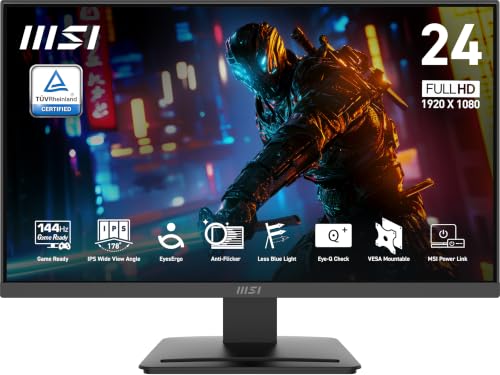
The msi PRO MP243L E14 24-inch IPS serves as a baseline high-refresh monitor engineered for compact desk environments and multi-display arrays. Featuring a 23.8-inch diagonal viewing plane with Full HD 1920×1080 resolution, this monitor delivers sharp text rendering and consistent color reproduction via its 178-degree wide-angle IPS glass. A key optical attribute is its 1500:1 static contrast ratio, which yields deeper dark values and cleaner separation between highlights than typical 1000:1 entry-level displays. The matte panel surface minimizes glare under overhead lighting, while a pixel pitch of 0.27mm maintains balanced sharpness without requiring interface scaling.
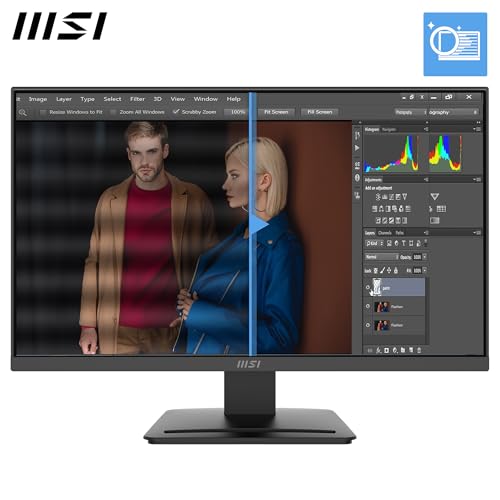
Motion performance centers on a native 144Hz refresh rate coupled with a 1ms response time, minimizing input delay and motion blur across fast-paced gaming genres. The panel implements Free Sync technology to eliminate screen tearing and frame pacing judder across varying graphics card loads. Ergonomic and eye-safety engineering includes TÜV Rheinland certified Flicker Free and Low Blue Light hardware solutions, alongside the proprietary MSI EyesErgo suite. Users can also run self-tests via the integrated Eye-Q Check tool to monitor visual strain during extended productivity or gaming blocks, supported by upgradable firmware capabilities.
Physical I/O on this msi pro mp243l e14 unit consists of an HDMI 2.0 port with HDMI-CEC control alongside a legacy D-Sub VGA interface, ensuring compatibility across modern graphics cards, consoles, and vintage workstation towers. The chassis features a 4-side slim bezel design, tilt adjustment between -5 and 20 degrees, and standard VESA 100×100mm mounting patterns. This msi 144hz ips monitor suits competitive esports players and dual-monitor workstation users who prioritize high pixel density in a small chassis, though users who require DisplayPort connectivity will need to look further up the lineup.
msi PRO MP273L E14 27-inch IPS for High-Visibility Productivity


msi PRO MP273L E14 27-inch IPS 4 photos from the Amazon listing
Best for: Multi-device setups requiring three video inputs
Pros
- Triple inputs (DP, HDMI, VGA)
- Integrated audio speakers
- AMD FreeSync technology
- 4-side slim bezel profile
Cons
- Full HD resolution on 27 inches
- Heavier 13.8 lb chassis
Best for: Workspaces wanting large high-visibility text
Pros
- Expansive 27-inch IPS canvas
- 1500:1 contrast ratio
- Eye-Q Check vision tool
- Wide 178-degree viewing angles
Cons
- Lower pixel density at 1080p
- Lacks DisplayPort connectivity
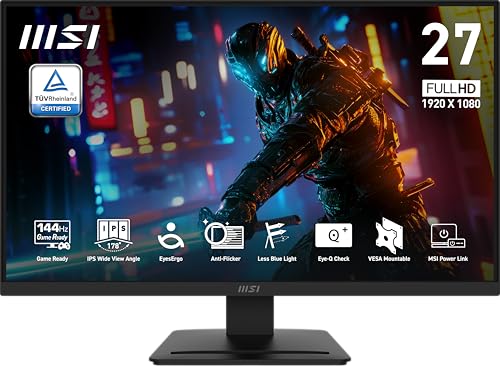
The msi PRO MP273L E14 27-inch IPS scales the core architecture of the 24-inch model to a broader 27-inch diagonal canvas. Maintaining a native 1920×1080 Full HD resolution, this model uses an LED-backlit IPS panel that maintains a 1500:1 static contrast ratio, wide 178-degree viewing angles, and a matte anti-glare screen finish. The enlarged physical footprint measures 24.15 inches wide and 17.23 inches tall on its stand, producing larger visual elements and UI text natively without demanding OS-level display scaling.
High-frame-rate tracking is backed by a 144Hz refresh rate, a 1ms response time, and Free Sync variable refresh support, which synchronizes the display timing with compatible GPU render cycles. For users evaluating visual ergonomics across various brands, including an asus monitor 144hz, the inclusion of TÜV Rheinland Flicker Free and Low Blue Light certifications provides continuous eye protection. MSI also includes the Eye-Q Check diagnostic utility and EyesErgo engineering to counteract fatigue during sustained monitor usage, alongside support for field firmware updates.
Chassis connectivity mirrors its smaller counterpart, incorporating an HDMI 2.0 port with HDMI-CEC multi-device control alongside a D-Sub VGA input for legacy video routing. Stand adjustments provide front-to-back tilt from -5 to 20 degrees, and the rear chassis features VESA 100×100mm mounting holes. The msi pro mp273l e14 suits office workers, casual gamers, and accessibility-focused users who sit farther back from their screens and prefer larger visual elements, though its 1080p resolution across 27 inches yields lower pixel density than MSI Quad HD alternatives.
msi PRO MP243W E14 24-inch IPS for Clean White Battlestations


msi PRO MP243W E14 24-inch IPS 4 photos from the Amazon listing
Best for: Clean white battlestations requiring DisplayPort
Pros
- DisplayPort 1.2a included
- High 1027.8 lm brightness
- Striking white chassis design
- 1500:1 contrast ratio
Cons
- HDMI port limited to 1.4b
- No built-in speakers
The msi PRO MP243W E14 24-inch IPS departs from standard black styling by offering a complete white chassis and bezel aesthetic suited for color-coordinated gaming battlestations and modern office spaces. This 24-inch Full HD display utilizes an IPS panel with LCD technology, delivering a 1920×1080 resolution, a 1500:1 contrast ratio, 178-degree viewing angles, and a matte screen finish. With a brightness rating of 1027.8 lm and an 87 percent color gamut coverage specification, the panel delivers bright, consistent imagery across diverse ambient lighting conditions.
Under the hood, motion rendering operates at 144Hz with a 1ms response time and Adaptive Sync (FreeSync compatible) variable refresh rate implementation. For comparison shoppers assessing white or gaming monitors against an lg ultragear 144hz, this panel focuses on holistic health integration, pairing TÜV-certified flicker elimination and low blue light hardware with the MSI Eye-Q Check utility. Firmware update functionality ensures long-term display controller stability and feature optimizations over time.
The primary technical distinction of the msi pro mp243w e14 lies in its digital video inputs. Instead of analog VGA, MSI outfits this unit with a DisplayPort 1.2a connection and an HDMI 1.4b port that natively outputs Full HD at 144Hz. The chassis features a 4-side slim bezel profile, VESA 100×100mm bracket support, and tilt articulation spanning -5 to 20 degrees. It is an optimal choice for PC gamers seeking native DisplayPort variable refresh pipelines inside a white desk configuration, yielding ground to larger panels when broader screen space is required.
msi PRO MP251 E14L 24.5-inch IPS for Tournament-Standard Sizing


msi PRO MP251 E14L 24.5-inch IPS 4 photos from the Amazon listing
Best for: Competitive FPS players wanting 24.5-inch sizing
Pros
- Tournament standard 24.5-inch size
- PerfectEdge 4-side slim bezel
- 1ms fast response time
- TÜV certified display
Cons
- Contrast ratio not listed
- No DisplayPort input
The msi PRO MP251 E14L 24.5-inch IPS targets competitive gamers who prioritize the specific 24.5-inch diagonal form factor commonly utilized in esports tournaments. Built on a Full HD 1920×1080 IPS matrix, this monitor introduces the PerfectEdge 4-side slim bezel design, which minimizes outer borders for immersive single-screen viewing and seamless side-by-side multi-monitor alignment. While the listing does not specify its static contrast ratio or lumen rating, it specifies a 1ms response time, a 16:9 aspect ratio, and a glare-resistant matte screen finish.
The display maintains a competitive 144Hz refresh rate driven by Free-Sync technology, matching GPU output frames directly to suppress stuttering and visual artifacts. Eye comfort is prioritized through the MSI EyesErgo suite, which combines Anti-Flicker technology with TÜV-certified eyesight protection. The integrated MSI Eye-Q Check system adds automated rest reminders and rapid eye self-assessment tools, helping competitive players maintain optimal focus across multi-hour practice blocks.
Connectivity on the msi pro mp251 e14l includes an HDMI port alongside an analog VGA port, retaining backward compatibility for secondary test systems or legacy computing hardware. The monitor stand provides tilt flexibility, while the rear panel supports standard VESA mounting arms within compact physical dimensions measuring 21.94 inches wide by 16.51 inches tall. This display is tailored specifically for first-person shooter enthusiasts who require a 24.5-inch visual perimeter, though it yields to higher-resolution models for users demanding finer productivity workspace.
msi PRO MP273Q E14 27-inch IPS for High-Density QHD Workflows


msi PRO MP273Q E14 27-inch IPS 2560 x 1440 4 photos from the Amazon listing
Best for: Users needing sharp 1440p resolution
Pros
- Sharp 2560×1440 WQHD resolution
- DisplayPort 1.2a and HDMI 2.0b
- Integrated audio speakers
- 1500:1 contrast ratio
Cons
- Demands more GPU performance
- No legacy VGA port
The msi PRO MP273Q E14 27-inch IPS stands out as the premier resolution option in this lineup, upgrading from 1080p to a 2560×1440 WQHD panel. This 27-inch IPS display delivers 78 percent more screen real estate and pixel density than standard Full HD monitors, allowing users to view dense spreadsheets, high-detail game textures, and multi-window workflows with supreme clarity. The panel delivers a 1500:1 contrast ratio, 178-degree viewing angles, 300 cd/m² brightness, and an 85 percent color gamut rating behind a matte anti-glare finish.
High-speed performance remains uncompromised at 1440p, with the panel running a native 144Hz refresh rate, a 1ms response time, and Adaptive Sync (FreeSync compatible) variable refresh rate synchronization. Buyers weighing higher resolution panels against extreme refresh alternatives, such as an msi 240hz monitor, will find this model strikes a functional balance between graphical detail and framerate throughput. It also features integrated audio speakers, TÜV Rheinland certifications, the Eye-Q Check diagnostic suite, and updatable firmware architecture.
Video routing on the msi pro mp273q e14 is handled by a DisplayPort 1.2a interface and an HDMI 2.0b connection with HDMI-CEC support, both capable of driving 2560×1440 at the full 144Hz ceiling. The chassis incorporates VESA 100×100mm wall-mount compatibility and -5 to 20 degree tilt adjustment across physical dimensions of 24.15 inches in width and 18.53 inches in height. As an msi 1440p 144hz monitor, it is the clear selection for content editors and visually focused gamers, stepping aside only for buyers constrained by desk depth or legacy analog input requirements.
msi PRO MP273 E14A 27-inch IPS for Multi-Input Triple-Source Desktops

msi PRO MP273 E14A 27-inch IPS 1920 x 1080 4 photos from the Amazon listing
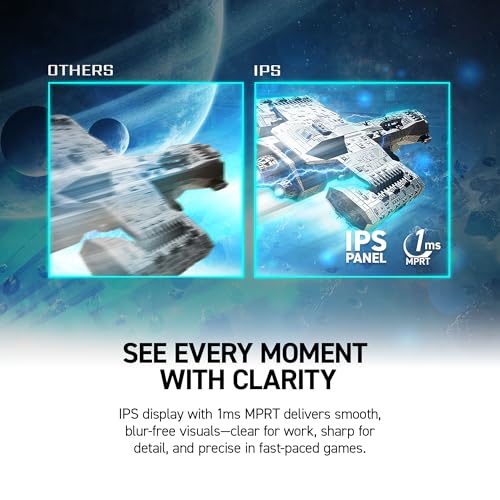
The msi PRO MP273 E14A 27-inch IPS combines large-format 1080p viewing with the most versatile input selection in MSI’s current line. Delivering a 1920×1080 Full HD image on an expansive 27-inch IPS LCD panel, this display maintains a 1500:1 static contrast ratio, 178-degree viewing angles, HDR Ready decoding, and a matte anti-glare coating. The total chassis assembly weighs 13.8 pounds, providing a rigid desk footprint that measures 24.15 inches wide and 18.53 inches tall.
Smooth gaming motion is backed by a 144Hz refresh rate, a 1ms response time, and AMD FreeSync dynamic refresh technology, keeping rapid camera sweeps clean and artifact-free. Users comparing desktop real estate options between multi-panel setups and ultrawide alternatives like an msi 49 curved oled display, 144hz 0.03ms, gaming monitor will appreciate the flexibility of this unit’s integrated stereo speakers, TÜV Rheinland certified Flicker Free and Low Blue Light hardware, MSI Eye-Q Check utilities, and firmware upgrade protocol.
What defines the msi pro mp273 e14a is its triple-input video panel, featuring DisplayPort 1.2a, HDMI 2.0 with HDMI-CEC, and an analog D-Sub VGA port. This layout allows simultaneous connection of a modern gaming rig via DisplayPort, a media streaming device or modern console via HDMI, and a legacy workstation via VGA. Paired with a 4-side slim bezel, -5 to 20 degree tilt ergonomics, and VESA 100×100mm mounting, this display is the ideal match for multi-generation hardware testing environments, conceding ground only to the MP273Q E14 when higher pixel resolution is paramount.
How to Choose the Right MSI Gaming Monitors
Conducting an msi 144hz gaming monitor comparison requires balancing panel resolution against physical screen sizing. The pixel density of a monitor dictates sharpness and usable screen area. For 24-inch and 24.5-inch panels like the PRO MP243L E14, PRO MP243W E14, and PRO MP251 E14L, a 1920×1080 Full HD resolution provides a tight 0.27mm pixel pitch, ensuring clean typography and crisp in-game assets at close viewing distances. Conversely, expanding 1080p across a 27-inch surface, as seen on the PRO MP273L E14 and PRO MP273 E14A, lowers pixel density, which benefits readers desiring larger native UI scaling but decreases overall visual fidelity compared to the 2560×1440 WQHD resolution delivered by the PRO MP273Q E14.
Evaluating video input bandwidth is equally critical when deciding which msi 144hz gaming monitor to buy. While every model in this lineup supports 144Hz, the physical ports determine device compatibility and native protocol handshakes. The PRO MP243W E14, PRO MP273Q E14, and PRO MP273 E14A include DisplayPort 1.2a interfaces, making them directly compatible with PC graphics cards requiring native DisplayPort variable refresh pipelines. In contrast, models such as the PRO MP243L E14, PRO MP273L E14, and PRO MP251 E14L forgo DisplayPort in favor of legacy D-Sub VGA and HDMI connections, which are better suited for retro consoles, legacy office workstations, or HDMI-centric source devices.
Desk dimensions and aesthetic integration represent the final decision matrix. If chassis styling is paramount, the PRO MP243W E14 provides an all-white enclosure to match specialized PC cases and bright desk spaces, while the PRO MP251 E14L utilizes its PerfectEdge 4-side slim bezel to maximize viewable screen area within a compact 24.5-inch footprint. If integrated audio is a hard requirement to save desk space, only the PRO MP273Q E14 and PRO MP273 E14A include built-in speakers from the factory. All six displays provide standard VESA 100×100mm mounting patterns and -5 to 20 degree tilt stands, ensuring baseline mounting flexibility across any ergonomic workstation arm.
FAQ
What is the primary difference between the MSI PRO MP273L E14 and MP273Q E14?
The primary difference lies in native resolution and port configuration. The PRO MP273L E14 utilizes a 1920×1080 Full HD IPS panel paired with HDMI 2.0 and analog VGA connections. In contrast, the PRO MP273Q E14 features a 2560×1440 WQHD panel delivering 78 percent more pixels, incorporates DisplayPort 1.2a alongside HDMI 2.0b, and includes integrated stereo speakers that are absent on the MP273L.
Which MSI 144Hz models in this guide include DisplayPort connections?
Three models include DisplayPort 1.2a inputs: the 24-inch white PRO MP243W E14, the 27-inch 1440p PRO MP273Q E14, and the 27-inch Full HD PRO MP273 E14A. The remaining three models—the PRO MP243L E14, PRO MP273L E14, and PRO MP251 E14L—feature HDMI and analog D-Sub VGA ports instead of DisplayPort.
Do these MSI monitors support variable refresh rates on modern GPUs?
Yes. All six displays feature adaptive variable refresh rate support, designated as Free Sync, Adaptive Sync, or AMD FreeSync depending on the specific model listing. These protocols dynamically synchronize the display’s 144Hz refresh rate with output frame rates from compatible graphics cards to eliminate screen tearing and input stuttering.
What does the MSI Eye-Q Check feature do?
MSI Eye-Q Check is an onboard visual diagnostic tool integrated into the monitor firmware. It allows users to perform basic visual self-checks, including astigmatism grids and posture assessments directly on the screen, while prompting regular break reminders to reduce eye strain during extended work and gaming sessions.
Can all of these MSI 144Hz monitors be mounted on custom monitor arms?
Yes. Every monitor reviewed in this lineup features industry-standard VESA 100×100mm mounting holes on the rear chassis. This allows users to remove the included tilt-adjustable desktop stands and secure the panels to single, dual, or multi-monitor desk clamps and wall brackets.