As Amazon Associates, we earn from qualifying purchases. This means we may receive a small commission at no extra cost to you if you click through and make a purchase.
LG has long maintained a dominant role in the visual display sector by engineering specialized panels that balance high-contrast VA alignment, rapid pixel transitions, and purpose-built screen geometries. The company’s curved lineup spans from streamlined desktop monitors aimed at daily productivity to aggressive 1000R UltraGear esports monitors and expansive 21:9 panoramic workstations. For technical buyers analyzing spec sheets, an LG curved monitor delivers consistent vertical alignment contrast ratios, broad sRGB and DCI-P3 color gamuts, and dedicated low-latency firmware such as Dynamic Action Sync to optimize signal pipelines across diverse desktop applications.
While all six displays examined here deliver curved or expansive desktop form factors, they diverge significantly across panel technologies, native resolutions, and refresh rate ceilings, ranging from everyday 100Hz Full HD and 200Hz QHD gaming monitors to 34-inch ultrawide productivity hubs and dedicated 4K UltraFine creative displays.
LG Curved Monitors Compared
| Model | Resolution | Refresh Rate | Panel Type & Curvature | Key Connectivity |
|---|---|---|---|---|
| LG 32MR50C-B | 1920 x 1080 (FHD) | 100Hz | VA (Curved, radius not listed) | HDMI |
| LG 32GS60QC-B | 2560 x 1440 (QHD) | 180Hz | VA (1000R) | HDMI x2, DisplayPort |
| LG 32G600A-B | 2560 x 1440 (QHD) | 180Hz | VA (1000R) | HDMI, DisplayPort |
| LG 32G620B-B | 2560 x 1440 (QHD) | 200Hz | IPS (Curvature not listed) | Not listed |
| LG 34WR55QK-B | 3440 x 1440 (WQHD) | 100Hz | VA (Curved, radius not listed) | USB Type-C (65W PD), HDMI x2, DisplayPort, USB x2 |
| LG 32UR500K-B | 3840 x 2160 (4K UHD) | 60Hz | VA (Curvature not listed) | HDMI x2, DisplayPort |
Table from this guide — scroll sideways for the remaining columns.
LG 32MR50C-B Curved Monitor 32-Inch FHD for Everyday Productivity


LG 32MR50C-B Curved Monitor 32-Inch FHD 4 photos from the Amazon listing
Best for: Everyday office productivity and casual streaming
Pros
- High 3000:1 contrast ratio
- Fluid 100Hz refresh rate
- Reader Mode eye comfort
Cons
- Coarse 0.36 mm pixel pitch
- Tilt-only ergonomic stand
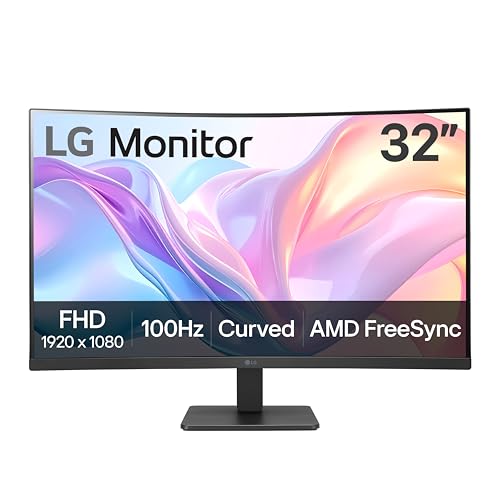
The LG 32MR50C-B Curved Monitor 32-Inch FHD is engineered as a large-format desktop solution for general office tasks, document processing, and casual streaming. Built around a 32-inch Full HD (1920×1080) VA panel, the display provides a standard 16:9 aspect ratio with a glossy screen finish that enhances perceived contrast. The underlying VA architecture yields a static contrast ratio of 3000:1 and a peak brightness of 250 cd/m², paired with wide 178-degree horizontal and vertical viewing angles. At this screen dimension, Full HD resolution translates to a pixel pitch of 0.36 mm, producing large UI elements that reduce eyestrain during long reading sessions without demanding operating system scaling.
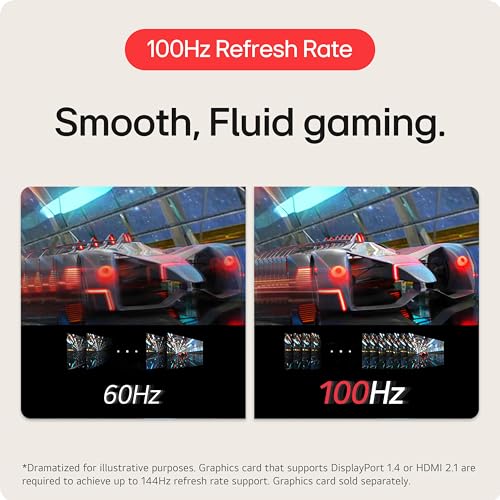
Looking closer at the technical lg 32mr50c-b specs, the monitor features a 100Hz refresh rate, representing a distinct upgrade over legacy 60Hz office panels. Motion handling is reinforced by AMD FreeSync technology, which synchronizes the display refresh cycle with compatible graphics outputs to mitigate visual stutter and frame tearing. The firmware incorporates LG’s OnScreen Control software suite, enabling rapid mouse-driven desktop partitioning, alongside Reader Mode for blue-light attenuation and Black Stabilizer to brighten shadowy picture zones. The physical chassis measures 9.2 inches deep by 27.9 inches wide by 20.2 inches high, supported by an ergonomic tilt-adjustable stand and framed by a 3-side virtually borderless bezel.
This model is best suited for administrative professionals, students, and home office users who prioritize expansive physical screen size and high contrast over fine pixel density. While its 100Hz panel handles casual gaming smoothly via Dynamic Action Sync, users who require dense pixel layouts for fine graphic editing or competitive esports refresh rates will want to look further up the UltraGear product stack.
LG 32GS60QC-B Ultragear 32-inch Curved Gaming for Fast-Paced Action


LG 32GS60QC-B Ultragear 32-inch Curved Gaming 4 photos from the Amazon listing
Best for: Immersive high-speed QHD gaming battlestations
Pros
- Deep 1000R visual curvature
- Fast 180Hz refresh rate
- 1ms GtG response time
- Dual HDMI and DisplayPort
Cons
- Tilt-only stand adjustment
- Lacks integrated audio
Designed specifically for competitive desktop gaming, the LG 32GS60QC-B Ultragear 32-inch Curved Gaming monitor combines a dense 2560×1440 (QHD) resolution with an aggressive 1000R curvature. This tight curvature closely matches the natural optical arc of human peripheral vision, drawing players deep into the game environment while minimizing edge distortion on a 32-inch diagonal. The panel utilizes a matte anti-glare finish to eliminate ambient light reflections, delivering a 3000:1 contrast ratio, 300 cd/m² brightness, and wide 178-degree viewing angles powered by LED-backlit VA technology.
Performance benchmarks center on its 180Hz refresh rate and a rapid 1ms Gray-to-Gray (GtG) response time, minimizing ghosting artifacts behind fast-moving objects. The monitor supports both AMD FreeSync and VESA Adaptive Sync architectures to eliminate frame tearing across wide variable refresh rate windows. Color fidelity is maintained through 99% sRGB color gamut coverage and HDR10 signal decoding with HDR Effect tone-mapping. For dedicated battlestation setups, the hardware provides two HDMI inputs and a DisplayPort interface, while internal gaming firmware includes Dynamic Action Sync for input lag reduction, an on-screen crosshair overlay, and a real-time FPS counter.
For players searching for the best lg 32 inch curved gaming monitor in terms of field-of-view immersion and pure frame throughput, the 32GS60QC-B stands out. It gives way to more advanced ergonomic models only if your desk setup requires height or swivel adjustments, as the integrated mount on this specific unit is limited strictly to screen tilt.
LG 32G600A-B 32-inch Ultragear QHD for Ergonomic Gaming Setups


LG 32G600A-B 32-inch Ultragear QHD 4 photos from the Amazon listing
Best for: Gamers demanding full ergonomic desk positioning
Pros
- Height tilt and swivel stand
- 180Hz refresh with 1ms GtG
- 1000R panoramic immersion
Cons
- Larger desk base footprint
- Basic HDR10 dynamic range
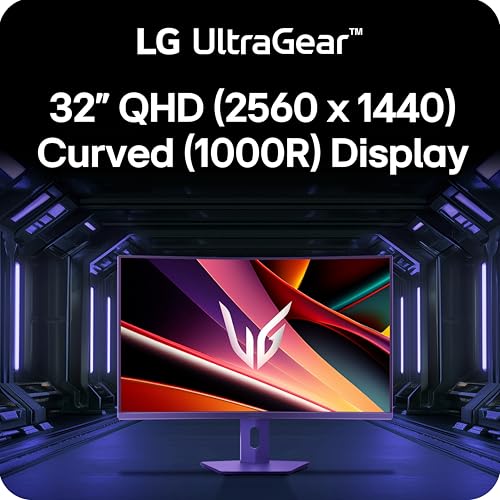
The LG 32G600A-B 32-inch Ultragear QHD display refines the 1000R curved gaming concept by coupling high-speed visual performance with a fully mechanical ergonomic base. Housing an active 31.5-inch VA panel with a 2560×1440 native resolution, it achieves a tight 0.27 mm pixel pitch for crisp in-game text rendering and detailed environmental textures. The 1000R radius provides uniform focal distance from center to bezel edge, reducing ocular refocusing fatigue during extended gaming sessions or complex multi-window multitasking.
On the specification sheet, the lg 32g600a-b delivers a 180Hz refresh rate alongside a 1ms GtG response profile to eliminate motion blur. Visual dynamic range is backed by HDR10 processing, 300 candela per square meter of peak brightness, a 3000:1 static contrast ratio, and up to 99% sRGB color gamut coverage. Adaptive synchronization is driven by AMD FreeSync, which pairs with LG’s Dynamic Action Sync to minimize processing latency between GPU buffer output and panel scanout. Physical dimensions span 10.2 inches deep, 27.7 inches wide, and 22 inches high, with input connectivity handled through HDMI and DisplayPort connections.
The standout advantage of this unit over baseline curved gaming models is its versatile chassis stand, which allows users to adjust tilt, height, and swivel to align the screen precisely with eye level. When evaluating an lg 32gs60qc-b vs 32g600a-b configuration, gamers needing comprehensive postural adjustments will find the 32G600A-B to be the superior mechanical choice, whereas desk spaces with strict depth limits might find its larger base footprint slightly more demanding.
LG 32G620B-B 32-inch Ultragear IPS QHD for Color Accuracy and Maximum Speed


LG 32G620B-B 32-inch Ultragear IPS QHD 4 photos from the Amazon listing
Best for: Competitive esports players needing 200Hz speed
Pros
- Blazing 200Hz refresh ceiling
- IPS wide-angle color fidelity
- Dual G-Sync and FreeSync support
Cons
- Curvature radius not listed
- Listing omits detailed stand specs
With the LG 32G620B-B 32-inch Ultragear IPS QHD, the lineup transitions from high-contrast VA execution to high-speed In-Plane Switching (IPS) panel engineering. Featuring a native 2560×1440 (QHD Wide 1440p) resolution across a 32-inch diagonal, this monitor provides a balanced desktop pixel density on a 16:9 canvas with a matte anti-glare surface treatment. While the product listing does not specify its exact curvature radius, the panel architecture delivers expansive viewing consistency and rapid color fidelity across off-axis angles.
Speed is the primary engineering pillar of the lg 32g620b-b, which pushes its refresh ceiling to an exceptional 200Hz. Paired with a 1ms GtG response time, the display delivers ultra-crisp motion tracking for twitch shooters and fast-action esports titles. Synchronization support is dual-certified for both NVIDIA G-SYNC Compatible and AMD FreeSync Premium standards, ensuring tear-free rendering across diverse graphics hardware. Color reproduction spans up to 99% sRGB with HDR10 support, while proprietary gaming features include Dynamic Action Sync, Black Stabilizer shadow brightening, and an integrated hardware crosshair overlay.
This monitor is primarily aimed at competitive players who value panel response speed and IPS color stability above the deep static black levels characteristic of 3000:1 VA panels. It relinquishes ground to specialized media displays if deep-room black levels are required, but for pure frame rates and variable sync compatibility, it represents the fastest 1440p performer in this group.
LG 34WR55QK-B 34-inch UltraWide WQHD for Expanded Workspace Multitasking


LG 34WR55QK-B 34-inch UltraWide WQHD (3440 x 1440) Curved 4 photos from the Amazon listing
Best for: Multitaskers needing ultrawide workspace and laptop docking
Pros
- Expansive 21:9 WQHD canvas
- 65W USB-C power delivery
- Picture-by-Picture dual-input support
- Height and tilt adjustability
Cons
- Moderate 100Hz refresh ceiling
- 5ms response time
The LG 34WR55QK-B 34-inch UltraWide WQHD shifts the aspect ratio formula from conventional 16:9 to an expansive 21:9 panoramic curved format. Spanning a 34-inch diagonal with an ultrawide resolution of 3440×1440, this screen increases horizontal desktop real estate by approximately 33 percent over standard QHD monitors. It features a matte VA panel with a 3000:1 static contrast ratio, 300 cd/m² luminance, a 0.23 mm pixel pitch, and wide 178-degree viewing angles, creating an immersive visual arc optimized for dense data tracking.
Connectivity is the operational centerpiece of the lg 34wr55qk-b. It incorporates a full-function USB Type-C port supporting data transmission and up to 65W power delivery, allowing users to dock and charge modern laptops over a single cable. Additional I/O includes two HDMI ports, a DisplayPort interface, two downstream USB ports, and a dedicated headphone jack. Workflow efficiency is further expanded through LG OnScreen Control with Picture-by-Picture (PbP) functionality, which splits the ultrawide display between two separate digital input sources simultaneously. The screen operates at a 100Hz refresh rate with a 5ms response time, 99% sRGB color gamut coverage, HDR10 decoding, and Reader Mode blue-light filtering on a height- and tilt-adjustable stand.
While standard 16:9 32-inch displays fit compact workstations easily, wide desktop footprints offer clear productivity advantages similar to ultra-wide displays like the 39” ultragear wqhd 240hz curved gaming monitor. The 34WR55QK-B is the definitive pick for software developers, financial analysts, and video editors who need multi-window canvas width and streamlined laptop docking rather than maximum gaming refresh rates.
LG 32UR500K-B Ultrafine 32-inch 4K UHD for High-Resolution Creative Work


LG 32UR500K-B Ultrafine 32-inch 4K UHD (3840x2160) Computer Monitor 4 photos from the Amazon listing
Best for: Creative professionals and 4K media consumers
Pros
- Ultra-fine 4K 3840×2160 resolution
- 90% DCI-P3 color gamut
- Integrated Waves MaxxAudio speakers
Cons
- Standard 60Hz refresh rate
- Tilt-only stand adjustment
Targeted squarely at high-resolution content creation, media streaming, and precision detail rendering, the LG 32UR500K-B Ultrafine 32-inch 4K UHD brings 3840×2160 native resolution to a 31.5-inch active display canvas. This 4K pixel matrix yields a remarkably fine 0.18 mm pixel pitch, ensuring that vector graphics, photographic details, and typography appear razor sharp without visible subpixel pixelation. The monitor incorporates an anti-glare matte panel with a 1000:1 contrast ratio, 250 cd/m² brightness, and 178-degree horizontal and vertical viewing angles.
Visual fidelity on the lg 32ur500k-b is governed by wide color support, offering up to 90% DCI-P3 color gamut expression alongside HDR10 signal processing. Audio is integrated directly into the chassis via built-in stereo speakers equipped with Waves MaxxAudio processing, eliminating the requirement for external desktop speakers. Hardware connectivity consists of two HDMI ports and a DisplayPort interface. While operating at a standard 60Hz desktop refresh rate, the monitor retains gaming assist algorithms including Dynamic Action Sync and Black Stabilizer, as well as OnScreen Control screen splitting, Reader Mode, and Flicker Safe backlighting supported by an ergonomic tilt stand.
This UltraFine display is the optimal solution for video editors, digital photographers, and everyday media viewers who demand 4K clarity and high color spectrum coverage. It naturally concedes high frame pacing to the 180Hz and 200Hz UltraGear monitors, but surpasses every other 32-inch model in this comparison for absolute pixel sharpness and integrated acoustic playback.
How to Choose the Right LG Curved Monitor
Selecting the optimal display from LG’s diverse curved lineup requires balancing panel geometry, pixel resolution, refresh bandwidth, and workstation interface requirements.
- Resolution and Pixel Density: Resolution determines both screen workspace and typographic sharpness. The Full HD resolution on the LG 32MR50C-B yields a 0.36 mm pixel pitch, making UI elements inherently large but lacking the sharpness required for dense data analysis. The 2560×1440 resolution found on an lg 32 inch 1440p curved monitor such as the 32GS60QC-B, 32G600A-B, or 32G620B-B hits an optimal desktop sweet spot with a 0.27 mm pitch. Meanwhile, the 34WR55QK-B provides an ultrawide 3440×1440 WQHD workspace with a 0.23 mm pitch, and the 32UR500K-B leads in sheer sharpness with a 4K 3840×2160 canvas at a razor-fine 0.18 mm pitch.
- Curvature Radius and Desk Geometry: Curvature plays an essential ergonomic role on screens measuring 31.5 inches and larger. Monitors featuring an aggressive 1000R curve, such as the LG 32GS60QC-B and LG 32G600A-B, actively wrap around your peripheral vision to equalize the optical distance from your eye to every edge of the panel. For shoppers comparing overall desk clearances across deep curved hardware, our spatial analysis of an lg 45 inch curved monitor highlights how panel depth affects seating position and desk depth planning.
- Refresh Rate and Gaming Synchronization: Refresh speed dictates motion clarity and input response. The 60Hz 32UR500K-B and 100Hz 32MR50C-B and 34WR55QK-B excel at media viewing and desktop multi-tasking. However, serious gaming demands high-velocity panels. The 180Hz 32GS60QC-B and 32G600A-B offer 1ms GtG response times with AMD FreeSync, while the 200Hz 32G620B-B adds AMD FreeSync Premium and NVIDIA G-SYNC Compatibility for peak esports responsiveness.
- Ergonomics and Interface Versatility: Stand adjustments and port configurations define daily usability. The LG 32MR50C-B, 32GS60QC-B, and 32UR500K-B provide basic tilt adjustments. In contrast, the LG 32G600A-B features a comprehensive stand with tilt, height, and swivel capabilities. For modern laptop connectivity, the LG 34WR55QK-B stands apart by integrating a 65W USB Type-C interface alongside Picture-by-Picture dual-source processing.
Assessing these criteria against your core computing workflow clarifies exactly which lg 32 curved monitor to buy for your desktop configuration.
FAQ
What makes a 1000R curve significant on a 32-inch LG monitor?
A 1000R curvature signifies a curve radius of 1,000 millimeters, which corresponds closely to the natural human visual field. On a 32-inch display such as the LG 32GS60QC-B or LG 32G600A-B, this deep arc ensures that the screen edges remain equidistant to your eyes compared to the center, reducing the need for continuous optical refocusing and enhancing peripheral immersion during fast-paced simulation and gaming.
What is the difference between the LG 32GS60QC-B and the LG 32G600A-B?
While both monitors feature 31.5-inch to 32-inch QHD VA panels running at 180Hz with 1ms GtG response times, 1000R curves, and AMD FreeSync, their primary divergence lies in stand ergonomics and port layouts. The 32GS60QC-B provides a tilt-only stand with two HDMI ports and DisplayPort. The 32G600A-B integrates a heavier, multi-axis ergonomic stand that supports height, tilt, and swivel adjustments, making it far more adaptable to varied seating heights and multi-monitor alignments.
Is 1080p resolution sufficient for a 32-inch display like the LG 32MR50C-B?
A 1920×1080 resolution across a 32-inch panel results in a relatively coarse 0.36 mm pixel pitch. While this configuration is not ideal for fine digital photo retouching or ultra-dense spreadsheet work, it provides clear, large text and prominent interface elements without requiring software scaling. It serves well for home office workflows, video streaming, and casual gaming where low GPU overhead is desired.
Which LG curved monitor works best for a single-cable laptop workstation?
The LG 34WR55QK-B is the dedicated docking solution in this lineup. Its built-in USB Type-C port carries display signals, data, and up to 65W of power delivery over a single connection, recharging compatible laptops while sending video to the ultrawide 3440×1440 display and powering attached USB peripherals.
How does an IPS panel compare to VA panels in LG gaming monitors?
The LG 32G620B-B utilizes IPS technology, delivering superior viewing angle color stability, rapid pixel transitions, and a 200Hz refresh rate. In contrast, VA models like the 32GS60QC-B and 32G600A-B achieve a much higher static contrast ratio of 3000:1, providing significantly deeper black levels in dark-room gaming environments where IPS panels typically display moderate dark-gray luminance.