As Amazon Associates, we earn from qualifying purchases. This means we may receive a small commission at no extra cost to you if you click through and make a purchase.
BenQ has established a distinct engineering reputation within the professional display landscape by focusing on task-specific optical performance, tight factory color calibration, and advanced signal pipeline management. Among high-end design, editorial, and software engineering environments, the manufacturer is recognized for implementing panels with broad color space coverage, uniform backlighting, and specialized physical interfaces like the external Hotkey Puck. When navigating visual clarity at a high desktop standard, choosing a benq 5k monitor addresses the rigorous interface scaling and density requirements dictated by high-resolution operating systems.
While the flagship PD2730S delivers native 5120×2880 clarity at a true macOS-target pixel density over high-speed Thunderbolt 4 pipelines, the surrounding lineup branches into expansive 32-inch color-grading displays with IPS Black technology alongside the MA-series ecosystem tailored for plug-and-play MacBook hardware synchronization across matte and glossy finishes.
BenQ 5K Monitors Compared
| Model | Resolution and Size | Panel Finish and Contrast | Brightness | Connectivity and Power |
|---|---|---|---|---|
| BenQ PD2730S | 5K 5120 x 2880 (27 inches) | Nano Matte, 2000:1 | Not listed | Thunderbolt 4 (90W), KVM Switch |
| BenQ MA320UP | 4K UHD 3840 x 2160 (31.99 inches) | Glossy, 2000:1 | 400 nits | Dual USB-C (90W and 15W), 2 HDMI |
| BenQ MA270U | 4K UHD 3840 x 2160 (27 inches) | Matte, 2000:1 | 400 nits | Dual USB-C (90W and 15W), 2 HDMI |
| BenQ MA320U | 4K UHD 3840 x 2160 (32 inches) | Matte, High-End | 400 nits | Dual USB-C (90W and 15W), 2 HDMI |
| BenQ PD3225U | 4K UHD 3840 x 2160 (32 inches) | Anti-glare, 2000:1 IPS Black | 250 nits | Thunderbolt 3 (85W), Daisy Chain |
| BenQ MA270UP | 4K UHD 3840 x 2160 (27 inches) | Glossy, 2000:1 | 400 nits | Dual USB-C (90W and 15W), 2 HDMI |
Table from this guide — scroll sideways for the remaining columns.
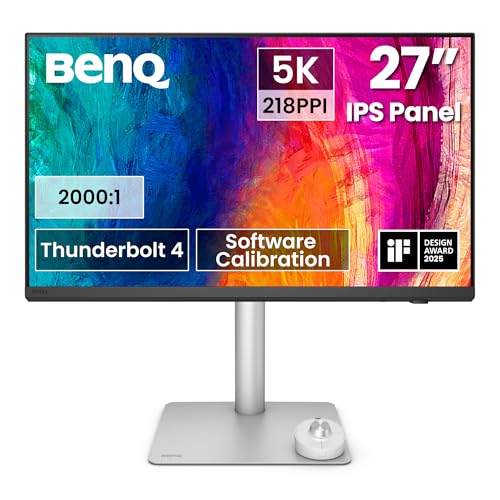
BenQ PD2730S 27″ 5K 218 PPI for Creative Precision


BenQ PD2730S 27" 5K 218 PPI 4 photos from the Amazon listing
Best for: VFX animators needing native 5K resolution
Pros
- Native 5120×2880 at 218 PPI
- Thunderbolt 4 with 90W delivery
- Nano matte anti-reflection panel
- Hardware KVM with Hotkey Puck
Cons
- Standard 60Hz refresh rate
The BenQ PD2730S 27″ 5K 218 PPI represents the dedicated flagship for technical specialists who demand uncompromised pixel density. By packing a native 5120×2880 resolution into an active 27-inch viewing area, this benq pd2730s 5k display establishes a 218 PPI density. That exact metric matches Apple Retina display specifications, ensuring that macOS renders desktop UI elements at native 2x integer scaling without the blurring, GPU performance penalty, or artifacting common to non-integer scaled displays. It yields 77.8% more total pixels than standard 4K panels, creating an ultra-sharp working canvas where fine typography, complex user interface wireframes, and raw camera vectors render cleanly.
Signal and power routing are handled by a fully integrated benq thunderbolt 4 monitor interface delivering 40Gbps bandwidth alongside 90W host charging. This expansive bus throughput allows professionals to daisy chain either two 5K displays or a single 8K display when utilizing certified Thunderbolt 4 cabling. The physical panel features BenQ Uniformity technology, a 2000:1 static contrast ratio, and 98% Display P3 coverage to ensure precise color fidelity for VFX artists, game designers, and 3D animators. Eye fatigue during sustained editing cycles is mitigated by a TÜV-certified reflection-free Nano Matte surface treatment, which diffuses harsh ambient office lighting without compromising underlying chromatic accuracy.
Productivity across dual-workstation setups is streamlined through an integrated hardware KVM switch, permitting one keyboard and mouse array to command two separate host computers. Workflow navigation is further accelerated by the wireless Hotkey Puck, which grants instant toggles across active inputs and color profiles. For users running dual Mac and PC rendering rigs, this unit functions as a unified hub that eliminates the necessity of an outboard anker usb c dock to maintain high-speed visual pipelines.
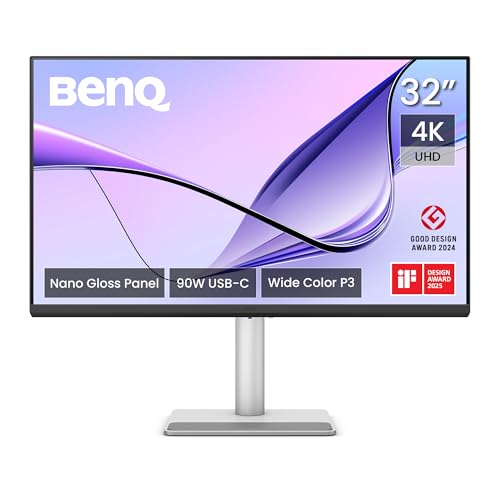
BenQ MA320UP 32” 4K 3840×2160 Monitor for MacBook Multitasking


BenQ MA320UP 32” 4K 3840x2160 Monitor 4 photos from the Amazon listing
Best for: Mac users wanting glossy 32-inch 4K
Pros
- Glossy screen finish
- 400 nits brightness
- Dual USB-C with 90W charging
Cons
- Fixed 60Hz ceiling
- No Thunderbolt daisy chaining
Targeting MacBook Pro and MacBook Air power users who prioritize physical workspace alongside glossy visual presentation, the BenQ MA320UP 32” 4K 3840×2160 Monitor spans a 31.99-inch diagonal canvas. Unlike traditional matte professional displays, this screen employs a glossy surface finish designed to match the reflective, high-contrast visual aesthetic of built-in Apple Retina laptop panels. Combined with BenQ proprietary Mac color tuning technology, the IPS panel reproduces a wide P3 color space, allowing assets created on a laptop screen to maintain visual continuity when mirrored or extended onto the external 32-inch surface.
The connectivity hub utilizes dual USB-C interfaces engineered specifically for multi-device desktop management. The primary USB-C port supplies 90W of Power Delivery over a single video-and-data cable to run demanding MacBook models at full speed, while a secondary USB-C port provides 15W to keep an iPad or iPhone charged at the workstation. Supplemental video connections include two HDMI ports for auxiliary hosts. Operating system control is deeply synchronized, enabling users to adjust monitor brightness and audio volume directly from their MacBook function keys without interacting with an on-screen display menu.
Rated at 400 nits with a 2000:1 contrast ratio, this benq ma320up 4k configuration provides substantial luminance and shadow depth for multi-window productivity and video review. The supplied stand is fully ergonomic, offering height adjustment, tilt, swivel, and 90-degree pivot options. It serves users seeking expansive visual real estate and deep OS integration, though professionals requiring native 5K resolution scaling or hardware KVM routing will find the PD2730S better aligned with their processing demands.
BenQ MA270U 27” 4K 3840×2160 Monitor for Glare-Free Productivity


BenQ MA270U 27” 4K 3840x2160 Monitor 4 photos from the Amazon listing
Best for: MacBook owners wanting matte 27-inch 4K
Pros
- Integrated macOS volume and brightness controls
- 400 nits matte IPS panel
- 90W and 15W USB-C delivery
Cons
- Lower pixel density than 5K
- Lacks hardware KVM switch
The BenQ MA270U 27” 4K 3840×2160 Monitor packages Apple-tailored display ergonomics into a traditional 27-inch desktop form factor equipped with an anti-reflective matte screen finish. In this benq ma270u review segment, the optical coating serves as a primary differentiator, scattering direct light from office fixtures or open windows to preserve legibility across complex document spreads and coding environments. The IPS LED panel operates at 3840×2160 UHD resolution at 60Hz, maintaining a 2000:1 contrast ratio and wide 178-degree horizontal and vertical viewing angles.
Interface ergonomics are built around seamless Apple device compatibility. The display incorporates BenQ custom color calibration targeting the P3 wide gamut profile of modern Mac systems, neutralizing the color shifts frequently encountered when pairing MacBooks with standard off-the-shelf business displays. Single-cable USB-C connectivity passes display signals while delivering 90W of charging power to the host machine, complemented by an auxiliary 15W USB-C output and dual HDMI ports. Native volume and brightness adjustments through Apple keyboards eliminate manual OSD navigation.
The fully articulating stand supports height, tilt, swivel, and pivot adjustments, providing flexibility for vertical coding layouts or landscape data analysis. While this monitor offers an exceptionally clean solution for general macOS productivity, users comparing a benq 5k mac monitor will note that the MA270U renders at standard 4K (163 PPI). This makes it optimal for office and administrative tasks, whereas unscaled 1:1 design work benefits from the higher pixel density found on the 218 PPI PD2730S.
BenQ MA320U 32” 4K 3840×2160 Monitor for Expansive Office Work


BenQ MA320U 32” 4K 3840x2160 Monitor 4 photos from the Amazon listing
Best for: Productivity setups requiring matte 32-inch screen
Pros
- Matte anti-glare finish
- 400 nits panel brightness
- Dedicated MacBook color tuning
Cons
- Contrast ratio listed as high-end unspecified
- No Thunderbolt connectivity
Constructed for users who require maximum screen surface area coupled with reflection control, the BenQ MA320U 32” 4K 3840×2160 Monitor features a 32-inch IPS panel with a 0.08 pixel pitch and a matte anti-glare finish. The large 16:9 canvas provides ample space to position full-scale development environments, timeline editors, and spreadsheet sheets side by side without triggering window congestion. With an output rating of 400 nits and integrated Eye Care features including Blue Light Filters, the display is tuned to minimize ocular strain during marathon work shifts.
Like its companion models in the MA series, the MA320U emphasizes native macOS workflow pairing. Integrated circuitry communicates with macOS keyboard protocols, enabling swift adjustments to screen illumination and audio levels without leaving active applications. Dual USB-C ports provide dedicated 90W host charging and 15W secondary device power, backed by two standard HDMI inputs to link external workstations or secondary media players. Contrast is listed as high-end, ensuring dark regions maintain distinction across variable ambient light environments.
Physical positioning is supported by a comprehensive stand mechanism capable of swivel, tilt, height adjustment, and pivot motion. While creative professionals looking at a fast benq gaming monitor may prioritize higher refresh rates beyond the 60Hz limit present here, the MA320U is focused purely on executive and creative productivity. It acts as an expansive matte counterpart to the glossy MA320UP, trading the high pixel density of the 5K lineup for sheer viewing breadth.
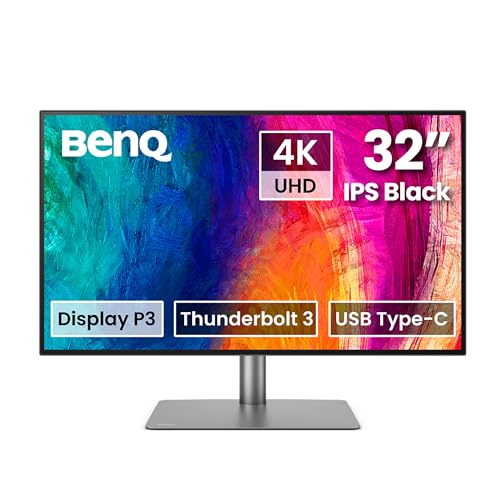
BenQ PD3225U 32 Inch 4K IPS for Color Grading Workflows
BenQ PD3225U 32 Inch 4K IPS Black UHD Thunderbolt 4 photos from the Amazon listing
Best for: Designers requiring hardware color validation
Pros
- IPS Black 2000:1 contrast ratio
- Thunderbolt 3 daisy chain support
- Pantone and Calman verified color
- KVM switch with Hotkey Puck
Cons
- 250 nits standard brightness
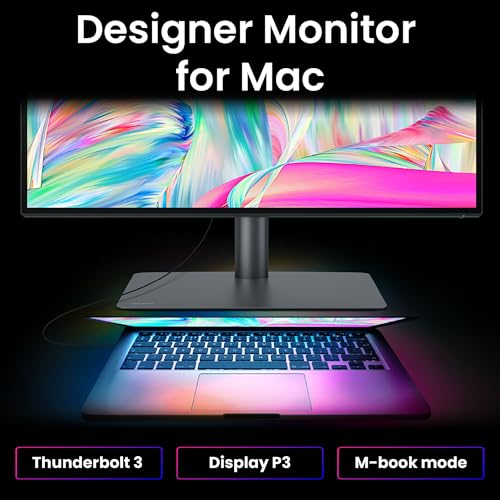
The BenQ PD3225U 32 Inch 4K IPS is engineered specifically for post-production suites and precision colorists who need certified color fidelity on a 32-inch scale. Central to its optical performance is an IPS Black panel that achieves an authentic 2000:1 contrast ratio, generating significantly deeper black levels than traditional IPS technology while minimizing IPS glow. The panel provides 98% Display P3, 100% sRGB, and 100% Rec.709 coverage with a factory-calibrated Delta E of 2 or less, further validated by Pantone and verified by Calman for production-grade color pipelines.
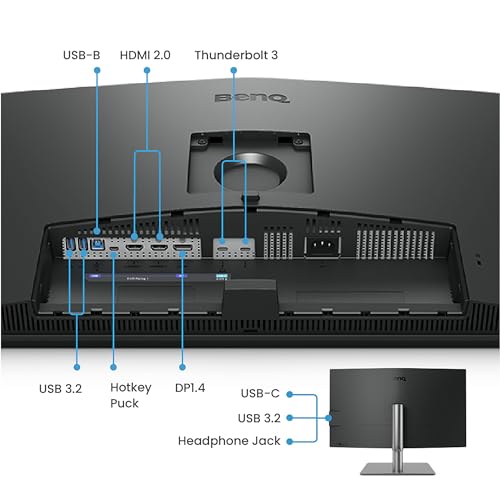
Data transmission and system synchronization rely on an expansive 40Gb/s Thunderbolt 3 bus architecture capable of daisy-chaining multiple high-resolution displays. Power Delivery provides up to 85W over USB-C, ensuring sustained operation for connected laptops. When conducting a technical evaluation of the benq pd2730s vs pd3225u, the primary trade-off centers on panel dimensions versus pixel density. While the PD2730S delivers crisp 218 PPI 5K clarity across a 27-inch frame, the PD3225U delivers an expansive 32-inch surface backed by IPS Black depth, factory-calibrated uniformity circuitry, and HDR10 compliance.
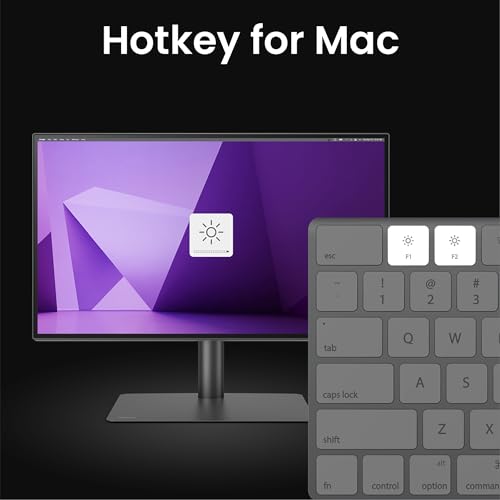
Workflow acceleration is driven by BenQ Display Pilot 2 software and the wired Hotkey Puck, which permits rapid switching between custom color spaces, auto-pivoting configurations, and the integrated KVM switch. An anodized metal base with comprehensive height, swivel, tilt, and pivot adjustments provides robust physical stability. For creative directors who evaluate color balance on larger 32-inch panels—a segment often benchmarked against units like a gigabyte 32 inch monitor 4k display—the PD3225U stands apart through its dedicated M-Book color matching mode and certified broadcast gamuts.
BenQ MA270UP 27” 4K 3840×2160 Monitor for Compact Mac Workstations


BenQ MA270UP 27” 4K 3840x2160 Monitor for MacBook® Pro/Air, 4 photos from the Amazon listing
Best for: Compact desks wanting glossy Mac color
Pros
- Glossy glass-like finish
- 400 nits peak brightness
- 90W USB-C MacBook charging
Cons
- No Thunderbolt 4 bus speed
Completing the Mac-centric lineup, the BenQ MA270UP 27” 4K 3840×2160 Monitor combines a compact 27-inch footprint with a glossy screen finish. Designed for desktop environments where lighting can be controlled to prevent specular reflections, the glossy surface enhances apparent visual contrast and color saturation, replicating the un-matted optical characteristics of an integrated MacBook display. The 3840×2160 resolution across a 27-inch matrix generates a sharp 163 PPI image, supported by a 400-nit luminance rating and an IPS-grade 2000:1 contrast ratio.
Connectivity mirrors the MA platform standard, featuring dual USB-C ports with 90W and 15W Power Delivery capabilities alongside dual HDMI ports. This port selection supports simultaneous charging of a primary laptop and a mobile device while handling video input from multiple computers. Deep integration with macOS firmware allows users to control volume and display brightness natively from the host keyboard, circumventing external display management software.
The display includes an articulating stand that provides tilt, swivel, pivot, and height adjustments, allowing users to align the monitor with an adjacent laptop display. While lacking the 40Gbps Thunderbolt 4 bus speeds, daisy chaining, and hardware KVM features found on the flagship PD2730S, the MA270UP provides a streamlined, color-matched solution for MacBook users who favor a vibrant glossy panel over matte textures.
How to Choose the Right BenQ 5K Monitors
Selecting the optimal display from this technical lineup requires assessing the trade-offs between resolution scaling, panel coating, interface bus speeds, and physical screen dimensions. When determining which benq monitor to buy, evaluating these critical hardware factors ensures seamless integration into your specific workflow.
- Resolution Scaling and Pixel Density: The primary distinction between the flagship benq monitor 5k and the 4K alternatives is native pixel density. The PD2730S provides 218 PPI across a 27-inch diagonal, allowing macOS to operate at a native 2x Retina scale (5120×2880 rendering down to a virtual 2560×1440 desktop). Standard 4K 27-inch models (163 PPI) and 32-inch models (138 PPI) require fractional scaling to achieve comfortable UI sizing, which introduces minor text interpolation and consumes graphics processing overhead. If razor-sharp vector clarity and unscaled interface precision are paramount, the benq 218 ppi monitor is the technical choice.
- Bus Architecture and Data Bandwidth: High-bandwidth connectivity requirements heavily influence display selection. The PD2730S incorporates Thunderbolt 4 (40Gbps, 90W charging) supporting high-resolution daisy chains, while the PD3225U utilizes Thunderbolt 3 (40Gbps, 85W charging). Conversely, the MA series (MA320UP, MA270U, MA320U, MA270UP) operates on dual USB-C architecture featuring 90W laptop charging and 15W auxiliary power without Thunderbolt daisy-chain support.
- Panel Finishes and Environmental Lighting: Working environments dictate the ideal screen coating. The PD2730S employs a TÜV-certified Nano Matte finish designed to disperse reflections without dulling color tones, while the MA270U and MA320U use standard matte anti-glare coatings for diffuse lighting conditions. If you work in light-controlled creative environments and favor the saturated, glass-like punch of Apple native displays, the glossy finishes on the MA320UP and MA270UP provide uninhibited clarity.
- Color Certification and Contrast: For color-critical broadcast and print production, the PD3225U leads with factory-calibrated Delta E of 2 or less, Calman verification, Pantone validation, and an IPS Black 2000:1 contrast ratio that preserves dark shadow tonality. The PD2730S matches this 2000:1 contrast and 98% P3 coverage for VFX workflows, whereas the MA series focuses primarily on BenQ custom Mac color matching for uniform multi-screen computing.
FAQ
Why is native 5K resolution significant for Mac users?
macOS user interfaces are structurally designed for Retina displays at approximately 218 pixels per inch, which equates to exactly 5120×2880 on a 27-inch monitor. Running at this native resolution allows the operating system to perform integer 2x scaling, mapping four physical pixels to one virtual pixel point. Standard 4K monitors on 27-inch or 32-inch panels fall between 138 and 163 PPI, requiring the operating system to render at an off-screen resolution and scale it down fractionally. This fractional scaling can introduce slight anti-aliasing fuzziness on small fonts and consumes additional GPU cycles, which the native 5K panel completely avoids.
What is the difference between Thunderbolt 4 and the USB-C ports on the MA series?
The Thunderbolt 4 port on the PD2730S provides 40Gbps bidirectional bandwidth, which supports video, high-speed data, 90W power delivery, and peripheral daisy chaining (allowing dual 5K monitors or a single 8K monitor to connect through a single cable to the host). The USB-C ports on the MA series deliver video signal via DisplayPort Alternate Mode alongside 90W charging for laptops and 15W charging for mobile devices, but they do not feature Thunderbolt daisy-chaining capabilities or 40Gbps protocol tunneling.
How does the IPS Black panel on the PD3225U benefit visual workflows?
Traditional IPS panels typically deliver a static contrast ratio of roughly 1000:1, which can cause deep blacks to appear dark gray in dim viewing environments—a phenomenon known as IPS glow. The IPS Black panel on the PD3225U achieves a 2000:1 static contrast ratio, significantly cutting light leakage in dark color values. This allows video editors and photographers working in Rec.709 and Display P3 to discern subtle shadow details and color transitions that standard IPS panels compress.
Can I control BenQ monitor settings using my Mac keyboard?
Yes, but the implementation varies by product line. The MA-series monitors (MA320UP, MA270U, MA320U, and MA270UP) feature integrated hardware protocols that allow Mac keyboard keys to directly adjust display brightness and internal speaker volume without external configuration. The professional DesignVue models like the PD2730S and PD3225U integrate with BenQ Display Pilot software and include an external physical Hotkey Puck for rapid profile, input, and brightness adjustments.
What is the functional difference between glossy and matte panels in the MA lineup?
The MA series offers identical core electronic features split across two surface treatments: the MA270U and MA320U feature matte coatings that scatter incoming ambient light, preventing reflections in brightly illuminated office environments. The MA270UP and MA320UP feature glossy coatings that do not scatter light, resulting in a cleaner, more vibrant image with enhanced perceived black depth, mirroring the optical aesthetic of an uncovered MacBook Retina screen in controlled lighting setups.