As Amazon Associates, we earn from qualifying purchases. This means we may receive a small commission at no extra cost to you if you click through and make a purchase.
ASUS has established itself as a leading manufacturer in the portable computing space, largely driven by its focus on display technology and high-efficiency thermal engineering. Within the thin-and-light productivity category, the company combines thin aluminum shells with vibrant panels and advanced silicon from both AMD and Intel. Navigating this ecosystem requires an analytical eye, especially when selecting a modern asus laptop computer tailored to specific computational or visual workloads.
Across this lineup, these six models diverge primarily in their processor microarchitecture, display panel resolution and refresh rate, integrated artificial intelligence capabilities, and memory configurations that range from entry-level allocations up to heavy-multitasking capacities.
ASUS Laptops Compared
| Model | Silicon Architecture | Display Specifications | RAM and Storage | Battery and Chassis |
|---|---|---|---|---|
| ASUS Vivobook S 14 OLED Slim | AMD Ryzen AI 9 365 (10 cores, 45+ TOPS NPU) | 14-inch 3K (2880 x 1800), 120Hz Lumina OLED, 600 nits HDR | 24GB LPDDR5X, 1TB SSD | 75 Wh battery, 2.87 lbs, 0.63-inch thickness |
| ASUS Vivobook S 14 OLED Laptop | Intel Core Ultra 7 258V (up to 4.8GHz) | 14-inch WUXGA (1920 x 1200), 60Hz OLED, 400 nits | 32GB DDR5, 2TB PCIe NVMe SSD | 75Wh battery, 2.9 lbs, MIL-STD 810H durability |
| ASUS Vivobook S 16 OLED Laptop | Intel Core Ultra 9 185H, Intel Arc Graphics | 16-inch Lumina OLED, nearly frameless | 16GB system memory, 1TB SSD | Up to 16 hours battery runtime, 3.31 lbs |
| ASUS Vivobook Go 15 Laptop | AMD Ryzen 5 40, AMD Radeon Graphics | 15.6-inch FHD (1920 x 1080), 60Hz anti-glare | 8GB RAM, 512GB SSD | 42Wh battery, 180-degree lay-flat hinge |
| ASUS Vivobook S16 Laptop | AMD Ryzen AI 7 350 (up to 50 TOPS XDNA NPU) | 16-inch 3K (2880 x 1800), 120Hz Lumina OLED, 600 nits HDR | 16GB DDR5, 1TB SSD | 75Wh battery, 3.31 lbs, 0.55-inch thickness |
| ASUS Vivobook 15 Laptop | Intel Core i9-13900H (14 cores), Intel UHD Graphics | 15.6-inch FHD (1920 x 1080), non-touch anti-glare | 32GB DDR4, 1TB PCIe M.2 SSD | 3.8 lbs, includes external cooling module |
Table from this guide — scroll sideways for the remaining columns.
ASUS Vivobook S 14 OLED Slim for High-Res Mobility


ASUS Vivobook S 14 OLED Slim 4 photos from the Amazon listing

Best for: Multitaskers seeking large Intel Evo OLED screens
Pros
- Intel Core Ultra 9 185H processor
- Vibrant 16-inch Lumina OLED display
- Rated up to 16 hours runtime
- Slim 3.31-pound metal chassis
Cons
- Base 16GB memory cannot be upgraded
- Lacks discrete dedicated graphics card

Best for: Power users needing massive storage and Thunderbolt
Pros
- Massive 2TB NVMe solid-state storage
- Dual Thunderbolt 4 high-bandwidth ports
- Generous 32GB DDR5 memory capacity
- High-capacity 75Wh battery pack
Cons
- Standard 60Hz WUXGA display resolution
- Third-party upgraded drive installation
Best for: Mobile creators wanting high-refresh 3K OLED visuals
Pros
- 120Hz 3K Lumina OLED panel
- AMD Ryzen AI 9 processor
- 24GB high-speed LPDDR5X memory
- Lightweight 2.87-pound all-metal chassis
Cons
- Integrated AMD Radeon graphics only
- Single-zone rather than per-key RGB
The ASUS Vivobook S 14 OLED Slim represents an aggressive push into high-efficiency silicon paired with high-fidelity visual hardware. At the core of this clamshell machine is the AMD Ryzen AI 9 365 processor featuring 10 cores and an integrated AMD XDNA neural processing unit delivering over 45 TOPS of localized AI computation. The processing platform is backed by 24GB of high-speed LPDDR5X memory and a 1TB solid-state drive, ensuring ample throughput for data-heavy background processes. A dedicated Microsoft Copilot key sits directly on the deck to facilitate instant AI workflow prompts without interrupting active desktop software.
Display performance is a defining strength for this compact chassis. It integrates a 14-inch 3K (2880 x 1800) asus vivobook lumina oled panel operating at a 120Hz refresh rate with a 0.2 millisecond response time and 100 percent DCI-P3 color gamut coverage. The panel achieves up to 600 nits of peak HDR brightness, framed in a productivity-oriented 16:10 aspect ratio. Peripheral connectivity includes a high-bandwidth USB 4.0 Gen 3 Type-C port, a USB 3.2 Gen 1 Type-C connection, two USB 3.2 Gen 1 Type-A ports, an HDMI 2.1 TMDS port, a microSD card reader, and a 3.5mm combo audio jack. Power delivery and external display output are supported through both onboard Type-C connections.
Weighing only 2.87 pounds with an ultra-thin 0.63-inch profile, this laptop integrates a 75 Wh battery designed for extended periods away from wall power. It also features a single-zone customizable RGB backlit keyboard and a numeric keypad interface on the tracking surface. This model suits traveling data analysts, software developers, and content specialists who prioritize pixel density and high-speed memory in a lightweight form factor. Those needing larger screen space will look toward the 16-inch alternatives within the same family.
ASUS Vivobook S 14 OLED Laptop for Heavy Storage Workflows


ASUS Vivobook S 14 OLED Laptop, 14" FHD+, Ultra 4 photos from the Amazon listing
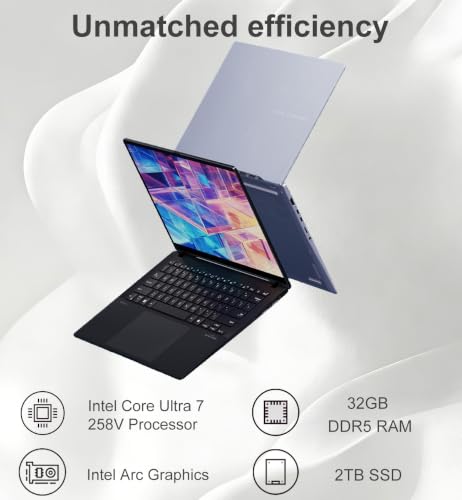
The ASUS Vivobook S 14 OLED Laptop takes a different approach to 14-inch mobile computing by pairing Intel Core Ultra 7 258V silicon with an expansive internal storage and memory layout. The processor clocks up to 4.8GHz and relies on integrated Intel Arc graphics to drive day-to-day visual tasks. System responsiveness is elevated by 32GB of DDR5 RAM alongside a spacious 2TB PCIe NVMe M.2 solid-state drive, accommodating massive raw photo libraries, local video caches, and code repositories. Note that the listing indicates this brand-new unit has been resealed specifically to install the upgraded solid-state drive, retaining a one-year manufacturer warranty on the remaining factory components.
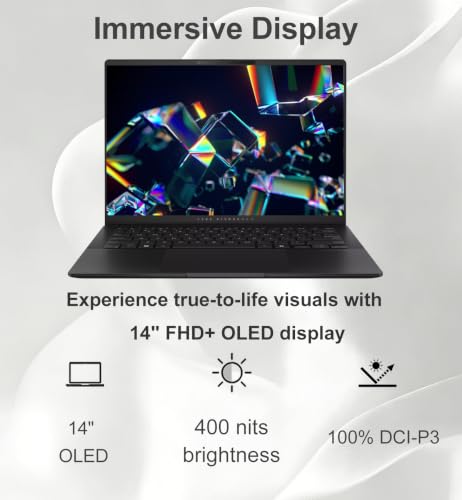
Its visual interface relies on a 14-inch WUXGA (1920 x 1200) OLED display delivering 400 nits of brightness and full 100 percent DCI-P3 color gamut coverage. While running at a standard FHD+ resolution compared to the 3K panel found on its sibling, this screen provides clean color reproduction for office work and media consumption. Connectivity is versatile, headlined by two full Thunderbolt 4 ports alongside two USB Type-A ports, an HDMI 2.1 output, a MicroSD card reader, and an audio combo jack. External display bandwidth is substantial, supporting up to three 4K monitors at 60Hz concurrently without requiring an intermediate docking station.
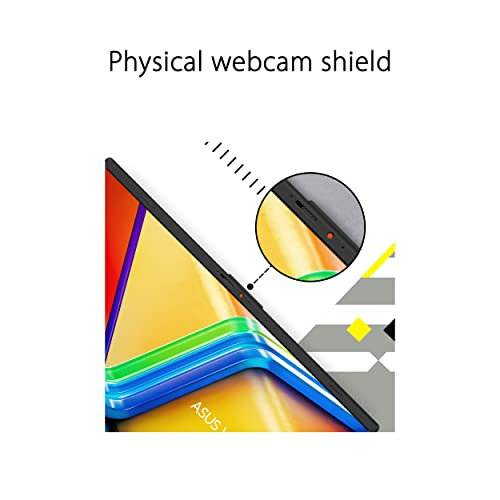
Durability is reinforced via MIL-STD 810H military-grade testing, and wireless performance is handled by modern Wi-Fi 7 and Bluetooth 5.4 radios. The integrated 75Wh battery is rated for up to 27 hours of continuous use depending on the workload. For communication, a 1080p Full HD front-facing camera includes a physical privacy shutter. This configuration suits creative professionals and remote business operators who require massive onboard storage and Thunderbolt connectivity, though buyers hunting maximum display sharpness may prefer the 3K panel on the Ryzen AI 9 model.
ASUS Vivobook S 16 OLED Laptop for Big-Screen Multitasking



ASUS Vivobook S 16 OLED Laptop, Intel Core Ultra 4 photos from the Amazon listing
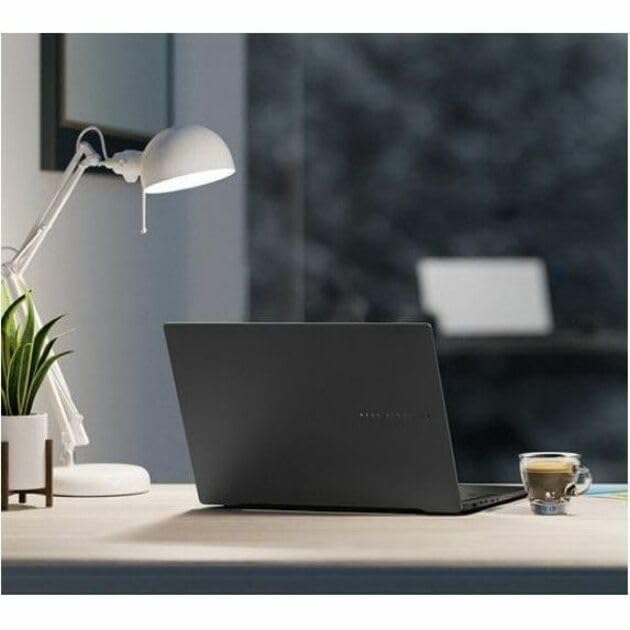
For users who find 14-inch panels restrictive, the ASUS Vivobook S 16 OLED Laptop expands the canvas into a 16-inch form factor while remaining exceptionally thin. Operating on the Intel Evo platform, this laptop is powered by an Intel Core Ultra 9 185H processor with integrated Intel Arc graphics, giving it superior computational throughput for high-resolution streaming, video rendering, and multi-threaded calculations. The platform contains 16GB of system memory and a 1TB solid-state drive, providing an agile workspace for power users who balance concurrent business applications. Those researching an asus vivobook 16gb ram footprint will find this layout balanced for intensive day-to-day multitasking.
The headline attribute is the nearly frameless 16-inch Lumina OLED panel, designed to deliver high dynamic contrast and vibrant color reproduction that remains legible in bright ambient conditions. The aluminum chassis measures just 3.31 pounds, maintaining high portability despite the larger footprint. ASUS incorporates a 180-degree hinge, enabling the screen to lie completely flat during collaborative sessions or desktop presentations. Audio and conferencing duties are supported by an ASUS AiSense 1080p FHD infrared camera with a built-in privacy shutter, alongside multi-dimensional sound reproduction.
Ergonomics receive equal attention with a spacious touchpad and an RGB backlit keyboard that allows personalized backlighting. Battery life is rated at up to 16 hours on a single charge, making it dependable for long office days without a power brick. This machine is ideal for corporate multitaskers and digital content editors who demand a large OLED viewing area paired with Intel Core Ultra 9 performance. However, power users needing an integrated ten-key numeric pad or 3K resolution in a 16-inch frame should evaluate the AMD-powered S16 configuration instead.
ASUS Vivobook Go 15 Laptop for Essential Daily Utility


ASUS Vivobook Go 15 Laptop 4 photos from the Amazon listing
Best for: Students needing durable baseline computing
Pros
- Durable MIL-STD-810H rated chassis
- 180-degree lay-flat collaborative hinge
- Fast 49-minute 60 percent charging
- Comfortable ErgoSense keyboard layout
Cons
- Entry-level 8GB system memory
- Smaller 42Wh internal battery capacity
Targeting practical baseline computing, the ASUS Vivobook Go 15 Laptop scales back premium luxuries to focus on fundamental durability and mobile utility. Under the hood, an AMD Ryzen 5 40 processor works in tandem with integrated AMD Radeon graphics to manage everyday office processing, document drafting, and video streaming. Memory and storage allocations stand at 8GB of system RAM and a 512GB solid-state drive. This configuration is built for straightforward, non-specialized computing without unnecessary hardware overhead.
The visual interface features a 15.6-inch Full HD (1920 x 1080) 60Hz display framed by an 84 percent screen-to-body ratio. The display surface incorporates an anti-glare coating to suppress harsh overhead light reflections in classroom and office environments. Like its higher-tier siblings, the chassis incorporates a precision-engineered 180-degree lay-flat hinge, simplifying screen sharing across conference tables. Input is handled through an ASUS ErgoSense keyboard tuned for extended, comfortable typing ergonomics.
Mobility is anchored by a 42Wh battery supported by fast-charging circuitry capable of restoring 60 percent capacity in approximately 49 minutes. The chassis passes MIL-STD-810H military-grade durability testing to endure everyday transit hazards. Port selections include one USB 2.0 Type-A port, one USB 3.2 Gen 1 Type-A port, one USB 3.2 Gen 1 Type-C connection, an HDMI 1.4 port, and a 3.5mm combo audio jack, alongside modern Wi-Fi 6E connectivity. This system is ideal for students and administrative workers who need a reliable, rugged machine for basic productivity, but it yields to the Vivobook S line for color-critical creative tasks or heavy computational demands.
ASUS Vivobook S16 Laptop for Copilot+ AI Acceleration


ASUS Vivobook S16 Laptop, Copilot+ PC, AMD Ryzen AI 4 photos from the Amazon listing
Best for: Data professionals prioritizing AI TOPS and 3K
Pros
- AMD Ryzen AI 7 50 TOPS NPU
- 120Hz 3K Lumina OLED panel
- Full keyboard with numeric keypad
- Hardware Microsoft Pluton security
Cons
- Fixed 16GB unified system memory
- Single-zone keyboard backlighting
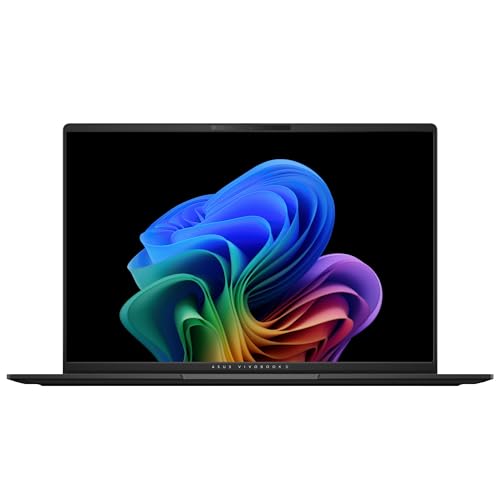
The ASUS Vivobook S16 Laptop steps forward as a certified Copilot+ PC built specifically around next-generation artificial intelligence acceleration. It features an AMD Ryzen AI 7 350 processor incorporating an AMD XDNA neural processing unit capable of delivering up to 50 TOPS of dedicated AI compute. Integrated AMD Radeon 860M graphics deliver responsive rendering performance for video playback and casual gaming workloads. The internal configuration pairs 16GB of fast DDR5 memory with a 1TB solid-state drive, maintaining low latency across complex application stacks.
Visual output is delivered through a high-grade 16-inch 3K (2880 x 1800) Lumina OLED display with a 16:10 aspect ratio. The screen features a smooth 120Hz refresh rate, up to 600 nits of peak HDR brightness, and full 100 percent DCI-P3 color gamut coverage for accurate color timing and photo grading. Physical security and enterprise-level protection are handled through an integrated Microsoft Pluton security processor and a 1080p Full HD IR webcam with ASUS AiSense, providing Windows Hello facial recognition, eye tracking, automatic framing, and background blur.
Crafted from anti-fingerprint metal in a Neutral Black finish, the laptop measures an ultra-slim 0.55 inches in thickness and weighs 3.31 pounds. It carries a 75Wh battery engineered to deliver up to 14 hours of operational endurance. Input features include a single-zone RGB backlit keyboard complete with a dedicated NumKey numeric keypad and a 180-degree lay-flat display hinge. This laptop is the prime choice for tech enthusiasts, spreadsheet power users, and designers seeking an advanced AI engine combined with a 120Hz 3K OLED workspace.
ASUS Vivobook 15 Laptop for Heavy Multi-Threaded Processing


ASUS Vivobook 15 Laptop, 15.6" FHD, Intel Core i9-13900H, 4 photos from the Amazon listing
Best for: Engineers needing raw 14-core Intel processing
Pros
- 14-core Intel Core i9-13900H CPU
- Expansive 32GB RAM capacity
- Windows 11 Pro preinstalled
- Integrated fingerprint security sensor
Cons
- Standard non-OLED FHD matte display
- Older DDR4 memory standard generation
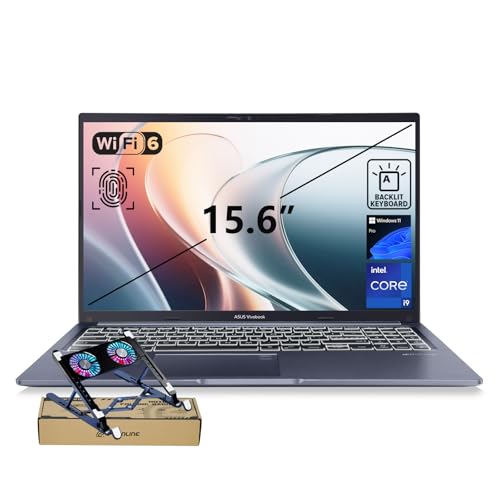
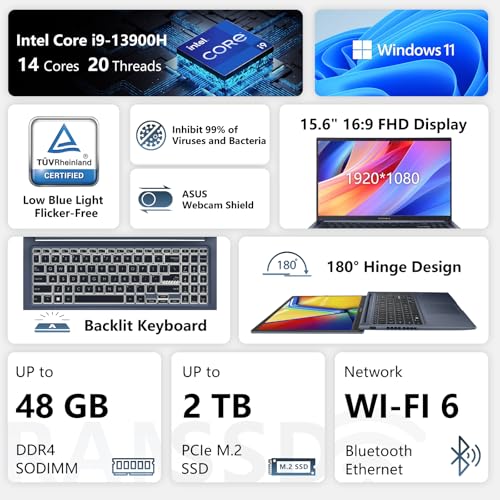
The ASUS Vivobook 15 Laptop takes an entirely different architectural path by harnessing raw multi-threaded CPU power. It is powered by a high-wattage Intel Core i9-13900H processor featuring 14 physical cores, paired with integrated Intel UHD Graphics. To support continuous performance during intense computational cycles, this package includes an external PCO cooling accessory designed to complement the internal thermal assembly. Internal capacity is substantial, containing 32GB of DDR4 RAM and a 1TB PCIe M.2 solid-state drive, preloaded with Windows 11 Pro for professional fleet integration.
The display panel is a practical 15.6-inch Full HD (1920 x 1080) non-touch screen that incorporates a glare-free matte surface. While it foregoes the deep contrast ratios of Lumina OLED panels, it delivers an everyday working environment for administrative analysis, programming, and virtualization. Biometric security is integrated directly via a physical fingerprint reader, accompanied by a built-in physical privacy shield over the webcam for absolute visual privacy when off call.
The laptop chassis is finished in Blue, weighs 3.8 pounds, and features a backlit keyboard for low-light data entry. I/O provision is comprehensive, comprising one USB Type-C port, two USB Type-A 3.X ports, a USB 2.0 connection, a 3.5mm audio jack, and an HDMI output capable of driving external 4K monitors. Note that this unit features third-party professional upgrades for its RAM and SSD configurations, providing three-year warranty coverage through PCOnline US on the upgraded memory components and a standard one-year warranty on the base laptop. It is ideal for developers and engineers requiring 14-core Intel compute power on a budget, handing over to the S-series models when visual color precision is mandatory.
How to Choose the Right ASUS Laptops
Selecting the optimal model from this lineup requires matching specific hardware specifications to your operational demands. The transition between general-purpose Vivobook notebooks and the dedicated Vivobook S tier involves distinct trade-offs across processing silicon, panel fidelity, and physical build materials.
- Silicon Architecture and AI Acceleration: If your workflow involves localized artificial intelligence, machine learning models, or automated Copilot tasks, prioritize the AMD Ryzen AI 9 365 or Ryzen AI 7 350 platforms found in the Vivobook S 14 OLED Slim and Vivobook S16. These processors integrate dedicated NPUs operating between 45 and 50 TOPS. For heavy multi-core CPU compilation, the 14-core Intel Core i9-13900H on the Vivobook 15 provides raw core density, while the Intel Core Ultra 7 and Ultra 9 chips offer balanced efficiency on Intel Evo platforms.
- Display Technology and Refresh Rates: Visual artists and media editors should focus exclusively on ASUS Lumina OLED configurations. The 3K (2880 x 1800) 120Hz panels on the Vivobook S 14 Slim and Vivobook S16 offer 600 nits of peak HDR brightness, 0.2ms response times, and 100 percent DCI-P3 color coverage. In contrast, standard 60Hz FHD screens on the Vivobook Go 15 and Vivobook 15 are built for utilitarian business tasks where anti-glare coatings matter more than color grading. If you are comparing panel options across different form factors, reviewing an asus pro art laptop perspective can help clarify creator-tier display requirements.
- Memory Capacity and Thermal Profiles: Memory allocations cannot always be altered after purchase, particularly with LPDDR5X implementations. For heavy multitasking, the 32GB configurations seen on the Vivobook S 14 OLED (Core Ultra 7) and the Vivobook 15 (Core i9) provide expansive headroom for virtual machines and large databases. Standard productivity tasks operate comfortably on 16GB, while the 8GB threshold on the Vivobook Go 15 is reserved for essential cloud and document work.
- Port Selection and External Displays: Users requiring extensive monitor arrays should prioritize the dual Thunderbolt 4 ports on the Vivobook S 14 OLED, which drive up to three external 4K displays at 60Hz without extra hardware. The AMD Vivobook S models provide high-speed USB 4.0 and USB 3.2 Gen 1 Type-C ports with power delivery and display output, while the budget-friendly Vivobook Go 15 relies on standard USB 3.2 and HDMI 1.4 outputs.
FAQ
What is the difference between an ASUS Vivobook and a Vivobook S?
The standard Vivobook lineup, including the Vivobook Go 15 and Vivobook 15, focuses on utilitarian computing with standard Full HD non-OLED screens, plastic-composite elements, and practical port configurations. The Vivobook S series introduces a thinner aluminum chassis, premium ASUS Lumina OLED panels with high refresh rates, higher-capacity 75Wh batteries, customizable RGB keyboards, and advanced silicon architectures like Intel Core Ultra and AMD Ryzen AI.
What are the primary advantages of an ASUS Lumina OLED display?
ASUS Lumina OLED panels provide true 1,000,000:1 contrast ratios, deep black levels, and full 100 percent DCI-P3 color space reproduction. On models like the Vivobook S 14 OLED Slim and Vivobook S16, these displays also feature a rapid 0.2 millisecond response time, a smooth 120Hz refresh rate, and up to 600 nits of peak HDR brightness, significantly surpassing standard 60Hz IPS or TN laptop screens in visual fluidity and color precision.
Do these ASUS Vivobook laptops support external monitor connections?
Yes, all models in this lineup support external displays, though the bandwidth varies by configuration. The Vivobook S 14 OLED with Intel Core Ultra 7 features dual Thunderbolt 4 connections capable of driving three 4K monitors simultaneously at 60Hz. The Vivobook S 14 Slim includes USB 4.0 and HDMI 2.1 TMDS, while the Vivobook S16 and Vivobook 15 provide dedicated HDMI outputs alongside DisplayPort-capable USB-C connections.
Can the internal RAM and SSD storage be upgraded on these laptops?
Upgradeability depends on the internal board design of each chassis. Ultra-slim models such as the Vivobook S 14 OLED Slim utilize soldered LPDDR5X system memory that cannot be upgraded after purchase, making it crucial to select your required RAM upfront. Larger notebooks like the Vivobook 15 feature accessible M.2 SSD storage and DDR4 memory sockets that allow post-purchase component replacement.
What does a Copilot+ PC rating mean on the ASUS Vivobook S16?
A Copilot+ designation indicates that the laptop contains an integrated neural processing unit capable of at least 40 TOPS of localized AI computation. The AMD Ryzen AI 7 350 processor inside the Vivobook S16 features an AMD XDNA NPU delivering up to 50 TOPS, allowing Windows 11 to process advanced on-device AI features like Windows Studio Effects, real-time background blurring, eye tracking, and automated captioning locally without constant cloud offloading.


